
AI Email Writer
Stop overthinking every email; Fly Email AI gives you 13 free tools to write professional drafts in seconds without signing up.
Visit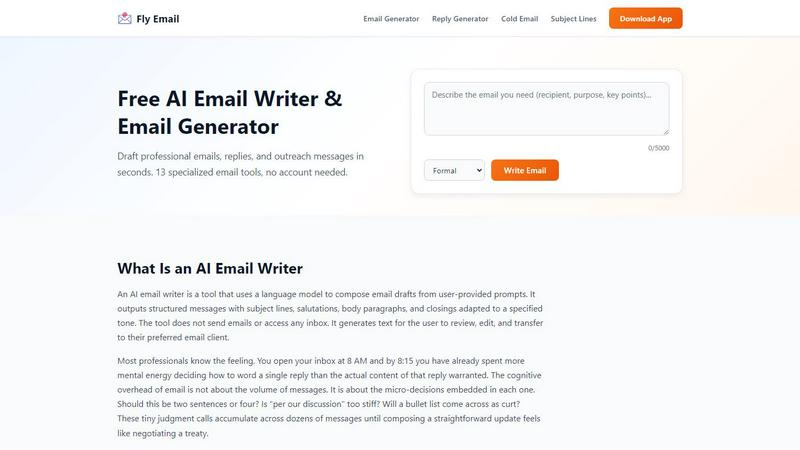
About AI Email Writer
Fly Email AI is a freemium AI email writer designed to help you generate complete emails and ready-to-send replies for both business and personal scenarios. At its core, this tool solves a simple but persistent problem: the mental effort of starting from a blank screen. Instead of wrestling with how to word a message, you provide a short description of what you need, and the AI produces a structured draft with a subject line, salutation, body paragraphs, and closing. The tool is built for professionals, job seekers, founders, support teams, and students who want to reduce the time they spend drafting, rewriting, and polishing messages. You do not need to create an account to start using it, and you get ten free generations per day. The platform offers thirteen specialized email tools covering tasks like cold outreach, follow-ups, meeting requests, customer support responses, and formal announcements. You can select from four tones formal, friendly, urgent, and follow-up to match the context and recipient. The tool is available on web, iOS, and Android, so you can use it on the go. The workflow focuses on short inputs and structured outputs, letting you copy, edit, and send with minimal formatting work. It is important to remember that AI-generated content can include errors or inappropriate phrasing, so you should always review facts, names, and commitments before sending. This tool is commonly used as a writing tool, an AI assistant, and a productivity utility.
Features of AI Email Writer
AI Email Generator
This feature produces a complete email from a brief description of what you need. You type a few sentences about the situation, the recipient, and the key points, and the AI returns a structured message with a subject line, opening, body, and closing. It saves you from staring at a blank screen and lets you edit a draft instead of composing from scratch.
Email Reply Generator
With this feature, you can paste a received email and get a professional reply in seconds. The AI reads the original message and generates a response that addresses the points raised. This is especially useful for customer support teams and busy professionals who handle high volumes of incoming messages and need to reply quickly without sounding repetitive.
Tone Selection
You can choose from four distinct tones formal, friendly, urgent, and follow-up to match the context of your email. Formal works for external stakeholders and executives. Friendly fits teams you work with daily. Urgent adds directness and clear deadlines. Follow-Up references a prior exchange and nudges toward a response. This flexibility ensures your message sounds appropriate for the recipient.
Subject Line Generator
This tool provides ten compelling subject line options for any email you want to write. A strong subject line increases the chance your email gets opened and read. Instead of brainstorming multiple options yourself, you describe the email content and the AI generates a variety of choices. You can pick the one that fits best or use it as inspiration for your own version.
Use Cases of AI Email Writer
Cold Outreach for Sales and Business Development
Sales professionals and founders can use Fly Email AI to craft concise outreach emails that get responses. You describe the prospect, your value proposition, and the goal of the message. The AI generates a draft that is professional and direct. You can adjust the tone to match the industry or relationship. This saves time and helps maintain consistency across your outreach campaigns.
Follow-Up Emails After Meetings or Interviews
After a meeting, interview, or networking event, sending a timely follow-up is important but easy to postpone. This tool lets you generate a persistent but polite follow-up email in seconds. You provide context about the previous interaction and the purpose of the follow-up. The AI drafts a message that references the prior exchange and nudges the recipient toward a response without being pushy.
Customer Support Responses
Support teams handle many repetitive inquiries daily. With the support email templates feature, you can generate customer service responses quickly. You paste the customer question or issue, and the AI produces a clear, professional reply. You can then customize it with specific details about the customer account or situation. This reduces response time and helps maintain consistent quality across your support team.
Formal Announcements and Resignation Letters
When you need to write a resignation letter, an apology email, or a formal announcement, this tool provides structure and appropriate language. You describe the situation and the key points you need to cover. The AI generates a draft with formal structure and tone. This is helpful for job seekers, managers, and anyone who needs to communicate sensitive information professionally without spending excessive time on wording.
Frequently Asked Questions
What is an AI email writer and how does it work?
An AI email writer is a tool that uses a language model to compose email drafts from user-provided prompts. You describe the situation, pick a tone, and the AI outputs a structured message with a subject line, salutation, body paragraphs, and closing. The tool does not send emails or access your inbox. It generates text for you to review, edit, and transfer to your preferred email client. The goal is to solve the starting problem by putting words on the screen so you can react to them instead of creating them from nothing.
Is Fly Email AI free to use?
Yes, Fly Email AI is a freemium tool. You get ten free generations per day with no signup required. This means you can test the tool and use it for basic email writing tasks without paying anything. If you need more generations or access to additional features, there are paid plans available. The free tier is generous enough for most casual users and light professional use.
What platforms does Fly Email AI support?
Fly Email AI is available on web, iOS, and Android. You can use the web version from any browser on your computer. The mobile apps let you generate emails on the go from your phone or tablet. This cross-platform support means you can access the tool whether you are at your desk, in a meeting, or traveling. All platforms offer the same core features and workflow.
Can I use Fly Email AI for personal emails?
Yes, Fly Email AI works for both business and personal scenarios. While it is commonly used for professional emails like cold outreach, follow-ups, and customer support, you can also use it for personal messages like thank-you notes, apology emails, and informal updates to friends or family. The tone selection lets you adjust the formality to match the relationship. Just remember to review and personalize the draft before sending, especially for personal messages where authenticity matters.
Similar to AI Email Writer

Turn text ideas or reference images into videos through conversation, with agent-assisted prompts and a choice of video models.

Open-source Android comic & manga reader with encrypted cloud streaming and AI ad-page stripping.

All-in-one AI workspace to generate images, videos, and audio with multiple leading AI models.

An adaptive AI tutor that turns topics or your materials into courses, lessons, and answers tailored to how you learn.

Turn text prompts and photos into AI videos with Sora 2, Veo 3.1, Wan, and more. Get free starter credits and watermark-free downloads.

AI social listening agent: finds people on Reddit and X describing the problem you solve, scores buying intent and drafts a reply your team approves.


Free Chrome extension. Paste your rough point and Chrome's built-in AI writes a fresh reply for that post on X, LinkedIn, Facebook or Instagram.