3DAIStudio vs Viral AI Video Maker
Side-by-side comparison to help you choose the right product.

3DAIStudio
3DAIStudio instantly creates professional 3D models from your text or images, making 3D creation accessible to everyone.
Last updated: April 4, 2026

Viral AI Video Maker
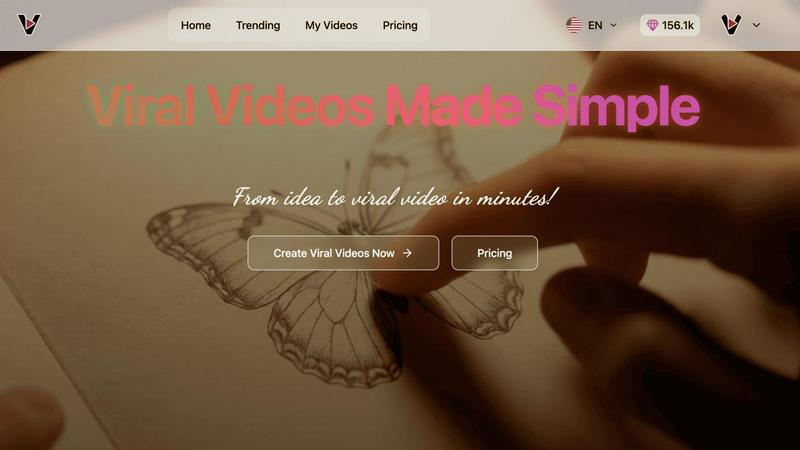
Create eye-catching viral videos for TikTok and Instagram in minutes with our easy AI-powered templates.
Last updated: February 28, 2026
Visual Comparison
3DAIStudio

Viral AI Video Maker
Feature Comparison
3DAIStudio
Text to 3D
This feature allows you to create a complete 3D model by simply typing a descriptive text prompt. You describe the object, character, or scene you envision in plain language, and the AI interprets your words to generate a textured 3D asset. For example, typing "a realistic fantasy orc warrior, muscular, wearing rugged armor and wielding a curved sword" will produce a corresponding 3D model ready for use. This removes the barrier of needing technical modeling skills and allows for rapid prototyping and idea exploration directly from your imagination.
Image to 3D
With this tool, you can upload any 2D image, sketch, or illustration and transform it into a three-dimensional model. The AI analyzes the shapes, perspectives, and details within your uploaded image to construct a 3D representation. This is particularly useful for converting concept art, product photos, or hand-drawn sketches into workable 3D assets instantly, bridging the gap between 2D design and 3D implementation without manual modeling.
AI Texturing
After a model is generated, the AI Texturing feature applies realistic, high-quality textures and materials to its surface. You can guide this process with text prompts to describe the desired material, such as "rusty metal" or "glossy plastic," or paint details directly onto the model. It generates PBR (Physically Based Rendering) materials, which are the standard for achieving realistic lighting and surfaces in modern game engines and rendering software.
Quad-Remesh
This is a vital optimization tool that automatically improves the topology, or mesh structure, of your generated 3D model. It creates a clean, quad-based mesh (made of four-sided polygons) which is essential for professional animation, deformation, and efficient rendering. The tool can also reduce polygon count and generate Levels of Detail (LODs), preparing your asset for production use in engines like Unity and Unreal without requiring manual, time-consuming retopology work.
Viral AI Video Maker
AI-Powered Video Creation
This feature allows users to generate videos quickly by leveraging AI technology. It analyzes user input and transforms simple ideas into professional-quality video content, making video creation accessible to everyone.
Pre-Optimized Templates
Viral AI Video Maker offers a range of pre-designed templates that are optimized for various social media platforms. Users can easily select a template that fits their vision and customize it to create unique videos that resonate with their audience.
Easy Customization Tools
The platform provides intuitive customization tools that allow users to modify elements such as text, images, and music. This flexibility ensures that users can personalize their videos while maintaining a professional look and feel.
Social Media Integration
Viral AI Video Maker facilitates seamless sharing of created videos across multiple social media platforms. Users can easily export their videos in formats suitable for platforms like Instagram, Facebook, and TikTok, maximizing their reach and engagement.
Use Cases
3DAIStudio
Game Development
Game developers and studios can use 3DAIStudio to rapidly prototype characters, props, weapons, and environmental assets. By generating models from text concepts or concept art images, teams can accelerate pre-production, populate game worlds quickly, and iterate on designs faster, significantly reducing the time from idea to in-game asset and helping to meet tight development deadlines.
Film and Animation Production
In pre-visualization (previs) and animation, artists can quickly generate 3D stand-ins, background assets, and detailed props from storyboard sketches or descriptive briefs. This allows for faster scene blocking, concept validation, and asset creation for both major studios and independent filmmakers, streamlining the early stages of production.
Product Design and Prototyping
Designers can upload sketches or photos of a product idea and instantly generate a 3D model for visualization, presentation, or 3D printing. This enables rapid iteration on physical product designs, creation of marketing materials, and functional prototypes without needing advanced CAD software skills, making the design process more accessible and agile.
Education and Learning
Educators and students in fields like design, architecture, and digital arts can use the platform as a practical learning tool. It allows users to understand 3D spatial concepts by seeing their 2D drawings or descriptions come to life in three dimensions, providing a hands-on, low-barrier entry point into the world of 3D modeling and computer graphics.
Viral AI Video Maker
Content Creation for Social Media
Content creators can use Viral AI Video Maker to produce engaging videos that help boost their online presence. The platform allows for quick video generation, helping users keep up with the fast-paced demands of social media content.
Marketing Campaigns
Marketers can utilize this tool to create attention-grabbing promotional videos for their products or services. With the ability to customize templates, they can craft compelling messages that resonate with their target audience.
Small Business Promotions
Small businesses can take advantage of the platform to create videos that showcase their offerings and unique selling points. This helps them stand out in a crowded market and attract potential customers through visual storytelling.
Educational Content
Educators and trainers can leverage Viral AI Video Maker to produce informative videos that simplify complex topics. This makes learning more engaging for students, helping them absorb information effectively through visual aids.
Overview
About 3DAIStudio
3DAIStudio is an AI-powered toolkit designed to democratize and accelerate the creation of three-dimensional (3D) assets. At its core, it solves a fundamental challenge in digital content creation: the significant time, cost, and specialized skill required to build 3D models from scratch. This platform enables users to generate custom, high-quality 3D models in seconds, using either a simple text description or a two-dimensional image as the starting point. The process is built to be intuitive, requiring no prior 3D modeling experience, which opens the door for a wide range of users. It is ideally suited for designers, game developers, filmmakers, product designers, educators, and creatives across various industries who need production-ready 3D assets. The main value proposition of 3DAIStudio lies in its ability to transform a concept into an export-ready 3D model in minutes rather than days. It provides a suite of integrated tools that handle not just model generation, but also critical post-processing steps like texturing and mesh optimization. This makes it a comprehensive solution for turning ideas into functional assets for game engines, animation software, virtual reality, 3D printing, and more, fundamentally changing the workflow for 3D content creation.
About Viral AI Video Maker
Viral AI Video Maker is an innovative platform designed to enable users of all skill levels to create captivating and shareable videos in a matter of minutes. Leveraging advanced AI technology, particularly Google Veo3, it simplifies the video creation process, transforming basic ideas into engaging video content that is specifically tailored for social media platforms. The core value proposition of Viral AI Video Maker lies in its ability to deliver professional-quality videos without the need for any prior editing experience. This makes it an ideal solution for content creators, marketers, small businesses, and social media enthusiasts looking to enhance their online presence and engage their audience with visually appealing videos. With a user-friendly interface, users can choose from a wide array of pre-optimized templates, customize them to fit their unique style, and produce attention-grabbing content in as little as three minutes. The platform not only saves time but also empowers users to share their stories effectively through the art of video.
Frequently Asked Questions
3DAIStudio FAQ
What file formats can I export my 3D models in?
3DAIStudio is designed for production-ready output, allowing you to export your generated and optimized 3D models in standard industry formats. These typically include formats like OBJ, FBX, and GLTF/GLB, which are universally compatible with major 3D software, game engines (Unity, Unreal Engine), and web frameworks like Three.js, ensuring seamless integration into your existing workflow.
Do I need any prior 3D modeling experience to use 3DAIStudio?
No, you do not need any prior 3D modeling experience. The platform is built specifically to be accessible to beginners. The core process involves typing a text prompt or uploading an image, with the AI handling the complex tasks of geometry creation, texturing, and mesh optimization. This makes it an ideal tool for anyone looking to create 3D content without learning traditional, complex modeling software.
How does the AI Texturing feature work?
The AI Texturing feature uses artificial intelligence to apply realistic materials to your 3D model's surface. You can provide a text description of the material you want (e.g., "wooden," "metallic," "fabric"), and the AI will generate a corresponding texture map. Alternatively, you may have tools to paint or select areas on the model to apply different materials, giving you control over the final look while leveraging AI for speed and quality.
Is 3DAIStudio suitable for creating commercial assets?
Yes, models created with 3DAIStudio are intended for commercial use. The platform is trusted by professionals across industries like game development, film, and product design to create assets for commercial projects. It is always recommended to review the specific Terms of Service for the latest information on licensing, usage rights, and any limitations related to the commercial use of AI-generated content.
Viral AI Video Maker FAQ
How does Viral AI Video Maker work?
Viral AI Video Maker uses advanced AI technology to transform user ideas into video content. Users input their concepts, select a template, and customize it as needed, allowing for fast and efficient video creation.
Do I need any video editing experience to use this platform?
No, you do not need any prior video editing experience to use Viral AI Video Maker. The platform is designed to be user-friendly, enabling anyone to create professional-quality videos with ease.
Can I share my videos directly on social media?
Yes, Viral AI Video Maker allows users to export their videos in formats optimized for various social media platforms, enabling easy sharing on sites like Instagram, Facebook, and TikTok.
Are there any templates available for different types of videos?
Absolutely! Viral AI Video Maker offers a wide selection of pre-optimized templates tailored for different categories, such as marketing, education, and personal storytelling, ensuring users can find the right fit for their needs.
Alternatives
3DAIStudio Alternatives
3DAIStudio is a tool in the content creation category that uses artificial intelligence to quickly generate three-dimensional models. Users simply provide an image or text description, and the AI produces a quality 3D asset. This technology is designed to speed up workflows for projects requiring custom 3D objects. People often explore other options for several practical reasons. Cost is a primary factor, as budgets and subscription models vary widely. Some users may need specific technical features, different export formats, or tools that integrate with their existing software platform. The search for an alternative is usually about finding the best fit for a particular project's requirements and constraints. When evaluating different services, consider the core output. Look at the quality and style of the 3D models generated, the speed of processing, and the learning curve involved. Also, assess the practical details like pricing transparency, licensing terms for the assets you create, and the reliability of the platform's performance. These foundational elements will guide you to the right tool.
Viral AI Video Maker Alternatives
Viral AI Video Maker is an innovative platform that allows users to create engaging and shareable videos effortlessly. It falls under the category of AI-powered video creation tools, which are designed to simplify the video production process for individuals and businesses alike. Many users seek alternatives to Viral AI Video Maker for various reasons, including pricing concerns, feature sets, or compatibility with specific platforms. As the digital landscape evolves, users often look for tools that align better with their unique needs, whether that be advanced editing capabilities, different pricing models, or specific integrations. When choosing an alternative, it is essential to consider several factors. Look for platforms that offer a user-friendly interface, a variety of templates that suit your content style, and compatibility with your preferred social media channels. Additionally, evaluate the quality of video output, customer support, and any additional features that may enhance your video creation experience. This thorough assessment will help you find the right tool that meets your creative and strategic needs.