qtrl.ai vs Updaytr
Side-by-side comparison to help you choose the right product.

qtrl.ai
qtrl.ai helps QA teams scale testing with AI agents while maintaining full control and governance.
Last updated: March 4, 2026
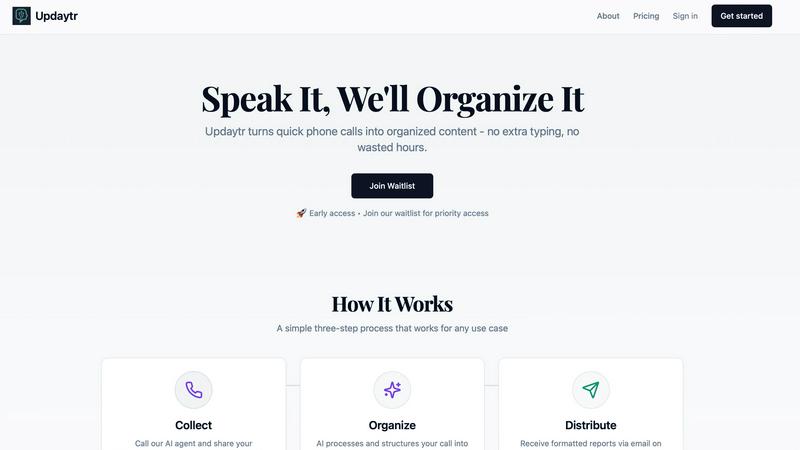
Updaytr turns team phone updates into organized reports, eliminating status meetings.
Last updated: March 1, 2026
Visual Comparison
qtrl.ai

Updaytr
Feature Comparison
qtrl.ai
Enterprise-Grade Test Management
This feature provides a structured foundation for all quality activities. It offers a centralized repository for test cases, plans, and runs, ensuring everything is organized and accessible. Full traceability links tests back to requirements, and detailed audit trails are maintained for compliance. It supports both manual and automated workflows, giving teams the flexibility to manage quality in a way that fits their current process while preparing for more advanced automation.
Progressive AI Automation
Instead of a sudden, all-or-nothing approach, qtrl.ai introduces automation progressively. Teams begin by writing high-level test instructions in plain English. When ready, they can leverage AI to generate detailed test scripts from those instructions. The AI also suggests new tests based on coverage gaps. Crucially, every AI-generated step is fully reviewable and approvable by a human, maintaining oversight and ensuring tests align with team expectations before execution.
Autonomous QA Agents
These are intelligent executors that operate within defined rules. They can run tests on demand or continuously across multiple real browsers and environments, such as development, staging, and production. The agents execute instructions precisely, providing real browser interaction rather than simulations. They operate with permissioned autonomy levels, meaning their actions are transparent and controllable, never making unpredictable "black-box" decisions.
Adaptive Memory & Multi-Environment Execution
The platform builds a living knowledge base of your application by learning from exploration, test execution, and discovered issues. This context makes test generation smarter over time. Coupled with robust multi-environment execution, teams can run tests across any stage of the development lifecycle. The system securely manages per-environment variables and encrypted secrets, which are never exposed to the AI agent, ensuring security and consistency.
Updaytr
Voice-to-Report Conversion
This is the foundational feature of Updaytr. Team members can call in their updates from any phone, at any time. They simply speak naturally about their work, progress, or issues. The advanced AI then transcribes this conversation and, crucially, structures the raw audio into a well-organized, written report. This eliminates all typing, allowing for quick updates from the field and turning spoken words into actionable written content automatically.
Automated Report Distribution
Once the AI has processed and organized the updates, Updaytr handles delivery automatically. Managers and other stakeholders receive consolidated, beautiful reports directly in their email inbox. You can set the delivery schedule—whether daily, weekly, or at another interval—ensuring the right people get the right information at the right time without anyone having to manually send or forward anything.
Smart Contextual Organization
The AI does more than just transcribe; it intelligently organizes the information. It can automatically tag updates by project, client, or team member based on the content of the call. The system also remembers context from previous calls, providing continuity in reporting. This smart categorization ensures that reports are logical and easy to scan, making it simple to track progress over time on specific tasks or projects.
Flexible and Accessible Setup
Updaytr is designed for ease of use from day one. There is no complex software for field teams to install or learn. They use a tool they already have: a phone. Administrators can easily add team members and their phone numbers to the system. The service offers a free tier to get started, requires no credit card for the trial, and works with any telephone, making it accessible for businesses of all types and technical levels.
Use Cases
qtrl.ai
Scaling Beyond Manual Testing
For QA teams overwhelmed by repetitive manual test cycles, qtrl.ai provides a clear path forward. Teams can start by structuring their existing manual tests in the platform. Then, they can progressively automate the most tedious and high-value test cases using AI-generated scripts, freeing up human testers for more complex exploratory work and significantly increasing test coverage and execution speed.
Modernizing Legacy QA Workflows
Companies relying on outdated, siloed, or spreadsheet-based test management systems can consolidate their entire QA process into qtrl.ai. The platform brings test management, automation, and execution into a single, governed system. This modernization provides immediate benefits like real-time dashboards, audit trails, and traceability, while setting the stage for intelligent automation without a disruptive overhaul.
Governing Enterprise AI Testing
Enterprises with strict compliance, security, and governance requirements can safely adopt AI for testing with qtrl.ai. The platform's design ensures full visibility into all AI agent activities, maintains detailed audit trails, and keeps human oversight at the center. Teams can grant autonomy gradually, ensuring the AI operates within strict guardrails and corporate policies, making it a trustworthy solution for regulated industries.
Enhancing Product-Led Engineering
Product-led engineering teams that need to move fast without breaking things can integrate qtrl.ai into their CI/CD pipelines. The platform supports continuous quality feedback loops, allowing teams to run automated test suites against every build. AI agents can be tasked with verifying new features or conducting regression tests, providing rapid feedback and ensuring quality keeps pace with development velocity.
Updaytr
Construction and Field Supervision
Construction supervisors and remodeling contractors can use Updaytr to receive daily progress reports from their crews. Instead of chasing down foremen for updates, they get a consolidated email detailing work completed, materials needed, and any on-site issues. This provides clear visibility into multiple projects without interrupting the workflow on the job site.
Sales and Client Service Reporting
Outside sales representatives and insurance adjusters can call in immediately after client visits. They can share meeting notes, deal progress, and next steps verbally while the details are fresh. Updaytr organizes these updates, ensuring managers are instantly aware of sales pipelines and client status without waiting for typed reports at the end of the day.
Service and Maintenance Technicians
HVAC, plumbing, and other service technicians can report job completions, equipment status, and parts used directly from the customer's location. This creates immediate service records, informs dispatch of availability for the next job, and provides customers with prompt, professional documentation of the work performed, all through a simple phone call.
Personal Productivity and Journaling
Individuals can use Updaytr for personal organization. Whether tracking daily activities, progress on personal projects, or simply recording thoughts and ideas, users can call in their updates. The AI organizes these into a private log or journal, creating a searchable record of notes and accomplishments without the need for a separate app or writing.
Overview
About qtrl.ai
qtrl.ai is a modern QA platform designed to help software development teams scale their quality assurance efforts effectively. At its core, it addresses a fundamental challenge: the trade-off between speed and control. Many teams are caught between slow, unscalable manual testing and complex, brittle traditional automation tools. qtrl.ai provides a structured solution by combining enterprise-grade test management with intelligent, trustworthy AI automation. This creates a centralized hub where teams can organize test cases, plan test runs, trace requirements, and track quality metrics through real-time dashboards. The platform is built for progression, allowing teams to start with simple manual test management and gradually introduce AI-powered automation as they become comfortable. This makes it an ideal fit for product-led engineering teams, QA groups moving beyond manual processes, companies modernizing legacy workflows, and enterprises that require strict compliance and audit trails. Ultimately, qtrl.ai's mission is to bridge the gap, offering a controlled, transparent path to faster and more intelligent quality assurance without the risks associated with unpredictable "black-box" AI solutions.
About Updaytr
Updaytr is an AI-powered communication tool designed to eliminate the friction of team reporting. It serves a simple, fundamental need: keeping everyone informed without wasting time. The tool is built for teams, especially those working in the field, where typing updates on a phone or computer is impractical. Team members simply call a dedicated number and speak their updates. Updaytr's AI then listens, understands, and organizes these spoken words into clear, formatted reports. These reports are automatically delivered via email to managers and stakeholders on a set schedule. This process removes the need for lengthy status meetings, cumbersome paperwork, and manual report compilation. The core value proposition is efficiency through simplicity. By turning a natural phone call into a structured report, Updaytr allows field workers to focus on their jobs and managers to stay informed with minimal effort. It is a back-to-basics solution that leverages modern AI to solve the age-old problem of effective team communication.
Frequently Asked Questions
qtrl.ai FAQ
How does qtrl.ai's AI differ from other "autonomous" testing tools?
qtrl.ai avoids a risky "black-box" approach. Its AI is designed for transparency and control. It does not make unpredictable decisions. Instead, it generates test steps from human instructions, which must be reviewed and approved before execution. You define the rules and level of autonomy. This progressive, governed model ensures the AI assists your team reliably and builds trust over time.
Can we use qtrl.ai if we are not ready for full AI automation?
Absolutely. qtrl.ai is built for progression. You can start by using it solely as a powerful test management platform to organize manual test cases, plans, and runs. When your team is ready, you can begin experimenting with AI-generated test creation for specific scenarios. The platform adapts to your pace, allowing you to increase automation gradually without any pressure to change your entire workflow overnight.
How does qtrl.ai handle security and sensitive data?
Security is a foundational principle. qtrl.ai offers enterprise-ready security measures. For automation, you can define environment-specific variables and encrypted secrets (like passwords or API keys). These secrets are never exposed to the AI agent during test execution. The platform provides full audit trails and is built to support compliance requirements, giving you control over your data and test assets.
Does qtrl.ai work with our existing development tools?
Yes, qtrl.ai is designed to integrate into real-world workflows. It offers requirements management integration, CI/CD pipeline support, and is built to work alongside your existing toolset. The goal is to enhance your current process, not replace it entirely. This allows teams to incorporate structured test management and intelligent automation without disrupting their established development lifecycle.
Updaytr FAQ
How does Updaytr handle different team members' voices?
Updaytr's AI is designed to transcribe speech accurately from a variety of voices and accents. When you set up your team, you associate each member with their phone number. The system uses this information alongside advanced speech recognition to correctly attribute updates to the right person, ensuring reports are clearly organized by team member.
Can I customize what the report looks like?
Yes, the AI organizes updates into a clean, formatted report structure. While the primary focus is on automatic organization by project, client, or tags mentioned in the call, the resulting email report is designed for clarity and ease of reading. The system structures the spoken content with appropriate headings and sections based on the context it detects.
Is my data secure with Updaytr?
Updaytr takes data security seriously. The provided context notes that for specific industries, like healthcare, users should be aware of compliance limitations (e.g., it is not HIPAA compliant). For general business use, you should refer to the company's Security & Compliance, Privacy, and Terms pages (linked in the footer) for detailed information on their data handling and security practices.
What if a team member has poor cell service?
The tool is built for field use and is resilient. If a call drops or has poor audio, the team member can simply call back to continue or restart their update. The AI will process the audio it receives. For consistent issues, using a landline or waiting for better service are practical solutions, as the system is accessible from any phone.
Alternatives
qtrl.ai Alternatives
qtrl.ai is a modern quality assurance platform in the automation and developer tools category. It helps software teams scale their testing efforts by combining structured test management with intelligent AI agents. This approach allows teams to maintain full control and governance while gradually introducing automation. Users often explore alternatives for various reasons. Common considerations include budget constraints, the need for specific features not offered, or a requirement to integrate with a different set of existing development tools. The specific needs of a team's workflow and application stack are also key factors. When evaluating any alternative, it's wise to look at the core capabilities. Consider the balance between manual test organization and automated execution. Assess how the tool handles test maintenance and reporting. Finally, evaluate the level of control and transparency the platform offers, especially when it involves AI-driven features.
Updaytr Alternatives
Updaytr is a productivity and management tool that transforms spoken phone updates into organized, written reports. It serves teams that need to share field updates without the friction of typing or scheduling meetings. This category of software focuses on streamlining communication and automating routine reporting tasks. Users often explore alternatives for several practical reasons. These can include budget constraints, the need for specific integrations with other business tools, or a preference for different input methods beyond phone calls. Some teams may require more advanced project management features or different reporting formats. When evaluating other options, consider the core need: converting verbal updates into actionable written records. Key factors include the method of input, such as voice, text, or app-based entry, the quality of the automated organization, and the flexibility of report distribution. The ideal tool should fit seamlessly into your team's existing workflow without creating additional steps.