
Speechable vs The Ultimate Piano
Side-by-side comparison to help you choose the right product.

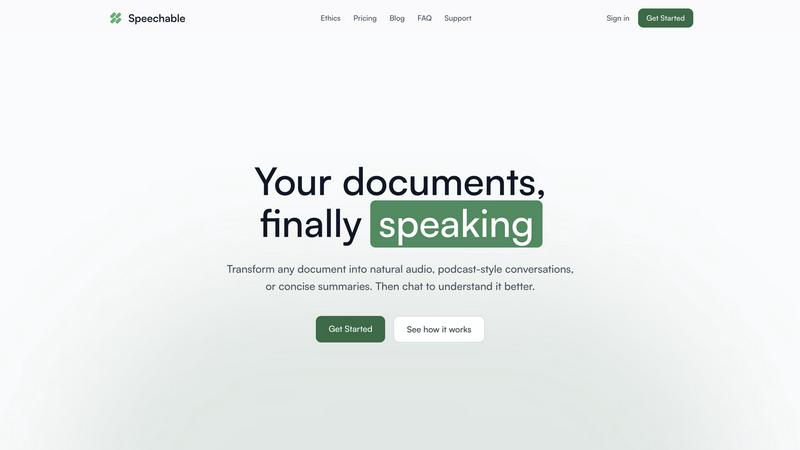
Transform documents into engaging audio, podcasts, or lectures for active learning and deeper understanding on the go.
Last updated: February 28, 2026

The Ultimate Piano
Learn piano online with realistic sound, interactive lessons, and instant feedback.
Last updated: March 4, 2026
Visual Comparison
Speechable
The Ultimate Piano

Feature Comparison
Speechable
Podcast Mode
Podcast mode transforms your document into a dynamic two-voice conversation, allowing you to choose the duration of playback—5, 10, or 15 minutes—and select your preferred language. This feature makes learning feel more like a dialogue rather than a monologue, enhancing understanding and retention.
Lecture Mode
Lecture mode presents complex ideas in a clear and straightforward manner, mimicking the style of TED talks. This feature is particularly useful for users who seek to grasp intricate subjects quickly and effectively, making it easier to absorb important information.
Eco Mode
Eco mode operates locally within your browser, which means it does not rely on cloud services. This results in up to 20 times less energy consumption compared to traditional cloud-based text-to-speech solutions. Additionally, it offers unlimited playback without any credits required, making it a sustainable choice for users.
Interactive Chat
The interactive chat feature allows users to engage with their documents by asking questions, either by typing or speaking. This functionality facilitates active learning, enabling users to clarify doubts or explore specific topics in depth, transforming passive listening into an engaging dialogue.
The Ultimate Piano
Browser-Based Piano with Realistic Sound
Play a high-quality, responsive piano directly in your web browser. There is nothing to install. You can use your mouse, computer keyboard, or connect a physical MIDI keyboard for a more authentic playing experience. The tool uses beautiful, realistic piano samples to ensure every note you play sounds authentic and inspiring, providing a solid foundation for effective practice.
Interactive Learning Modes for Scales and Chords
Move beyond random practice with structured, interactive learning modes. Select from 14 different scale types or any chord, and The Ultimate Piano will instantly visualize it across the keyboard, lighting up the correct keys. The Scale Trainer provides detailed performance analysis, helping you practice correctly and build muscle memory for essential musical patterns from the ground up.
Real-Time Chord Detection and Music Theory Display
Understand the harmony of your playing as it happens. As you play notes on the keyboard, The Ultimate Piano analyzes them in real time and displays the name of the chord you are creating. Simultaneously, you can see the notes you play displayed on a traditional sheet music staff. This immediate feedback bridges the gap between playing by ear and understanding written music theory.
Integrated Audio, YouTube, and MIDI Practice Tools
Practice in a musical context by playing along with your own material. Load any MP3 audio file or paste a YouTube URL to practice along with tutorials or songs. You can slow down playback, set loop points, and save markers. Additionally, you can load MIDI files to watch falling notes on the keyboard, perfect for learning complex pieces section by section at your own pace.
Use Cases
Speechable
On-the-Go Learning
Speechable is perfect for busy individuals who want to maximize productivity during commutes, workouts, or walks. By converting documents into audio formats, users can listen to essential content anytime and anywhere, making the most of their time.
Enhanced Study Sessions
Students can leverage Speechable to convert textbooks and lecture notes into audio summaries. This auditory approach can significantly aid comprehension and retention, especially for those who struggle with traditional reading methods.
Accessibility for Diverse Learners
Speechable is designed with accessibility in mind. Students with ADHD or dyslexia can benefit from its features, allowing them to interact with text in a more manageable and engaging manner, thus promoting equal learning opportunities.
Content Creation and Research
Researchers and content creators can use Speechable to turn lengthy articles or reports into concise audio formats. This not only saves time but also allows for easier dissemination of information, making it a valuable tool for professionals in various fields.
The Ultimate Piano
Beginner Pianist Building Foundational Skills
A new student can use the platform to learn the layout of the keyboard, understand basic note names, and start playing simple melodies. The interactive scale and chord trainers provide guided practice for essential techniques, while the Kids Mode with animal icons makes initial learning engaging and fun for younger users, establishing a strong and enjoyable foundation.
Music Student Studying Theory and Ear Training
A student enrolled in music classes can use the chord explorer and real-time detection to visualize and understand harmonic progressions from their lessons. The ear training module allows them to systematically practice identifying intervals and chords by ear, strengthening the crucial connection between what they hear and what they understand theoretically.
Hobbyist Musician Learning Songs by Ear
An enthusiast wanting to learn their favorite songs can load the audio file or a YouTube video of the song into the platform. By slowing down the playback and using the loop function, they can work on difficult passages note-by-note. The real-time chord detection helps them figure out the song's harmony, enabling them to play along accurately and build their repertoire.
Teacher Providing Interactive Visual Lessons
A piano teacher can use The Ultimate Piano during online or in-person lessons to demonstrate concepts visually. They can instantly show scales, chords, and their relationships on the keyboard for a student. The falling notes from a MIDI file can help a student follow along with a piece, making abstract instructions concrete and accelerating the learning process.
Overview
About Speechable
Speechable is an innovative tool designed to transform text-based documents into engaging audio experiences. Whether you're dealing with PDFs, web articles, ebooks, or even photos of handwritten notes, Speechable cleanly extracts the main content while eliminating distractions like footnotes, citations, and ads. This makes your documents not only accessible but also enjoyable to listen to. The primary value proposition of Speechable lies in its ability to provide users with a more immersive and interactive learning experience. By utilizing natural-sounding AI voices, users can choose from various playback modes, including podcast-style conversations and TED-style lectures. Designed for everyone—from students to educators, and individuals with learning differences—Speechable aims to make learning accessible, engaging, and efficient. This tool supports users in enhancing their comprehension while maximizing productivity, making it an essential resource for anyone who consumes large amounts of written content.
About The Ultimate Piano
The Ultimate Piano is a foundational, browser-based piano practice platform designed to make learning and improving at the piano accessible to everyone. It operates entirely within your web browser, eliminating the need for complex software downloads or installations. This tool is built for pianists and music learners at all stages, from absolute beginners taking their first steps to experienced musicians looking to refine their skills and theory knowledge. Its core value proposition is providing a complete, interactive practice studio that you can access instantly from any device with an internet connection. By connecting a MIDI keyboard or simply using your computer keyboard, you gain access to a suite of educational tools that visualize music theory in real-time. The Ultimate Piano focuses on the essential elements of musical growth: understanding what you play with chord detection, building technique with scale trainers, developing critical listening skills with ear training, and applying your skills in context by playing along with your own music or tutorials. It transforms abstract concepts into visual, interactive lessons, offering a back-to-basics, effective path to mastering the piano.
Frequently Asked Questions
Speechable FAQ
What file formats does Speechable support?
Speechable supports a variety of file formats, including PDFs, Word documents (.docx), ePubs, and web URLs, as well as photos of text. Users can easily drop their files or paste links, and Speechable will handle the conversion seamlessly.
How many voices are available?
Speechable boasts a selection of 52 natural-sounding AI voices across eight different languages. Users have the option to preview each voice and adjust playback speeds to suit their listening preferences, ensuring a personalized experience.
What is Eco mode?
Eco mode is a unique feature that allows Speechable to run text-to-speech processing locally on your device rather than in the cloud. This significantly reduces energy usage—up to 20 times less than traditional options—and provides unlimited playback without requiring credits.
Can I chat with my documents?
Yes, Speechable includes a chat feature that enables users to ask questions or request clarifications about their documents. This interaction mimics a conversation with the content, allowing for deeper understanding and exploration of the material.
The Ultimate Piano FAQ
Do I need to install anything to use Ultimate Piano?
No, The Ultimate Piano requires no installation whatsoever. It is a fully web-based application that runs directly in your internet browser (like Chrome, Safari, or Firefox). You can start practicing immediately by visiting the website, making it incredibly accessible and convenient for instant practice sessions anywhere.
Can I connect my MIDI keyboard to Ultimate Piano?
Yes, you can connect a USB MIDI keyboard directly to your computer. The Ultimate Piano will automatically detect it, allowing you to play the virtual piano with your physical keyboard for a realistic and responsive practice experience. The platform also supports connecting a sustain pedal via MIDI for more expressive playing.
What chords and scales can I learn with Ultimate Piano?
The platform offers a comprehensive chord explorer and a scale trainer featuring 14 different scale types, including major, minor, pentatonic, blues, and modal scales. You can select any root note and see the scale or chord visualized across the keyboard, hear it played, and use the trainer to practice it with performance feedback.
Can I practice along with my own songs or YouTube videos?
Absolutely. The Ultimate Piano includes a built-in audio player for MP3 files and a dedicated YouTube player. You can upload your own audio files or paste any YouTube video link directly into the tool. You can then slow down the playback, set A-B loop points to repeat sections, and practice along at a comfortable tempo.
Alternatives
Speechable Alternatives
Speechable is an innovative tool that transforms any document into audio formats such as podcasts and TED-style lectures. It falls within the Education & Learning and Speech & Voice categories, catering to users seeking to better absorb and understand written content through auditory means. Many users search for alternatives to Speechable due to varying needs, such as pricing concerns, specific feature requirements, or compatibility with different platforms. When selecting an alternative, it is crucial to consider factors like the range of features offered, ease of use, accessibility options, and whether the solution aligns with your learning preferences. Additionally, evaluating pricing structure and sustainability can help ensure that the chosen tool meets both your budget and environmental considerations.
The Ultimate Piano Alternatives
The Ultimate Piano is a browser-based tool in the Audio & Music and Education & Learning categories. It allows pianists to practice online with interactive features like chord detection, scale training, and MIDI support, all without needing to install software. Users often explore alternatives for various practical reasons. These can include budget considerations, as some may seek a completely free option or a different pricing model. Others might need specific features not available here, prefer a downloadable application over a web tool, or require compatibility with a different operating system or device. When evaluating other options, focus on your core learning goals. Consider the essential tools you need, such as MIDI keyboard support, the quality of sound samples, and the depth of music theory instruction. Also, assess the user interface for clarity and whether the platform's teaching approach aligns with a fundamental, back-to-basics learning style.