Speechable vs StudyPal
Side-by-side comparison to help you choose the right product.

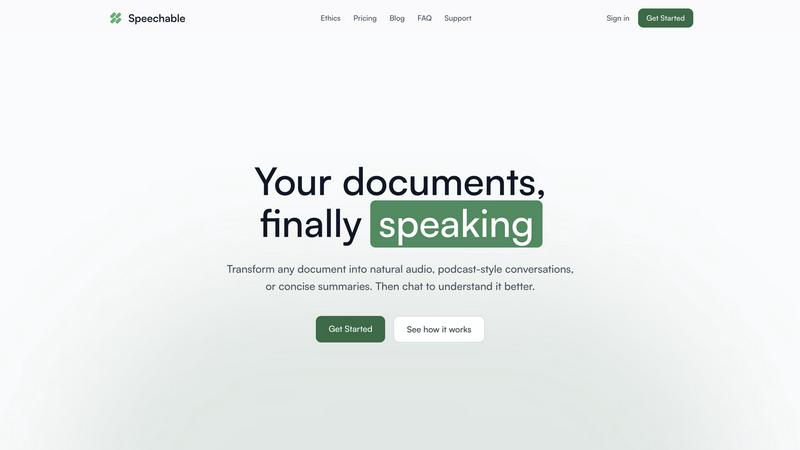
Transform documents into engaging audio, podcasts, or lectures for active learning and deeper understanding on the go.
Last updated: February 28, 2026

StudyPal
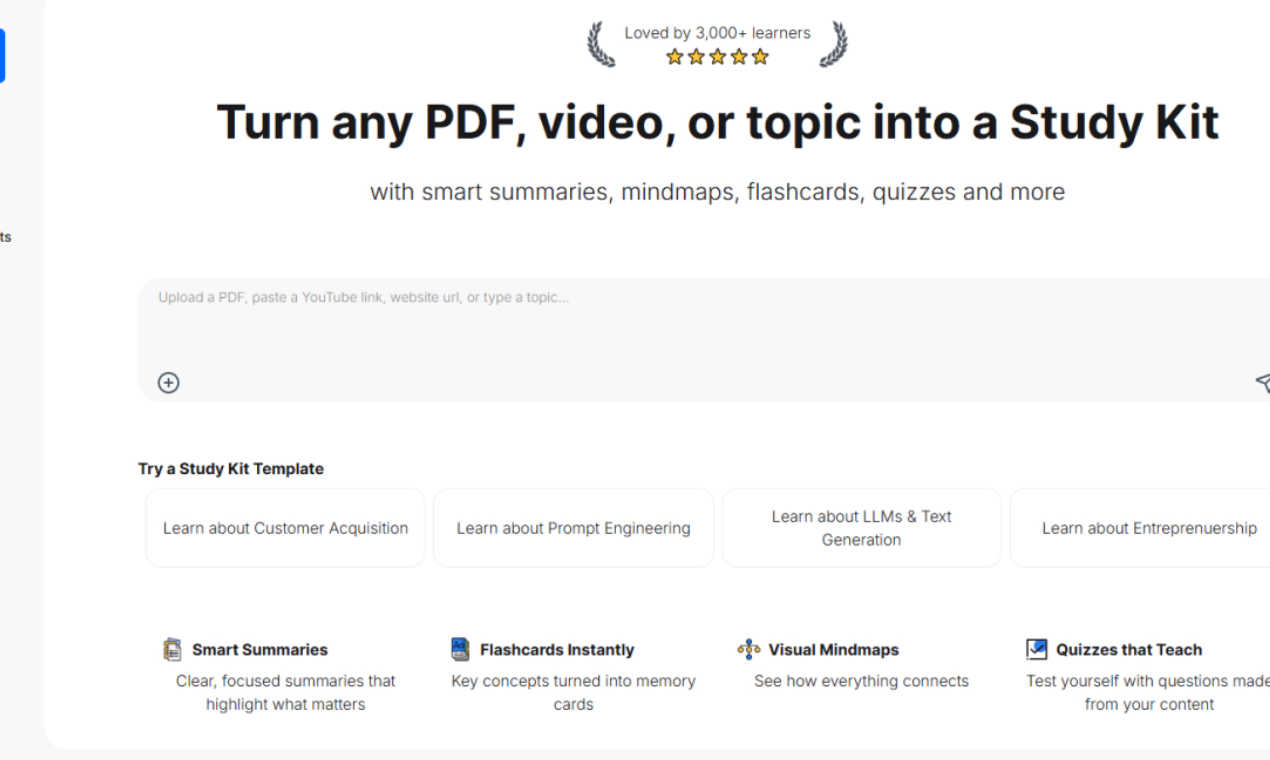
StudyPal turns your PDFs and videos into study kits with summaries, flashcards, and quizzes.
Last updated: March 1, 2026
Visual Comparison
Speechable
StudyPal
Feature Comparison
Speechable
Podcast Mode
Podcast mode transforms your document into a dynamic two-voice conversation, allowing you to choose the duration of playback—5, 10, or 15 minutes—and select your preferred language. This feature makes learning feel more like a dialogue rather than a monologue, enhancing understanding and retention.
Lecture Mode
Lecture mode presents complex ideas in a clear and straightforward manner, mimicking the style of TED talks. This feature is particularly useful for users who seek to grasp intricate subjects quickly and effectively, making it easier to absorb important information.
Eco Mode
Eco mode operates locally within your browser, which means it does not rely on cloud services. This results in up to 20 times less energy consumption compared to traditional cloud-based text-to-speech solutions. Additionally, it offers unlimited playback without any credits required, making it a sustainable choice for users.
Interactive Chat
The interactive chat feature allows users to engage with their documents by asking questions, either by typing or speaking. This functionality facilitates active learning, enabling users to clarify doubts or explore specific topics in depth, transforming passive listening into an engaging dialogue.
StudyPal
Smart Summaries
StudyPal generates clear and focused summaries that distill lengthy or complex source material down to its most important points. This feature acts as an essential first step, providing a high-level overview that highlights key concepts, definitions, and arguments. By presenting a concise foundation, it allows learners to quickly grasp the core ideas before diving into finer details, ensuring their study time is efficient and directed toward the most critical information.
Visual Mindmaps
This feature automatically creates visual diagrams that map out the relationships between different concepts within your study material. Mindmaps provide a structural overview, showing how main ideas branch into subtopics and connect with one another. This visual representation is fundamental for understanding the hierarchy and interplay of information, catering to visual learners and helping all users build a mental framework for the subject matter.
Instant Flashcards
StudyPal transforms key terms, concepts, and questions from your content into digital flashcards ready for practice. This tool is built on the established learning principle of active recall, which is crucial for moving information from short-term to long-term memory. Users can systematically test themselves, reinforcing knowledge and identifying areas that need further review, all within the same platform where they created their study kit.
Auto-Generated Quizzes
To solidify understanding and assess progress, StudyPal creates quizzes directly from your uploaded content. These quizzes provide immediate opportunities for self-assessment, turning passive review into an active learning exercise. By testing comprehension with relevant questions, this feature helps learners confirm their grasp of the material and reveals specific topics that may require additional study attention.
Use Cases
Speechable
On-the-Go Learning
Speechable is perfect for busy individuals who want to maximize productivity during commutes, workouts, or walks. By converting documents into audio formats, users can listen to essential content anytime and anywhere, making the most of their time.
Enhanced Study Sessions
Students can leverage Speechable to convert textbooks and lecture notes into audio summaries. This auditory approach can significantly aid comprehension and retention, especially for those who struggle with traditional reading methods.
Accessibility for Diverse Learners
Speechable is designed with accessibility in mind. Students with ADHD or dyslexia can benefit from its features, allowing them to interact with text in a more manageable and engaging manner, thus promoting equal learning opportunities.
Content Creation and Research
Researchers and content creators can use Speechable to turn lengthy articles or reports into concise audio formats. This not only saves time but also allows for easier dissemination of information, making it a valuable tool for professionals in various fields.
StudyPal
Academic Exam Preparation
A university student can upload their textbook chapters, lecture slides, and research paper PDFs for a history course. StudyPal creates a unified kit with summaries of each era, a mindmap showing causal relationships between events, flashcards for important dates and figures, and quizzes to test their understanding. This consolidated resource streamlines their revision process, making exam preparation more organized and effective.
Professional Skill Upskilling
A marketing professional looking to learn about data analytics can input relevant online course videos and articles. StudyPal will break down the complex topics into understandable summaries, map out the data analysis process visually, create flashcards for key terminology like "regression analysis" or "KPIs," and generate quizzes to ensure the concepts are understood before applying them at work.
Learning from Online Video Content
A lifelong learner interested in philosophy can paste links to a series of YouTube lectures on existentialism. StudyPal will process the audio and visual content to produce written summaries of each philosopher's views, a mindmap comparing different schools of thought, flashcards for core concepts, and a quiz to challenge their new knowledge, transforming passive watching into an active learning session.
Mastering a New Hobby or Topic
Someone exploring basic gardening can simply type "beginner vegetable gardening" into StudyPal. The AI will generate a foundational study kit on the topic, including a summary of essential steps, a mindmap connecting soil preparation, planting, and care, flashcards for plant names and pest control methods, and a quiz to check their readiness to start their first garden bed.
Overview
About Speechable
Speechable is an innovative tool designed to transform text-based documents into engaging audio experiences. Whether you're dealing with PDFs, web articles, ebooks, or even photos of handwritten notes, Speechable cleanly extracts the main content while eliminating distractions like footnotes, citations, and ads. This makes your documents not only accessible but also enjoyable to listen to. The primary value proposition of Speechable lies in its ability to provide users with a more immersive and interactive learning experience. By utilizing natural-sounding AI voices, users can choose from various playback modes, including podcast-style conversations and TED-style lectures. Designed for everyone—from students to educators, and individuals with learning differences—Speechable aims to make learning accessible, engaging, and efficient. This tool supports users in enhancing their comprehension while maximizing productivity, making it an essential resource for anyone who consumes large amounts of written content.
About StudyPal
StudyPal is a foundational AI-powered learning platform designed to transform how individuals engage with educational material. At its core, StudyPal addresses a fundamental challenge in learning: efficiently processing and retaining information from diverse sources. It serves students, professionals, and curious minds by converting static content—such as academic PDFs, instructional YouTube videos, or simply a typed topic—into dynamic, multi-faceted study kits. This process automates the initial, often time-consuming stages of learning, like note-taking and resource organization, allowing users to focus on deeper comprehension and mastery. The primary value proposition lies in its structured, all-in-one approach. Instead of juggling separate tools for notes, flashcards, and quizzes, StudyPal synthesizes everything into a single, cohesive kit. This methodical approach not only saves significant time but also leverages proven learning techniques like active recall and visual mapping to enhance long-term knowledge retention. By providing clear summaries, visual connections, self-testing tools, and instant tutor support, StudyPal builds a strong foundation for understanding any subject, making advanced study accessible and effective for everyone.
Frequently Asked Questions
Speechable FAQ
What file formats does Speechable support?
Speechable supports a variety of file formats, including PDFs, Word documents (.docx), ePubs, and web URLs, as well as photos of text. Users can easily drop their files or paste links, and Speechable will handle the conversion seamlessly.
How many voices are available?
Speechable boasts a selection of 52 natural-sounding AI voices across eight different languages. Users have the option to preview each voice and adjust playback speeds to suit their listening preferences, ensuring a personalized experience.
What is Eco mode?
Eco mode is a unique feature that allows Speechable to run text-to-speech processing locally on your device rather than in the cloud. This significantly reduces energy usage—up to 20 times less than traditional options—and provides unlimited playback without requiring credits.
Can I chat with my documents?
Yes, Speechable includes a chat feature that enables users to ask questions or request clarifications about their documents. This interaction mimics a conversation with the content, allowing for deeper understanding and exploration of the material.
StudyPal FAQ
What types of files can I upload to create a Study Kit?
StudyPal is designed to accept a wide range of common educational formats to build your study materials. You can directly upload PDF documents, such as textbooks, articles, or lecture notes. Additionally, you can provide links to educational YouTube videos, or you can simply type or paste text about any topic you wish to learn. This flexibility allows you to consolidate information from various sources into one cohesive learning plan.
How does the AI tutor work within StudyPal?
The built-in AI tutor acts as an on-demand learning assistant available within each study kit. As you review the summaries, mindmaps, or quizzes, you can ask the tutor specific questions about the content for clarification. It will provide instant, detailed explanations to help you overcome points of confusion, elaborate on concepts, or provide examples, ensuring you have support whenever you encounter a challenging idea.
Are the study kits customizable after they are generated?
Yes, the study kits generated by StudyPal serve as a powerful starting point that you can and should personalize. You can edit summaries to add your own notes, modify flashcards, add new nodes to the mindmap, or adjust quiz questions. This allows you to tailor the kit to your specific learning goals and integrate your own insights, making the study process more active and personalized.
Is StudyPal suitable for group study or classroom use?
Absolutely. StudyPal is an excellent tool for collaborative learning. An instructor or group leader can create a master study kit from core materials and share it. Students or group members can then use this shared kit as a consistent foundation, ensuring everyone is working from the same structured information. They can then personalize their own copies, and the quizzes and flashcards provide common tools for group review sessions.
Alternatives
Speechable Alternatives
Speechable is an innovative tool that transforms any document into audio formats such as podcasts and TED-style lectures. It falls within the Education & Learning and Speech & Voice categories, catering to users seeking to better absorb and understand written content through auditory means. Many users search for alternatives to Speechable due to varying needs, such as pricing concerns, specific feature requirements, or compatibility with different platforms. When selecting an alternative, it is crucial to consider factors like the range of features offered, ease of use, accessibility options, and whether the solution aligns with your learning preferences. Additionally, evaluating pricing structure and sustainability can help ensure that the chosen tool meets both your budget and environmental considerations.
StudyPal Alternatives
StudyPal is an AI-powered educational tool in the study aid and productivity category. It helps learners convert materials like PDFs and videos into structured study kits with summaries, flashcards, and quizzes. This approach streamlines the study process for many users. People often explore other options for various reasons. Cost is a primary consideration, as budget constraints lead users to seek free or lower-priced tools. Others may need specific features StudyPal lacks, or they might require an application that works on a different device or operating system. Personal learning style and the type of content being studied also influence the search for a suitable platform. When evaluating different study tools, focus on your core needs. Consider which features are essential for your learning, such as quiz generation or mind mapping. Assess the value for money and check platform compatibility to ensure it works on your devices. The goal is to find a tool that effectively supports your unique study habits and academic goals.