
MultiMMR vs StatPecker
Side-by-side comparison to help you choose the right product.

MultiMMR
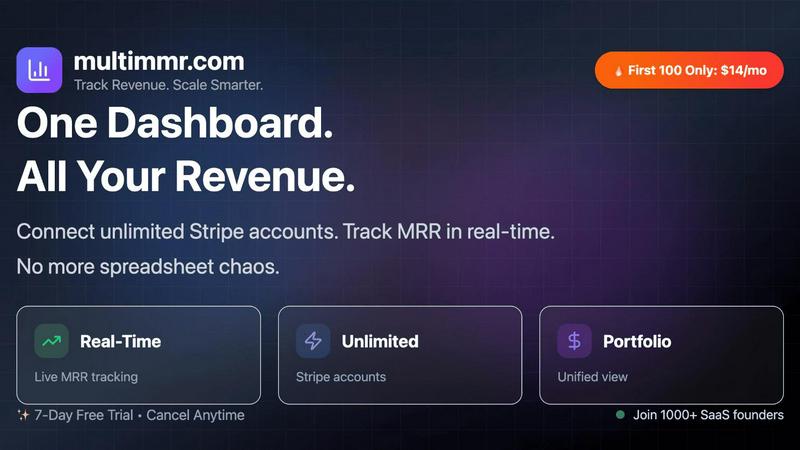
MultiMMR unifies your Stripe data for a clear, real-time view of your SaaS revenue.

StatPecker
StatPecker transforms your data into stunning visuals, providing fast insights for effective storytelling and.
Last updated: March 1, 2026
Visual Comparison
MultiMMR
StatPecker

Feature Comparison
MultiMMR
Unified Financial Dashboard
This is the cornerstone feature of MultiMMR. It allows you to connect an unlimited number of Stripe accounts, each representing a different SaaS project or product. The platform automatically aggregates all the financial data from these separate sources and presents it in one coherent, centralized dashboard. This eliminates the need to toggle between multiple accounts or manually update complex spreadsheets, giving you an immediate and accurate overview of your total portfolio performance at a glance.
Real-Time MRR Tracking & Analytics
MultiMMR provides live tracking of your most critical metric: Monthly Recurring Revenue. The dashboard updates in real-time as customer subscriptions begin, renew, upgrade, downgrade, or cancel. This goes beyond a simple total, offering detailed analytics that break down MRR movements. You can see new MRR, expansion MRR, and churned MRR, helping you understand not just what is happening, but why your revenue is changing, which is fundamental for strategic planning.
Smart Alerts & Goal Tracking
This feature proactively safeguards your revenue goals. You can configure Smart Alerts to receive instant notifications for specific events, such as a sudden drop or spike in MRR or when a high-value customer cancels. Furthermore, the Goal Tracking function lets you set specific MRR targets. The system then tracks your daily progress against this goal, providing clear visual indicators to show if you are on track or need to adjust your strategy, keeping your growth objectives front and center.
Social Media-Ready Metrics & Secure Data
MultiMMR understands that sharing wins is part of building a brand. It allows you to create beautiful, presentation-ready screenshots of your key metrics and growth charts to easily share successes on social media platforms. Underpinning all these features is a commitment to security. Your sensitive financial data is protected with advanced security protocols and strong encryption, ensuring that your analytics are not only insightful but also completely safe and confidential.
StatPecker
Local SQL Agent
The Local SQL Agent feature empowers users to upload CSV files (up to 50 MB) for private analysis. Everything runs on the user's device, ensuring that data remains confidential while generating insightful visuals. This feature allows for local queries and instant visualizations, making it easy to uncover trends without risking data privacy.
Ask Your Query
With the Ask Your Query feature, users can obtain instant insights from validated sources using AI. This feature eliminates the need for complex tools, allowing users to simply ask questions about their data and receive immediate, accurate answers in a visually appealing format, enhancing data-driven decision-making.
Publish & Embed
StatPecker allows users to make their visuals interactive and seamlessly integrate them into various platforms such as blogs, articles, and websites. This publish and embed feature ensures that users can share their findings effortlessly, fostering better communication and collaboration among teams and audiences.
Download & Use Anywhere
The Download & Use Anywhere feature enables users to export infographics as images suitable for reports, presentations, and more. This flexibility ensures that users can utilize their visuals across different formats and contexts, enhancing the reach and impact of their data storytelling.
Use Cases
MultiMMR
SaaS Portfolio Managers & Indie Hackers
For individuals or small teams managing a suite of SaaS products, Micro-SaaS projects, or side ventures, MultiMMR is essential. It consolidates the financial performance of all projects into one simple view. This saves countless hours of manual reporting, provides immediate clarity on which products are profitable, and helps allocate resources and attention to the ventures with the highest growth potential, all from a single dashboard.
Startup Founders & Finance Teams
Startups needing clear, investor-ready financial reporting will find immense value in MultiMMR. It automates the process of gathering revenue data, ensuring accuracy and saving the finance team from tedious manual work. The platform generates the beautiful, actionable charts needed for board meetings, investor updates, and internal strategy sessions, providing a professional and data-backed view of the company's traction and financial health.
Agencies Managing Client Subscriptions
Agencies that handle SaaS products or membership sites for their clients can use MultiMMR to monitor the financial health of each client account securely from one location. This allows for proactive client management, where the agency can identify trends, spot potential issues like rising churn early, and report on key performance indicators with clear, visual data, adding significant value to their client relationships.
Product Managers Tracking Monetization
Product managers focused on feature adoption and monetization strategies need to understand how pricing changes or new features impact revenue. By connecting relevant Stripe accounts, they can use MultiMMR to track MRR in real-time following a launch. Observing direct correlations between product actions and revenue movements provides fundamental, actionable feedback for guiding the product roadmap and pricing strategy.
StatPecker
Data Analysis for Businesses
StatPecker is ideal for businesses looking to analyze their performance metrics. Users can upload sales data to visualize trends and make data-driven decisions, enhancing overall business strategies and results.
Educational Presentations
Educators can utilize StatPecker to create engaging infographics for their presentations. By transforming complex information into visuals, teachers can enhance student understanding and retention of key concepts.
Marketing Campaign Reports
Marketers can leverage StatPecker to visualize the performance of their campaigns. By converting raw data into attractive graphics, they can effectively communicate results to stakeholders and improve future campaigns based on insights gained.
Research and Development
Researchers can benefit from StatPecker by visualizing their findings in a clear and concise manner. This tool allows them to present data effectively, facilitating better communication of their research outcomes to peers and the public.
Overview
About MultiMMR
MultiMMR is a foundational financial analytics platform designed for founders, entrepreneurs, and finance teams who manage multiple SaaS products or projects. In the modern software landscape, it's common to run several products, each with its own Stripe account and revenue stream. This creates a significant operational challenge: to understand your overall business health, you are forced to manually compile data from disparate sources, leading to spreadsheet chaos, wasted time, and a high risk of error. MultiMMR solves this core problem by providing a single source of truth for your entire SaaS portfolio. It connects directly to all your Stripe accounts, instantly syncing and unifying the data into one centralized, secure dashboard. The platform transforms raw transaction data into beautiful, actionable charts and enterprise-grade analytics, with a primary focus on Monthly Recurring Revenue (MRR). By eliminating manual data aggregation, MultiMMR simplifies your reporting workflow, provides real-time visibility, and delivers the clear insights needed to make confident, data-driven decisions. This allows you to shift focus from administrative data management to the fundamental task of strategically scaling your business.
About StatPecker
StatPecker is an innovative AI-driven platform designed to transform raw data into captivating infographics within seconds. It simplifies the complex data storytelling process, making it accessible to a vast audience, including content creators, analysts, marketers, and educators. By harnessing the power of advanced artificial intelligence, StatPecker enables users to create striking visuals without needing extensive design skills or costly software. This tool significantly streamlines the traditional reporting processes, saving time and reducing costs, allowing users to focus on deriving insights from their data. With StatPecker, anyone can convert intricate data sets into engaging graphics that enhance understanding and retention, establishing it as an essential resource for effective communication of information.
Frequently Asked Questions
MultiMMR FAQ
How does MultiMMR connect to my Stripe accounts?
MultiMMR uses Stripe's secure and standard OAuth connection protocol. You simply log in to your Stripe account through our platform to grant read-only access. This means MultiMMR can pull your transaction and customer data to generate analytics but cannot make any changes, initiate charges, or refunds. You can connect an unlimited number of Stripe accounts, each maintaining its own secure link.
What kind of data security does MultiMMR provide?
Security is a foundational priority. We employ bank-grade encryption (AES-256) for all data at rest and in transit. Our connection to Stripe is read-only, minimizing risk. We adhere to strict data privacy standards and do not store your sensitive Stripe login credentials. Our infrastructure is regularly audited and maintained to ensure your financial data remains protected and confidential.
Can I try MultiMMR before committing to a paid plan?
Yes. MultiMMR offers a full-featured 7-day free trial. This allows you to connect your Stripe accounts, explore the unified dashboard, test all analytics features, set up goals and alerts, and fully evaluate how the platform simplifies your financial tracking. No credit card is required to start the trial, so you can experience the fundamental benefits risk-free.
What is the "Lifetime Subscription" launch offer?
To celebrate our launch, we are offering the first 10 users who try MultiMMR, post a genuine review on X (Twitter), and share it with us a lifetime subscription to the platform. This is a limited promotion to gather early feedback and reward our first supporters. Details and availability for this special offer are listed prominently on our website.
StatPecker FAQ
What types of files can I upload to StatPecker?
You can upload CSV files with a maximum size of 50 MB to StatPecker for analysis. This feature allows you to extract key insights from your data without the hassle of using spreadsheets.
Is my data safe when using StatPecker?
Yes, your data remains private and secure. The Local SQL Agent feature ensures that everything runs on your device, so your data is not shared or transmitted over the internet during analysis.
Do I need any design skills to create visuals with StatPecker?
No, StatPecker is designed for users without extensive design skills. The AI-driven platform simplifies the process of creating infographics, allowing anyone to produce professional-quality visuals effortlessly.
Can I integrate my visuals into my website?
Absolutely! StatPecker allows you to publish and embed your visuals seamlessly into blogs, articles, and websites, making it easy to share your insights with a wider audience.