Remove Handwriting vs RemoveTexts
Side-by-side comparison to help you choose the right product.

Remove Handwriting
Remove handwriting from images, PDFs, and scanned documents with our AI-powered tool. Erase handwritten text, notes, and annotations while preserving

RemoveTexts
RemoveTexts is an AI tool that effortlessly erases text from images in seconds, no design skills required.
Last updated: March 11, 2026
Visual Comparison
Remove Handwriting
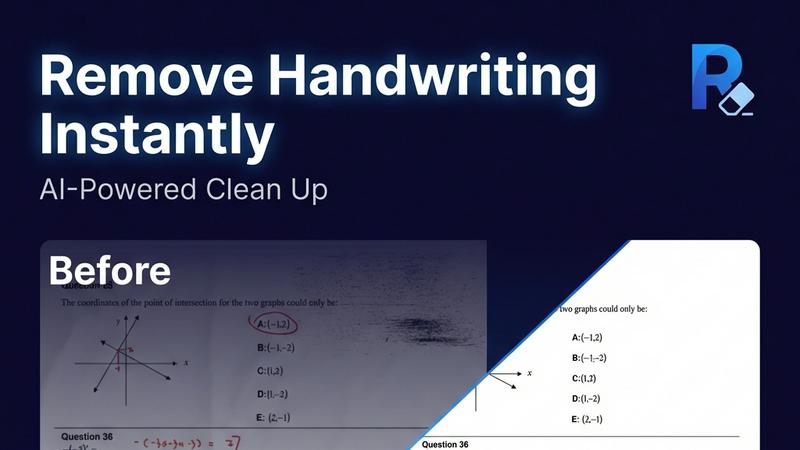
RemoveTexts

Overview
About Remove Handwriting
Remove handwriting from images, PDFs, and scanned documents in seconds with our AI document cleanup tool. It preserves printed text, tables, and diagrams while fixing shadows, skew, curled edges, and background noise. Use it in your browser or on iOS and Android for worksheets, contracts, archives, and exam papers. We support JPG, PNG, JPEG, and PDF, with batch processing and API access available for larger workflows. Try it free with no credit card required.
About RemoveTexts
RemoveTexts is an innovative AI-powered online tool designed for effortless removal of unwanted text from images. Ideal for individuals and professionals alike, this tool caters to a diverse audience including graphic designers, marketers, e-commerce sellers, and anyone needing clean visuals without the hassle of complex software like Photoshop. RemoveTexts streamlines the editing process by allowing users to upload images and remove text in seconds, ensuring that no design skills are required. The primary value proposition of RemoveTexts lies in its ability to maintain the original quality of the image while seamlessly reconstructing the background where text was removed. This is achieved through advanced deep learning technologies, offering professional-grade results that are both quick and efficient.