
Hush Touch | Voice-to-Text for MacOS vs QuickImg
Side-by-side comparison to help you choose the right product.

Hush Touch | Voice-to-Text for MacOS
Hush Touch transforms your voice into text on MacOS, learning your vocabulary and ensuring privacy with offline.
Last updated: February 26, 2026

QuickImg
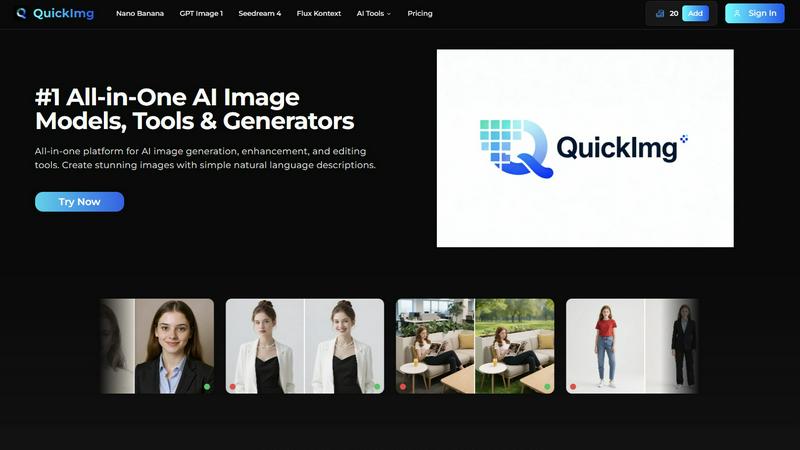
QuickImg is an intuitive platform for generating, enhancing, and editing images using advanced AI tools.
Last updated: February 28, 2026
Visual Comparison
Hush Touch | Voice-to-Text for MacOS

QuickImg
Feature Comparison
Hush Touch | Voice-to-Text for MacOS
Dual-Engine Recognition
Hush Touch utilizes two powerful Apple dictation engines to deliver superior transcription accuracy. The DictationTranscriber manages the natural flow and punctuation of your speech, while the SFSpeechRecognizer enhances custom vocabulary recognition. By merging the strengths of both engines and incorporating an Apple Intelligence final pass, Hush Touch ensures that your dictation is precise and contextually relevant.
Custom Vocabulary
With the ability to learn and adapt, Hush Touch allows you to input up to 500 custom terms, which helps it recognize specific jargon, brand names, and technical phrases that are unique to your profession. This feature includes an auto-learning capability that updates your vocabulary based on corrections you make during dictation, ensuring that the app evolves with your needs over time.
Smart Text Processing
The app's smart text processing capabilities help streamline your dictation by automatically removing filler words and correcting common speech errors in real time. It also formats voice snippets for repeated phrases and organizes text into numbered lists, making it easier to produce structured and polished documents directly from your spoken words.
Context Modes & Hands-Free Operation
Hush Touch offers multiple context modes tailored for different writing scenarios, including General, Email, Code, and Notes modes. You can initiate dictation hands-free by saying "Hey Siri, start touch," which allows the app to auto-insert text after a brief pause. Custom command phrases enable you to send messages or stop dictation effortlessly, enhancing your overall dictation experience.
QuickImg
Natural Language Processing
QuickImg utilizes advanced natural language processing, allowing users to describe their image requirements in plain language. This feature eliminates the need for complex technical prompts, making image creation intuitive and straightforward for everyone.
Multiple AI Models
The platform integrates various AI models, including Nano Banana Pro, GPT Image 1, and Seedream 4, each excelling at different image tasks. This variety gives users the flexibility to choose the best model suited for their specific needs, ensuring optimal results for any project.
Ready-to-Use Templates
QuickImg offers a wide array of professionally designed, ready-to-use templates for common scenarios. These templates streamline the creative process, enabling users to quickly start with visually appealing designs tailored for product photos, social media posts, and more.
One-Click Tools
The platform includes one-click tools that simplify complex image editing workflows. Features like background removal, AI image upscaling, and text removal can be executed effortlessly, saving users time and enhancing productivity.
Use Cases
Hush Touch | Voice-to-Text for MacOS
Drafting Emails and Messages
Hush Touch is perfect for busy professionals who need to send emails or messages quickly. By dictating your thoughts, you can compose written communications in real time without getting bogged down by typing, allowing for more efficient usage of your time.
Creating Notes and Documents
Students and researchers can benefit from Hush Touch when taking notes or drafting documents. The app's accuracy and smart text processing features enable users to focus on their ideas and content rather than the mechanics of writing, resulting in clearer and more organized notes.
Writing Code and Technical Content
Developers and technical writers will appreciate Hush Touch's ability to recognize programming terminology and technical jargon. By dictating code and related documentation, they can work faster and reduce the likelihood of errors that often occur during manual typing.
Generating Content for Blogs and Articles
Content creators can leverage Hush Touch to brainstorm and draft blog posts or articles effortlessly. The app allows for a natural flow of ideas, enabling writers to capture their thoughts quickly and efficiently while maintaining their unique voice and tone.
QuickImg
Marketing Campaigns
QuickImg is an invaluable tool for marketers looking to create stunning visuals for campaigns. With its intuitive interface and various templates, marketers can quickly generate eye-catching graphics for social media, advertisements, and promotional materials.
Content Creation
Content creators can leverage QuickImg to enhance their articles and blogs with high-quality visuals. By generating images that align with their written content, creators can improve audience engagement and enrich the overall user experience.
E-commerce Product Listings
Small business owners can utilize QuickImg to produce professional product photos and promotional images for their e-commerce platforms. The ability to quickly modify and enhance images helps businesses present their products more effectively.
Personal Projects
Hobbyists and casual users can explore their creativity with QuickImg by generating unique images for personal projects, such as invitations, custom artwork, or social media posts. The platform makes it easy for anyone to bring their artistic vision to life.
Overview
About Hush Touch | Voice-to-Text for MacOS
Hush Touch is a cutting-edge voice-to-text application designed specifically for macOS users who value speed, ease of use, and privacy in their dictation tools. This innovative app transforms spoken language into written text seamlessly and efficiently, making it an essential tool for anyone who regularly drafts emails, messages, notes, or documents. Hush Touch operates entirely on-device, ensuring that your voice data remains private and secure without relying on cloud services. By leveraging two advanced Apple transcription engines combined with an Apple Intelligence final pass, Hush Touch provides accurate and clean transcriptions that enhance your writing workflow. With a lightweight footprint of just 5.5 MB, it launches quickly and integrates effortlessly into daily tasks, allowing users to dictate naturally and hands-free. For just $20, you can enjoy a lifetime license without any ongoing subscription fees, making it a budget-friendly choice for professional and personal use alike.
About QuickImg
QuickImg is a comprehensive, all-in-one software platform designed to democratize advanced AI image creation and editing for users at all skill levels. It empowers marketers, content creators, small business owners, designers, and hobbyists by simplifying the complex world of artificial intelligence for visual content. With QuickImg, users can easily generate, enhance, and modify images using simple, natural language descriptions, eliminating the need for technical expertise or complex prompt engineering. This user-friendly approach allows anyone to produce high-quality visual assets without a steep learning curve. By integrating multiple cutting-edge AI models like Nano Banana Pro, GPT Image 1, and Seedream 4 into a single interface, QuickImg offers an efficient solution that saves both time and money, making high-quality image production accessible to all. Whether you aim to create a brand-new scene from text, upscale an old photo to 4K resolution, or remove unwanted objects, QuickImg provides the foundational tools to accomplish these tasks with professional precision and exceptional speed.
Frequently Asked Questions
Hush Touch | Voice-to-Text for MacOS FAQ
How does Hush Touch ensure privacy with my voice data?
Hush Touch processes all voice data entirely on your Mac, with no reliance on cloud services. This means your voice recordings and transcriptions remain private and secure, ensuring that your data is not collected or shared.
Can I customize the vocabulary in Hush Touch?
Yes, Hush Touch allows you to customize your vocabulary with up to 500 terms. It also learns from corrections you make during dictation, helping it to adapt to your specific language needs over time.
Is there a trial version of Hush Touch available?
Yes, Hush Touch offers a 7-day free trial without requiring a credit card. This allows you to test the app's features and functionality before making a purchase decision.
What is the pricing structure for Hush Touch?
Hush Touch is available for a one-time purchase price of $20, providing you with a lifetime license. There are no subscription fees, making it a cost-effective solution for voice-to-text needs.
QuickImg FAQ
What types of users can benefit from QuickImg?
QuickImg caters to a diverse range of users, including marketers, content creators, small business owners, designers, and hobbyists. Its user-friendly design allows individuals from various backgrounds to create high-quality images effortlessly.
Do I need any technical skills to use QuickImg?
No, QuickImg is designed to be accessible to everyone, regardless of technical skill level. Users can create and edit images using simple, natural language descriptions, eliminating the need for professional prompts or technical expertise.
What AI models are integrated into QuickImg?
QuickImg integrates multiple cutting-edge AI models, including Nano Banana Pro, GPT Image 1, and Seedream 4. Each model excels at different tasks, providing users with flexible options for image generation and editing.
How can I start using QuickImg?
Getting started with QuickImg is simple. Users can sign up for the platform, describe their image requirements or upload an image to edit, choose their preferred AI model, and click generate to see instant results.
Alternatives
Hush Touch | Voice-to-Text for MacOS Alternatives
Hush Touch | Voice-to-Text for MacOS is an innovative application designed to convert spoken words into written text directly on macOS devices. As part of the AI Assistants category, it allows users to dictate emails, notes, and documents easily and privately without relying on cloud services. Users often seek alternatives for various reasons, including pricing concerns, the need for additional features, or compatibility with different platforms. When choosing an alternative, consider factors such as the app's transcription accuracy, offline capabilities, ease of use, and privacy measures. It's essential to look for solutions that align with your specific dictation needs and workflow preferences to ensure a seamless experience.
QuickImg Alternatives
QuickImg is a comprehensive platform that simplifies the process of creating, enhancing, and editing images through advanced AI tools. As an all-in-one solution, it caters to a wide range of users, from marketers to hobbyists, making professional-quality image manipulation accessible without technical expertise. However, users often seek alternatives to QuickImg for various reasons, such as pricing considerations, specific feature requirements, or compatibility with their existing workflows. When looking for an alternative, it's essential to evaluate the platform's ease of use, the variety of AI models available, pricing structures, and customer support services. A suitable alternative should provide similar functionality while addressing any unique needs or preferences you may have, ensuring that you can continue producing high-quality visual content with minimal hassle.