Quickfix AI vs RocketShare
Side-by-side comparison to help you choose the right product.

Quickfix AI
Quickfix AI instantly diagnoses your computer's health and explains issues in plain English.
Last updated: February 28, 2026

RocketShare
RocketShare enables secure, private file sharing with zero-knowledge encryption for complete peace of mind.
Last updated: March 4, 2026
Visual Comparison
Quickfix AI
RocketShare

Feature Comparison
Quickfix AI
Comprehensive One-Click System Scan
Quickfix AI performs a full diagnostic check of your entire system with a single click. The scan gathers essential data from all critical areas including processor (CPU) usage and temperature, memory (RAM) pressure, graphics (GPU) load, storage disk health and available space, battery health and cycle count, and current network connection speeds. This provides a complete, unified snapshot of your computer's performance and health in one place, eliminating the need to check multiple system utilities.
AI-Powered Analysis in Plain English
This is the core intelligence of Quickfix AI. The tool doesn't just show you numbers and graphs; its built-in artificial intelligence reads the entire diagnostic report. It then explains what the data means in simple, non-technical language. You can ask questions about your system, and the AI will provide clear answers and specific, tailored recommendations for fixes or improvements, making technical troubleshooting accessible to all users.
Secure Remote Diagnostics via Sharing Code
This feature is designed for collaboration and IT support. Instead of requiring physical access to a computer, you can generate a secure, unique sharing code from within the Quickfix AI application. You can send this code to a technician or helper, who can then enter it into their own Quickfix AI tool to instantly and securely view the diagnostic report from the remote machine. This allows for fast, efficient troubleshooting from anywhere.
Detailed Performance and Health Dashboards
Quickfix AI presents all diagnostic information in a clean, organized, and visual dashboard. You can see at a glance the current utilization percentages of your CPU, Memory, and GPU. It clearly displays storage space used and available, battery health status with cycle count, and the status of key security features like Firewall and FileVault. This dashboard transforms complex system information into an easy-to-read status report.
RocketShare
Zero-Knowledge Encryption
RocketShare employs a zero-knowledge encryption model, meaning your files are encrypted before they leave your device. This ensures that only you hold the decryption key, providing reassurance that your data remains private and inaccessible to anyone else, including RocketShare itself.
Secure Storage in the EU
All data shared through RocketShare is stored securely in the EU, complying with stringent data protection regulations. This geographic focus enhances user confidence in the safety of their files, making it an ideal choice for businesses that prioritize compliance with privacy laws.
User-Friendly Interface
The platform boasts a beautifully simple interface that allows users to upload files with ease. With a simple drag-and-drop feature or a click-to-browse option, users can quickly share large files without any steep learning curve, making it accessible for everyone.
Flexible Sharing Options
RocketShare offers both cloud-based and local peer-to-peer sharing options. This flexibility allows users to choose the method that best suits their needs, whether they prefer cloud storage for easy access or local sharing for added security.
Use Cases
Quickfix AI
Personal Troubleshooting for Slow Performance
When your personal computer starts running slowly, freezing, or overheating, Quickfix AI is your first step. Instead of guessing, you run a scan. The AI will analyze the report and identify the exact cause, such as "Your CPU is at 89% due to 3 apps: Chrome (45%), Slack (28%), and Zoom (16%)." It then provides a straightforward recommendation like closing unnecessary browser tabs, giving you an immediate action to restore performance.
IT Support and Remote Assistance
IT professionals and support teams can use Quickfix AI to streamline helpdesk operations. When a user reports an issue, the support agent can simply send them a download link. The user runs Quickfix AI and provides the generated sharing code. The IT agent instantly receives the full diagnostic report, allowing them to diagnose problems like low memory, failing storage, or network issues remotely and accurately, reducing resolution time dramatically.
System Health Audit for Tech Enthusiasts
Gamers, developers, and power users who want to optimize their systems can use Quickfix AI for deep insights. It provides detailed metrics on GPU performance during games, memory pressure during coding sessions, and component temperatures. The AI can offer recommendations on settings adjustments or hardware upgrades based on actual usage data, helping enthusiasts maintain peak system performance and health.
Pre-Purchase Evaluation of Used Hardware
When considering buying a used laptop or computer, you can use Quickfix AI to check its true condition. Running the tool on the device will reveal critical health data that sellers might not disclose, such as battery health percentage and cycle count, hard drive or SSD health status, and overall system performance under load. This provides an objective report to inform your purchasing decision.
RocketShare
Legal Document Sharing
Lawyers and legal professionals can use RocketShare to send sensitive case files securely. The zero-knowledge encryption ensures that confidential information remains private, protecting clients' data during transmission.
Photography Client Galleries
Photographers can deliver high-resolution galleries to clients without worrying about unauthorized access. RocketShare guarantees that images are shared in a secure manner, maintaining the integrity and privacy of the photographer's work.
Collaborative Project Management
Teams working on confidential projects can utilize RocketShare for safe document sharing. The platform's robust security measures allow team members to collaborate freely while ensuring that sensitive information is not compromised.
Healthcare Data Transmission
Healthcare professionals can transmit patient records and sensitive health information through RocketShare. The platform's focus on privacy and compliance with regulations makes it a suitable tool for safeguarding patient data during sharing.
Overview
About Quickfix AI
Quickfix AI is a fundamental tool designed to provide clear and immediate understanding of your computer's health and performance. It is an AI-powered system diagnostics application that performs a comprehensive scan of your machine, analyzing key components like the CPU, memory, storage, battery, and network. The core purpose of Quickfix AI is to demystify complex technical data. It translates raw system metrics into plain English explanations and actionable recommendations, making advanced diagnostics accessible to everyone. This tool is built for individuals who experience performance issues but lack the technical expertise to identify the root cause, as well as for tech enthusiasts and IT support teams who need a quick and reliable way to assess any system. Its main value proposition lies in delivering instant clarity. In under a minute, you can download the tool, run a scan, and receive a complete, easy-to-understand report on your system's status, empowering you to resolve problems and optimize performance with confidence.
About RocketShare
RocketShare is a secure file-sharing platform that prioritizes your privacy above all else. It is designed for both individuals and businesses seeking a reliable way to send files of any size without the concern of unauthorized access. The core value proposition of RocketShare lies in its zero-knowledge encryption model, ensuring that files are encrypted on your device before they ever reach the internet. This means that not even RocketShare can access your files, as the encryption key is kept solely with you, often embedded within the share link itself. This platform is perfect for a variety of users, including lawyers transmitting sensitive case files, photographers delivering client galleries, and teams collaborating on confidential projects. With secure data storage located in the EU, and options for both cloud-based and local peer-to-peer sharing, RocketShare offers a simple yet powerful solution for anyone who values privacy and security without sacrificing usability.
Frequently Asked Questions
Quickfix AI FAQ
Is Quickfix AI free?
Yes, Quickfix AI offers a free version that includes the core system diagnostics scan, the AI analysis to explain your report in plain English, and basic recommendations. This allows anyone to download and understand their system's health at no cost.
Is my data secure?
Yes, Quickfix AI is designed with security in mind. The diagnostic scan runs locally on your machine. Your full system report is not automatically uploaded to any cloud server. Data is only shared if you explicitly choose to generate and provide a sharing code to someone you trust for support purposes.
Do I need technical knowledge?
No, you do not need any technical knowledge to use Quickfix AI. It is built specifically for users who are not experts. The AI interprets all the technical data and explains everything in simple, clear language, telling you what is wrong and what you can do about it.
What platforms are supported?
Quickfix AI is available for both Windows and macOS operating systems. You can download a dedicated version for your specific platform, whether you are using a personal Mac, a Windows PC, or managing machines in a professional environment.
RocketShare FAQ
How does the zero-knowledge encryption work?
Zero-knowledge encryption means that your files are encrypted on your device before they are uploaded. The encryption key is never shared with RocketShare, ensuring that only you can access your files.
Is RocketShare compliant with data protection regulations?
Yes, RocketShare stores all data in the EU, adhering to strict data protection laws. This compliance provides users with peace of mind regarding their data privacy.
Can I share files of any size?
Absolutely! RocketShare allows users to share files of any size, making it a versatile solution for both personal and professional needs.
Do I need to provide a credit card to use RocketShare?
No, you do not need to provide a credit card to use RocketShare. The platform is designed to allow users to experience its features without immediate financial commitments.
Alternatives
Quickfix AI Alternatives
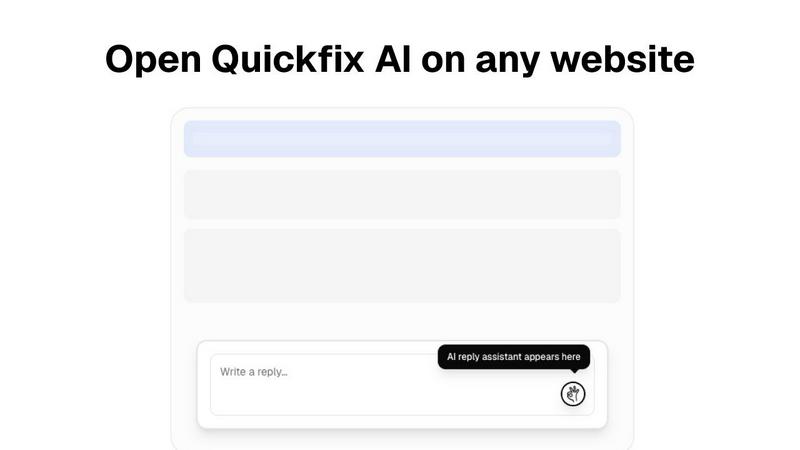
Quickfix AI is a productivity tool, specifically a browser extension, that uses artificial intelligence to help users write replies and manage communications faster. It falls into the category of productivity and management software, designed to save time for professionals and individuals who handle a high volume of online messages. People often look for alternatives to software like Quickfix AI for several common reasons. These can include budget constraints, a need for different or more advanced features, compatibility with specific platforms or operating systems, or a preference for a different user experience. Exploring options is a normal part of finding the right tool for your unique workflow. When evaluating an alternative, consider your core needs. Key factors are the specific websites and apps you need it to work with, the quality and tone of the AI-generated content, the overall cost and pricing model, and how easy the tool is to install and use daily. The best choice is the one that integrates smoothly into your existing routine.
RocketShare Alternatives
RocketShare is a secure file-sharing platform designed to prioritize user privacy through a zero-knowledge encryption model. This means that files are encrypted on the user's device before being transmitted, ensuring that no one, not even RocketShare, can access the content. Users often seek alternatives to RocketShare for various reasons, such as pricing, specific feature sets, or compatibility with different platforms. When exploring alternatives, it’s crucial to consider factors like ease of use, security measures, and the ability to handle file sizes and types that fit your needs. When selecting an alternative, look for platforms that maintain a strong commitment to privacy and data security. You should also evaluate the features they offer, such as integration capabilities, user interface, and support for collaboration. Additionally, consider the pricing structure and whether it aligns with your budget. Ultimately, the right choice will depend on balancing your file-sharing requirements with the level of security and usability you seek.