Prompt Builder vs UndercoverGPT
Side-by-side comparison to help you choose the right product.

Prompt Builder
Prompt Builder helps you quickly generate, refine, and save optimized AI prompts for any model, streamlining your creative process.
Last updated: April 13, 2026

UndercoverGPT
UndercoverGPT discreetly unlocks ChatGPT access at school or work for private, productive use.
Last updated: March 1, 2026
Visual Comparison
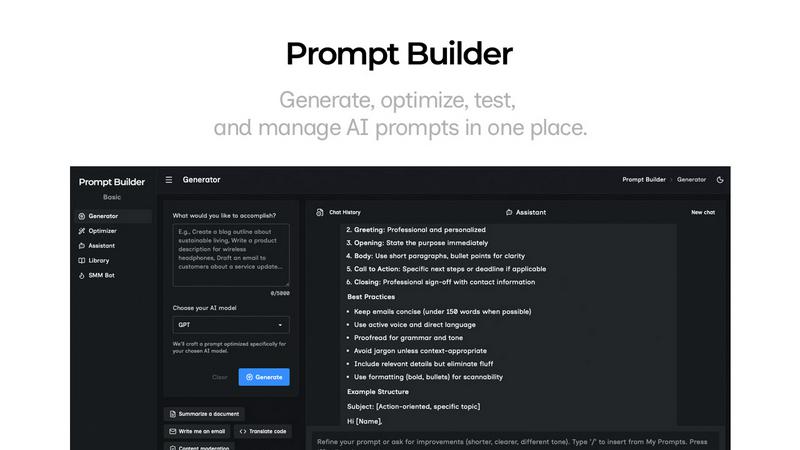
Prompt Builder
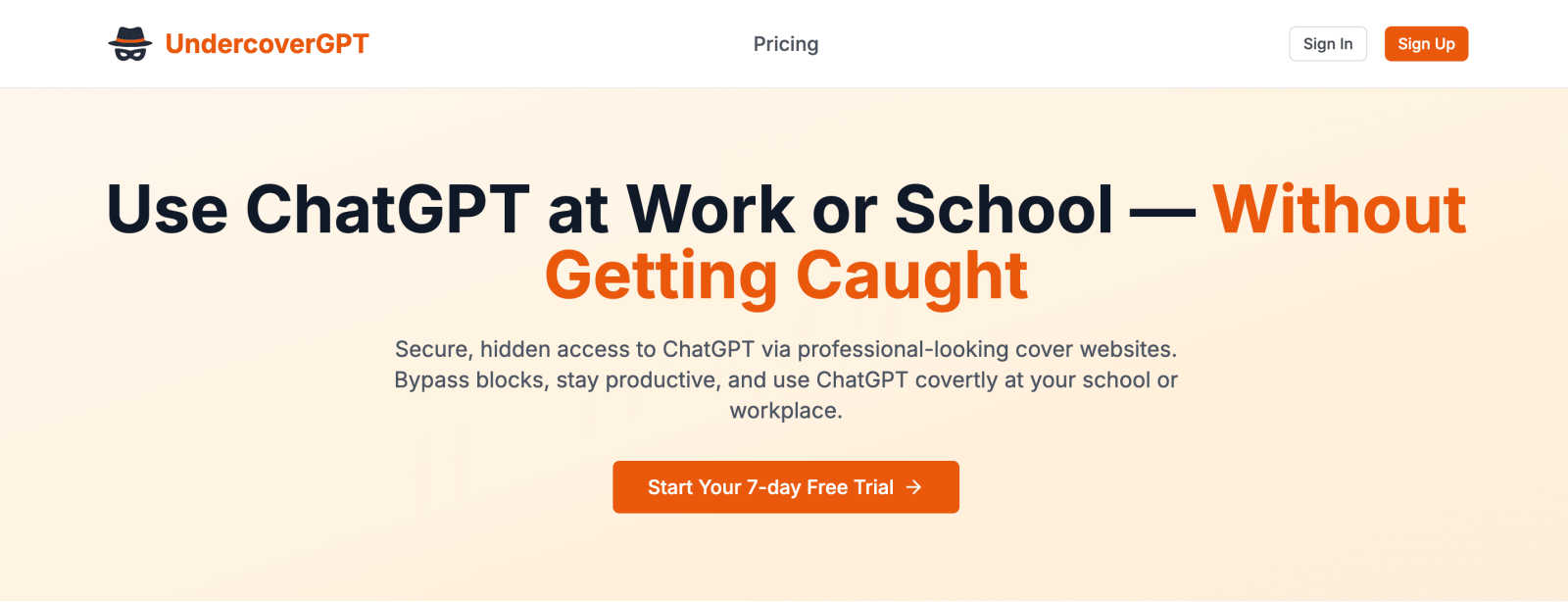
UndercoverGPT
Feature Comparison
Prompt Builder
Prompt Generator
The Prompt Generator feature allows users to input their ideas and select a target AI model, producing a professional-grade prompt in seconds. This tool ensures that the generated prompts are specifically optimized for the selected model, enhancing effectiveness and relevance.
Chat Refinement
With the Chat Refinement feature, users can interactively refine their prompts in a built-in chat workspace. This functionality enables quick iterations and adjustments, allowing for real-time improvements and ensuring that the final output meets the desired specifications.
Prompt Library
The Prompt Library is a comprehensive repository where users can save, organize, and reuse their best prompts. This feature supports easy searching with filters by category and model, making it simple to access past work and build a robust collection of effective prompts tailored for various projects.
Prompt Optimizer
The Prompt Optimizer takes existing prompts and enhances them by providing structured improvements. This feature focuses on clarity, constraints, output format, and examples, ensuring that users can easily transform their original prompts into clearer and more effective versions.
UndercoverGPT
Professional Cover Websites
This feature provides users with access to a selection of websites that look like ordinary business, academic, or reference sites. These covers are designed to appear legitimate and mundane to network monitoring systems and casual observers. This is the foundational mechanism that allows the ChatGPT interface to be loaded and used without triggering standard security blocks or raising suspicion from administrators or teachers.
Stealthy Bypass Technology
UndercoverGPT employs technical methods to circumvent common network restrictions and firewalls that institutions use to block access to specific websites and services like OpenAI. It works within the constraints of a typical network, avoiding detection by not relying on easily flagged signals or connections. This ensures reliable access where other direct methods would fail, providing a consistent and dependable user experience.
Seamless AI Integration
Once access is established through the cover, users interact with the full, standard ChatGPT interface. This means all the familiar capabilities—such as generating text, answering complex questions, summarizing information, and assisting with coding—are available. The tool does not alter or limit the AI's power; it simply provides a secure gateway to it, integrating the AI's assistance directly into the user's workflow without extra steps.
User-Focused Discretion
The entire design of UndercoverGPT prioritizes user discretion and low visibility. The interface and connection process are optimized to leave minimal digital traces and operate quietly in the background. This focus helps users maintain their privacy and avoid drawing attention, which is the central goal for anyone using the tool in a monitored environment like a library, classroom, or office.
Use Cases
Prompt Builder
Content Creation
Content creators can utilize Prompt Builder to generate tailored writing prompts for blog posts, articles, or social media updates. With optimized prompts for different AI models, they can streamline their writing process and produce high-quality content faster.
Marketing Campaigns
Marketers can leverage the tool to create compelling marketing messages and social media posts. By using the SMM Bot, they can generate platform-specific content and refine it until it aligns perfectly with their brand voice and audience expectations.
Software Development
Developers can benefit from Prompt Builder by crafting prompts for AI-assisted coding or debugging. The ability to refine and save prompts specific to their development environment allows for more efficient and effective coding practices.
Education and Training
Educators can use Prompt Builder to create instructional materials and quizzes tailored to various learning models. This can enhance their teaching methods by ensuring that prompts are clear, targeted, and relevant to the curriculum.
UndercoverGPT
Academic Research and Writing
Students can use UndercoverGPT to get past school network blocks to assist with homework, essay writing, and understanding complex topics. When research portals are limited or when a student needs help brainstorming ideas or structuring an argument, this tool provides discreet access to a powerful tutoring and writing assistant without violating the visible rules of the school's IT policy.
Professional Report Generation
In workplaces where AI tools are restricted due to data policy or productivity concerns, employees can use UndercoverGPT to confidentially draft reports, emails, and project summaries. It helps professionals overcome writer's block, improve the clarity of their communication, and compile information quickly, all while maintaining the appearance of working within standard approved applications.
Creative Project Development
Individuals working on creative writing, coding projects, or content creation in restricted environments can leverage the AI for brainstorming, debugging code, or generating creative prompts. This use case is vital for users who need a burst of inspiration or technical help but cannot access public AI resources due to institutional firewalls on their network.
Language Learning and Translation
For users learning a new language or needing quick translation services, UndercoverGPT can act as a always-available practice partner and translator. In settings like libraries or university computer labs where language apps might be blocked, this tool provides a covert way to get grammatical corrections, vocabulary explanations, and conversational practice.
Overview
About Prompt Builder
Prompt Builder is an innovative workspace designed for prompt engineering, enabling users to write, test, and save prompts efficiently. It simplifies the process of crafting high-quality prompts tailored to various AI models, including GPT, Claude, Gemini, Llama, and more. Users can begin with a draft, refine it through an intuitive chat interface, and easily save or pin different versions for future use. This tool is ideal for anyone working with AI, from content creators to developers, allowing them to optimize their interactions with AI models and achieve better results without the hassle of repetitive revisions. With the added benefit of a community-driven library of reusable prompts and templates, Prompt Builder transforms an idea into a polished prompt in mere seconds, making it a valuable resource for maximizing productivity and creativity in AI-driven tasks.
About UndercoverGPT
UndercoverGPT is a practical tool designed to solve a common modern problem: accessing helpful AI in restricted environments. In many schools, universities, and workplaces, powerful AI assistants like ChatGPT are blocked by network filters or administrative policies. This tool provides a discreet method to bypass these blocks, allowing users to continue their work without interruption. It operates by presenting what appears to be a standard, professional-looking website, serving as a cover to access the full functionality of ChatGPT behind the scenes. This approach is fundamentally about maintaining productivity and access to educational resources. The primary users are students who need help with research and writing, professionals requiring assistance with reports and communications, and any individual who benefits from AI support but operates under restrictive IT policies. Its core value is straightforward: it enables seamless, covert access to a powerful AI tool, ensuring users can complete tasks efficiently and effectively without drawing unwanted attention or facing potential repercussions for using a blocked service.
Frequently Asked Questions
Prompt Builder FAQ
What AI models does Prompt Builder support?
Prompt Builder works with a wide range of AI models, including but not limited to GPT, Claude, Gemini, Llama, Mistral, DeepSeek, Grok, and Perplexity. This flexibility allows users to tailor their prompts to the specific capabilities of different models.
How does the Chat Refinement feature work?
The Chat Refinement feature enables users to refine their prompts in real-time through an interactive chat interface. Users can make adjustments based on feedback and iterate quickly, ensuring that the final prompt is well-structured and effective.
Can I save my prompts for future use?
Yes, Prompt Builder includes a dedicated Prompt Library where users can save, organize, and reuse their prompts. This library also allows for easy searching and filtering, making it simple to find previously crafted prompts.
Is there a limit on the number of assistant requests?
Yes, Prompt Builder offers a free plan that includes 25 assistant requests per month without requiring a credit card. This allows users to explore the tool's features and see its value before committing to a paid plan.
UndercoverGPT FAQ
Is using UndercoverGPT legal?
Using UndercoverGPT is a tool-based activity, and its legality depends on the specific rules of the institution you are in and your local laws. The tool itself provides access. However, using it to bypass specific network restrictions set by your school, employer, or other organization may violate their terms of service or acceptable use policies. It is the user's fundamental responsibility to understand and consider these rules before proceeding.
How does UndercoverGPT avoid detection?
The tool avoids detection primarily through the use of its professional cover websites. These sites are designed to look like normal web traffic, which does not raise flags with common filtering software that looks for known addresses like chat.openai.com. It relies on this obfuscation rather than complex hacking, making it a simple yet effective method for discreet access.
Will it work on my school or work network?
UndercoverGPT is designed to work on many common restricted networks, including those in schools and offices. Its effectiveness depends on the specific blocking software and security protocols your network administrator has in place. While it is built to bypass standard filters, very advanced or highly customized security systems may still prevent access.
Do I need to install any software?
Typically, a tool like UndercoverGPT operates through a web browser and does not require software installation. You would access a cover website through your browser, which then allows you to use the AI service. This web-based approach is fundamental to its ease of use and low profile, as it leaves no software on the device itself.
Alternatives
Prompt Builder Alternatives
Prompt Builder is a versatile tool designed for prompt engineering, allowing users to generate, optimize, test, and manage AI prompts efficiently. As part of the AI Assistants category, it caters to a broad audience seeking to streamline their prompt creation process across various AI models. Users often seek alternatives due to factors such as pricing, specific feature sets, or the need for compatibility with different platforms. When searching for an alternative, it is important to consider the ease of use, the range of supported models, and the additional features offered, such as optimization tools or community resources. These factors can significantly impact the overall effectiveness and convenience of the prompt-building experience.
UndercoverGPT Alternatives
UndercoverGPT is a specialized AI assistant and productivity tool. It is designed to provide discreet access to ChatGPT in environments like schools or workplaces where such tools might be blocked. Its core function is to help users maintain their workflow without drawing attention. People often look for alternatives for several common reasons. These can include budget constraints, a need for different features, or compatibility with specific devices and operating systems. Some users may simply prefer a tool with a different approach to privacy or user interface. When evaluating other options, consider your primary need. Key factors are the level of discretion offered, overall data security practices, ease of use, and cost. The right tool should align with your specific environment and the tasks you need assistance with, ensuring it supports your productivity effectively.