NanoImg vs RemoveTexts
Side-by-side comparison to help you choose the right product.
NanoImg creates studio-quality images from text using the best AI models in one simple platform.
Last updated: March 1, 2026

RemoveTexts
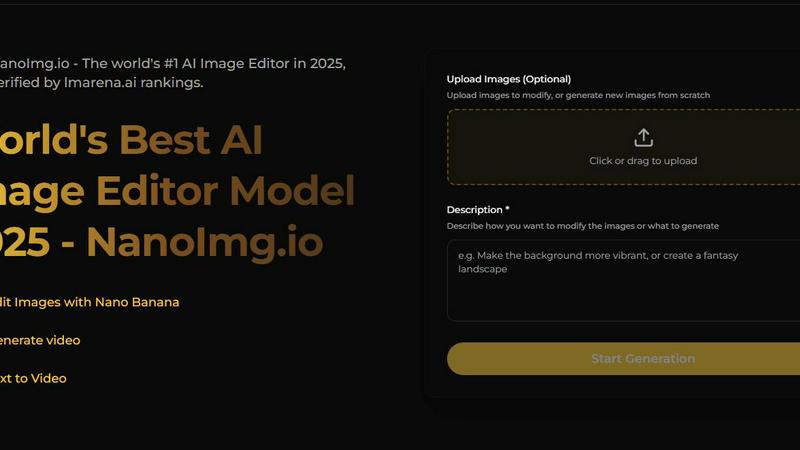
RemoveTexts is an AI tool that effortlessly erases text from images in seconds, no design skills required.
Last updated: March 11, 2026
Visual Comparison
NanoImg
RemoveTexts

Feature Comparison
NanoImg
All-in-One AI Model Hub
NanoImg consolidates access to several best-in-class AI image generation models in one platform. Instead of navigating multiple separate services, users can choose the ideal model for their specific task, such as Nano Banana for overall quality and character consistency, Seedream for ultra-fast 4K generation, GPT Image 1 for superior text rendering within images, or Flux Kontext for precise editing. This hub approach provides unmatched flexibility, allowing creators to select the right tool for speed, quality, or a specific capability without leaving the NanoImg workspace.
Intuitive AI Image Editor
The platform features a powerful yet straightforward AI photo editor that works through natural language. Users can upload up to four images and describe the changes they want to see—such as altering backgrounds, adding elements, applying artistic styles, or enhancing details. The AI interprets these plain English instructions to execute complex edits, making advanced photo manipulation accessible to beginners. This editor also supports style preservation and character consistency, which is crucial for maintaining a uniform look across a series of images.
Extensive Library of AI Effects & Tools
Beyond basic generation and editing, NanoImg offers a growing suite of over 80 specialized AI tools and filters. This includes popular effects like turning photos into anime or sketch art, applying glitch or vignette filters, creating line drawings, and generating memes with characters like Spongebob or Bratz dolls. This library allows for quick, one-click transformations, enabling users to rapidly experiment with different visual styles and trends for social media, marketing, or personal projects.
Streamlined Three-Step Workflow
NanoImg is built on a simple, three-step process that guides users from concept to final product. First, you either upload images or start fresh with a blank canvas. Second, you describe your vision using a text prompt, with the help of a prompt generator for inspiration. Third, you instantly view the AI-generated results and can download high-quality versions. This consistent, guided workflow reduces confusion and makes the creative process predictable and efficient for users of all experience levels.
RemoveTexts
Paint to Remove
This feature gives users the ability to brush over specific areas of text they wish to erase. It offers precise control, allowing for targeted removal without affecting the rest of the image. Whether it's small captions or larger chunks of text, users can easily manage what stays and what goes.
Auto Remove All
With this feature, the AI automatically detects and removes all text elements in an image with a single click. It simplifies the editing process for users who want a quick clean-up without any manual effort, making it an efficient choice for bulk editing tasks.
Edit & Replace Text
Users can not only remove text but also edit and replace it while matching the original style. This feature is particularly useful for updating or correcting information in images, ensuring that any changes blend seamlessly with the existing design.
Remove Objects
This powerful feature allows users to erase unwanted objects, logos, and visual elements from images. It enhances the overall aesthetic by cleaning up distractions that may detract from the main subject, giving users more control over their visual content.
Use Cases
NanoImg
Social Media Content Creation
Individuals and brands can use NanoImg to rapidly produce eye-catching, viral-ready content for platforms like Instagram, TikTok, and Facebook. The ability to generate unique images, apply trending filters (like the Barbie or anime filter), and create consistent character-based posts in seconds helps maintain an active and engaging social media presence without requiring a design team or lengthy production times.
E-commerce Product Visualization
Online store owners and managers can generate professional product photos, lifestyle mockups, and marketing visuals without organizing costly photoshoots. By describing a product in a specific setting, NanoImg can create high-quality images that showcase items in use, increasing appeal and helping to improve conversion rates while significantly reducing overhead costs associated with traditional product photography.
Marketing and Advertising Campaigns
Marketing professionals can leverage NanoImg to quickly prototype and produce visuals for ad campaigns, email newsletters, and website banners. The platform's fast generation speed and variety of models allow for the creation of a high volume of cohesive, on-brand imagery for A/B testing and multi-channel campaigns, accelerating the entire creative development cycle.
Creative Illustration and Digital Art
Artists and designers can use NanoImg as a brainstorming and creation tool to explore new ideas, generate illustrative elements, or transform their initial sketches into fully realized artworks. The AI models can interpret creative prompts to produce unique illustrations, character designs, and concept art, serving as both a source of inspiration and a practical tool for expanding artistic output.
RemoveTexts
Cleaning Screenshots
RemoveTexts is perfect for cleaning up screenshots by removing unwanted text or overlays. This is especially useful for presentations, reports, or social media posts where clarity and professionalism are crucial.
E-commerce Product Photos
Online sellers can use RemoveTexts to eliminate watermarks or text from product images, ensuring that potential customers see a clean and appealing representation of their products, which can lead to increased sales.
Legal Document Redaction
Legal professionals can rely on RemoveTexts to efficiently redact sensitive information, such as names or dates, from images of documents. This ensures compliance with privacy regulations while maintaining the integrity of the original document.
Creating Memes and Graphics
Content creators can remove subtitles, captions, or branding from images to repurpose them for memes or marketing materials. This flexibility allows for creative freedom and the ability to produce unique content quickly.
Overview
About NanoImg
NanoImg is a comprehensive, browser-based platform that brings together the power of multiple leading AI models for image generation and editing. It functions as an all-in-one creative suite, designed to make professional-grade visual creation accessible to everyone, regardless of their technical skill level. The platform serves a wide audience, from social media enthusiasts and small business owners to professional marketers, e-commerce managers, and digital artists. Its core value proposition is simplicity and speed: users can generate stunning, high-quality images or edit existing photos in as little as 10 seconds using simple English commands. By integrating top models like Nano Banana, Seedream, Flux AI, and Sora 2 into a single, intuitive interface, NanoImg removes the complexity of choosing between different AI tools. Users can start from scratch with text prompts or upload their own images to apply a vast library of AI-powered effects, filters, and edits. This eliminates the need for expensive software, lengthy tutorials, or complex installations, truly democratizing the process of digital image creation and manipulation.
About RemoveTexts
RemoveTexts is an innovative AI-powered online tool designed for effortless removal of unwanted text from images. Ideal for individuals and professionals alike, this tool caters to a diverse audience including graphic designers, marketers, e-commerce sellers, and anyone needing clean visuals without the hassle of complex software like Photoshop. RemoveTexts streamlines the editing process by allowing users to upload images and remove text in seconds, ensuring that no design skills are required. The primary value proposition of RemoveTexts lies in its ability to maintain the original quality of the image while seamlessly reconstructing the background where text was removed. This is achieved through advanced deep learning technologies, offering professional-grade results that are both quick and efficient.
Frequently Asked Questions
NanoImg FAQ
What is NanoImg and how does it work?
NanoImg is an online platform that uses artificial intelligence to generate and edit images. It works by allowing you to either type a description of what you want to create or upload an existing photo you wish to modify. The platform's AI then interprets your text instructions or applies selected effects to produce a new image, all within your web browser without any software installation.
Do I need design skills to use NanoImg?
No, you do not need any prior design experience. NanoImg is built specifically for users of all skill levels. The key to using it effectively is being able to describe what you want in plain English. The platform's natural language processing handles the complex technical aspects of image creation and editing for you.
What AI models are available on NanoImg?
NanoImg provides access to several leading AI image models, including Nano Banana (best for overall generation and character consistency), Seedream (known for speed and 4K resolution), GPT Image 1 (excels at rendering text within images), Flux Kontext (optimized for fast editing), and Sora 2 (for generating video content). You can choose the model that best fits your specific task.
Is there a cost to use NanoImg?
NanoImg offers a free tier that allows users to generate and edit images online. The website promotes the ability to "Generate Images for Free" and explore its suite of over 80 AI tools. This makes it accessible for anyone to start creating without an initial financial commitment.
RemoveTexts FAQ
How does RemoveTexts work?
RemoveTexts utilizes advanced AI-driven technology to analyze surrounding pixels in your image. It intelligently reconstructs the background after removing text, ensuring seamless and professional results.
What file formats does RemoveTexts support?
RemoveTexts supports JPG, PNG, and WebP image formats, allowing users to upload a wide variety of images for text removal. The maximum file size supported is 10 MB.
Is there a limit to how much text I can remove?
There is no specific limit to the amount of text that can be removed; users can choose to remove specific text elements or opt for the Auto Remove All feature for comprehensive text elimination in one go.
Do I need any design skills to use RemoveTexts?
No design skills are required to use RemoveTexts. The tool is designed to be user-friendly, enabling anyone to easily upload images and remove text in just a few clicks.
Alternatives
NanoImg Alternatives
NanoImg is an AI image generation tool in the image and photo category. It helps users create professional visuals quickly using text commands and templates, all from a web browser. People often look for alternatives for various reasons. Some may need a different pricing model or a specific feature not offered. Others might require software that works on their phone or desktop, or simply want to compare options to find the best fit for their unique workflow and budget. When choosing an alternative, consider your primary needs. Key factors include the speed and quality of image generation, the ease of use of the interface, the cost structure, and whether the tool offers specialized features for your projects, like e-commerce or social media.
RemoveTexts Alternatives
RemoveTexts is an AI-powered image editing tool designed specifically for removing text from images quickly and efficiently. It falls into the category of image and photo editing software, providing a user-friendly solution for tasks like erasing watermarks, subtitles, or any unwanted text. Users often seek alternatives to RemoveTexts for various reasons, including pricing concerns, specific feature requirements, or compatibility with different platforms. When choosing an alternative, it's important to consider factors such as ease of use, the range of features offered, output quality, and the ability to support multiple languages. These elements will help ensure that the selected tool meets the user's needs effectively and efficiently.