NanoImg vs Remove Handwriting
Side-by-side comparison to help you choose the right product.
NanoImg creates studio-quality images from text using the best AI models in one simple platform.
Last updated: March 1, 2026

Remove Handwriting
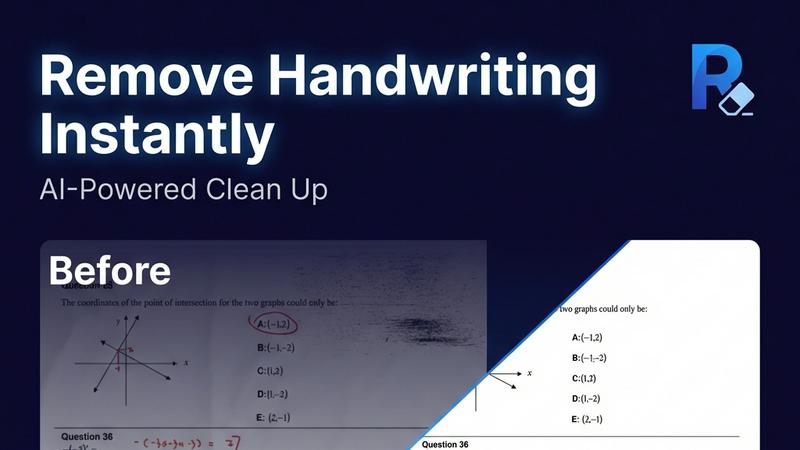
Remove handwriting from images, PDFs, and scanned documents with our AI-powered tool. Erase handwritten text, notes, and annotations while preserving
Visual Comparison
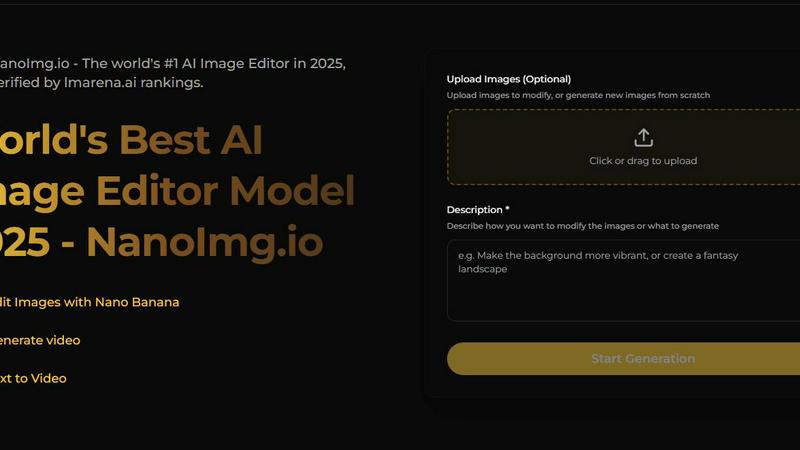
NanoImg
Remove Handwriting
Overview
About NanoImg
NanoImg is a comprehensive, browser-based platform that brings together the power of multiple leading AI models for image generation and editing. It functions as an all-in-one creative suite, designed to make professional-grade visual creation accessible to everyone, regardless of their technical skill level. The platform serves a wide audience, from social media enthusiasts and small business owners to professional marketers, e-commerce managers, and digital artists. Its core value proposition is simplicity and speed: users can generate stunning, high-quality images or edit existing photos in as little as 10 seconds using simple English commands. By integrating top models like Nano Banana, Seedream, Flux AI, and Sora 2 into a single, intuitive interface, NanoImg removes the complexity of choosing between different AI tools. Users can start from scratch with text prompts or upload their own images to apply a vast library of AI-powered effects, filters, and edits. This eliminates the need for expensive software, lengthy tutorials, or complex installations, truly democratizing the process of digital image creation and manipulation.
About Remove Handwriting
Remove handwriting from images, PDFs, and scanned documents in seconds with our AI document cleanup tool. It preserves printed text, tables, and diagrams while fixing shadows, skew, curled edges, and background noise. Use it in your browser or on iOS and Android for worksheets, contracts, archives, and exam papers. We support JPG, PNG, JPEG, and PDF, with batch processing and API access available for larger workflows. Try it free with no credit card required.