
Mailopoly vs securememo.app
Side-by-side comparison to help you choose the right product.

Mailopoly
Mailopoly transforms your inbox, highlights key emails, and drafts replies, making life simpler and more organized.
Last updated: February 26, 2026
securememo.app
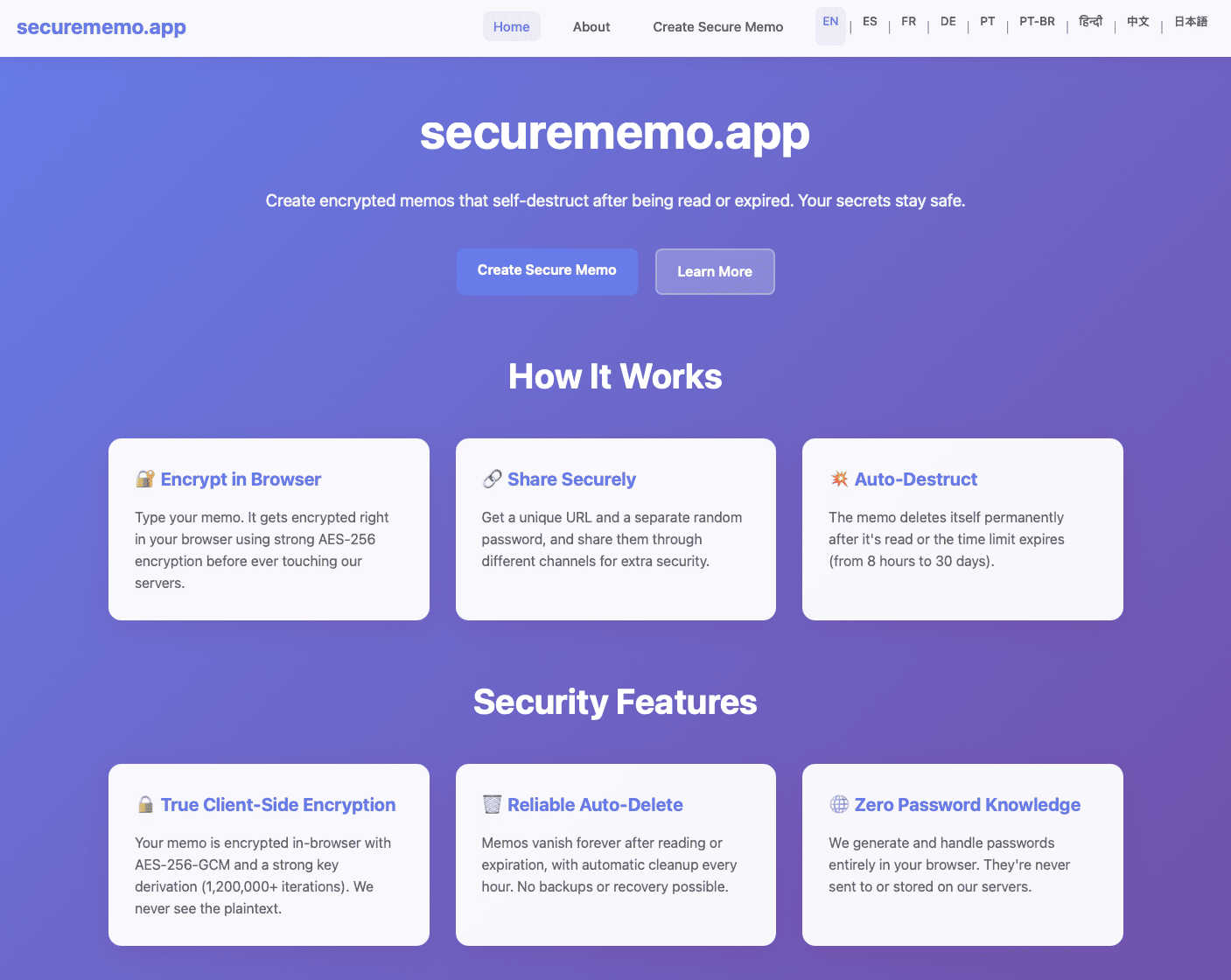
Securememo.app is a private, open source note service that encrypts your text before it leaves your device.
Visual Comparison
Mailopoly

securememo.app
Feature Comparison
Mailopoly
Cleanbox - Only the Emails That Matter
Mailopoly's Cleanbox feature meticulously filters your inbox to ensure you only see emails that are important. It intelligently hides irrelevant emails, allowing you to focus on what truly requires your attention. This feature is set up effortlessly, without the need for complicated rules or configurations.
AI-Driven Information Extraction
Mailopoly automatically extracts key details from your emails, such as invoice amounts, booking information, and delivery updates. This means you can grasp essential information at a glance without the need to open each email, saving you time and reducing overwhelm.
Poly - Your AI Life Assistant
Poly is your built-in AI assistant that provides personalized support for managing tasks, events, and finances. You can ask Poly questions related to your schedule, inquire about upcoming bills, or get summaries of important emails, all designed to help you stay organized and on top of your life admin.
Instant Unsubscribe and Email Tracker
Mailopoly includes an instant unsubscriber feature that efficiently removes you from unwanted mailing lists, streamlining your inbox. Additionally, the email tracker allows you to see who opened your emails, including details on when and how many times, providing valuable insights into your communication.
securememo.app
Client-Side Encryption
This is the foundational security feature of securememo.app. All sensitive data is encrypted directly within your web browser before it is ever transmitted to the service's servers. This process uses strong cryptographic algorithms to scramble your note's content. Because encryption and decryption keys are never sent to or stored by securememo.app, the company has no technical ability to read your data. This "zero-knowledge" model ensures that your notes are completely inaccessible to anyone but you and the person with the correct password, providing a fundamental layer of privacy.
Self-Destructing Notes
Every memo created on securememo.app is designed to be ephemeral. Once a note is created and a unique link is generated, it is programmed to automatically delete itself after being read by the recipient. This feature ensures that sensitive information does not linger on servers indefinitely, drastically reducing the risk of exposure from data breaches or unauthorized access at a later date. It enforces the principle of data minimization, where information is only retained for as long as absolutely necessary.
Password-Protected Sharing
To share a memo, you generate two crucial elements: a unique link and a strong, random password. The password is created entirely on your device and must be communicated to the recipient through a separate, secure channel (like a phone call or a different messaging app). This two-factor access method means that even if the link were somehow intercepted, the content remains protected by the separate password. We never see or handle this password, cementing our zero-knowledge promise.
No-Account Anonymity
securememo.app requires no user registration, sign-up, or login. You can use the service completely anonymously. This design prioritizes user privacy by eliminating the collection of personal data like email addresses, usernames, or usage history. It also makes the service incredibly easy and fast to use; you can create and share a secure note within seconds without any commitment, lowering the barrier to adopting secure communication practices.
Use Cases
Mailopoly
Efficient Email Management for Professionals
For busy professionals juggling multiple responsibilities, Mailopoly's intelligent filtering ensures that only critical emails appear in your inbox. This allows for greater focus on work tasks without the distraction of irrelevant notifications.
Streamlined Personal Finance Tracking
Mailopoly can assist users in managing their personal finances by extracting invoice and payment details from emails. This helps individuals keep track of their bills, ensuring they never miss a payment deadline.
Event Coordination Made Simple
With the event manager feature, users can effortlessly send out custom invitations and track responses. This is particularly useful for organizing meetings, social gatherings, or any events that require guest management.
Enhanced Multi-Tasking for Side-Hustlers
Individuals managing side businesses or freelance work can benefit from Mailopoly's ability to manage multiple email accounts seamlessly. The AI assistant Poly can help draft replies and summarize emails, making it easier to juggle various projects without feeling overwhelmed.
securememo.app
Sharing Login Credentials
Instead of sending a password over email or an unsecured chat, you can use securememo.app. Place the username and password in an encrypted note, share the link, and tell the recipient the password via phone or Signal. Once they read it, the note self-destructs, leaving no trace of your credentials on any server. This is a foundational best practice for IT administrators, team managers, or anyone needing to grant temporary access.
Sending Confidential Documents or Text
Professionals such as lawyers, journalists, or healthcare workers can share sensitive drafts, contracts, or personal information securely. By pasting the text or instructions into a secure memo, they ensure that only the intended recipient can view the content and that it is not stored permanently, complying with basic principles of client confidentiality and data protection.
One-Time Private Communication
For situations requiring a discreet conversation that shouldn't be stored in regular chat histories, securememo.app is ideal. This could be for sharing a Wi-Fi password with a guest, sending a private note to a family member, or providing feedback that is meant to be read once and forgotten. It serves as a digital equivalent of a whispered conversation or a note passed and then shredded.
Secure Data Backup for Personal Use
You can create an encrypted note containing critical information like recovery codes, safe combination numbers, or important account details. You can then save the link and password in separate, secure locations (like a password manager and a physical safe). This creates a secure, off-site backup that is inaccessible to anyone without both components, adding a layer of resilience to your personal data management.
Overview
About Mailopoly
Mailopoly is a revolutionary email client designed to transform the way you manage your inbox. Unlike traditional email systems, Mailopoly employs advanced AI technology to automatically extract important information from your emails, allowing you to engage with only the content that truly matters. This innovative approach not only reduces the clutter in your inbox but also minimizes notifications, helping you maintain focus and productivity throughout your day. Whether you are a busy professional, a student, or someone managing multiple responsibilities, Mailopoly serves as your intelligent assistant, organizing your life seamlessly. With features like automated replies, personal finance management, and an integrated AI chatbot, Mailopoly is your all-in-one solution for email and task management, turning your inbox from a source of stress into a streamlined command center.
About securememo.app
In an era where digital privacy is often compromised, securememo.app provides a fundamental solution for secure communication. It is a privacy-focused web service designed for creating and sharing encrypted, self-destructing notes directly from your browser. The core principle is simple yet powerful: to give individuals complete control over their sensitive information. This tool is built for anyone who needs to share confidential data—such as passwords, financial details, personal messages, or private documents—without leaving a permanent, vulnerable record online. Its main value proposition lies in its commitment to a "zero-knowledge" architecture. This means all encryption and decryption happen locally on your device. The service itself cannot access the content of your notes, your passwords, or any personal identifying information, as no user accounts are required. By prioritizing client-side encryption and ephemeral notes, securememo.app returns to the basics of private communication: only the intended sender and recipient should be able to read a message, and it should not persist beyond its useful life. Available in over 20 languages, it lowers the barrier to secure sharing for a global audience, making robust privacy accessible and straightforward for everyone, from tech novices to security-conscious professionals.
Frequently Asked Questions
Mailopoly FAQ
How does Mailopoly improve my email experience?
Mailopoly enhances your email experience by automatically filtering out unnecessary emails and extracting important information, allowing you to focus only on what matters most.
Is Mailopoly compatible with all email services?
Yes, Mailopoly works with a variety of email providers, including Gmail, Outlook, Yahoo, Hotmail, and other IMAP services, making it easy to integrate with your existing accounts.
Do I need to set up rules for Mailopoly to work effectively?
No, Mailopoly is designed for zero setup. It learns your preferences automatically, making it easy to use right from the start without the hassle of configuring rules.
Is my data secure with Mailopoly?
Absolutely. Mailopoly is designed with security in mind and is SOC 2 certified, ensuring that your data is handled with the utmost privacy and protection.
securememo.app FAQ
How does client-side encryption work?
Client-side encryption means the encryption process happens on your device (in your web browser) before any data is sent to our servers. When you type a note, your browser uses a strong encryption key (derived from the password you or the system generate) to scramble the text. Only this encrypted, unreadable data is transmitted and stored. We never receive the original plain text or the encryption key, so we have no ability to decrypt or read your information. Decryption happens only in the recipient's browser when they enter the correct password.
What happens to a note after it self-destructs?
When a note is set to self-destruct, it is permanently and irrevocably deleted from our servers after it is read by the recipient. Our system is designed to immediately purge all data associated with that unique link. Once this process is complete, the link becomes invalid, and the encrypted content is gone forever. We do not keep backups of destroyed notes, ensuring the ephemeral nature of the service is maintained as a core privacy feature.
Is it really secure if I share the password separately?
Yes, this is a fundamental security practice known as "out-of-band" secret sharing. The security of your note relies on two factors: possession of the unique link and knowledge of the password. By sharing the password through a different communication channel (e.g., phone, encrypted messaging app), you ensure that an attacker who might intercept the link alone cannot access the content. This two-piece verification is a simple yet highly effective method for securing digital communication.
Do you store any of my personal data?
We store minimal, non-personal operational data. Specifically, we only store the encrypted text of your note and its configuration (like the self-destruct setting) for its limited lifetime. We do not require or store email addresses, names, IP addresses (beyond basic server logs for security, which are quickly anonymized), or any account information. The random password is never sent to our servers. Our no-account model is intentionally designed to collect as little data as possible.