JoyFlix AI vs Sketch To
Side-by-side comparison to help you choose the right product.
JoyFlix AI
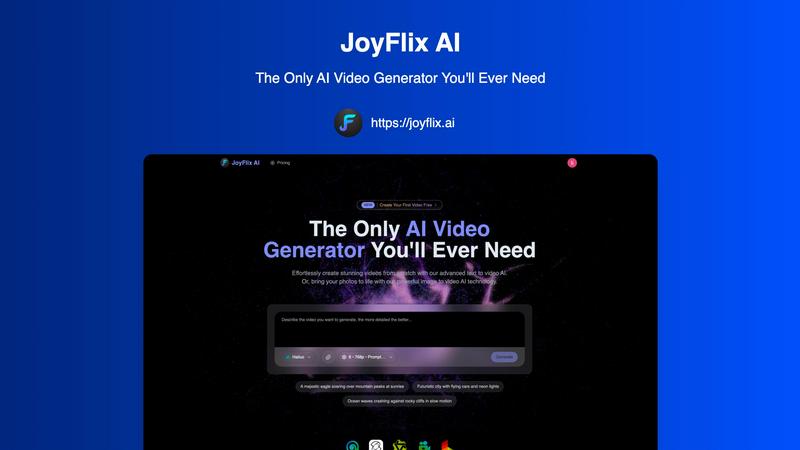
JoyFlix AI transforms text and images into captivating videos, making video creation effortless for everyone.
Last updated: March 2, 2026
Sketch To
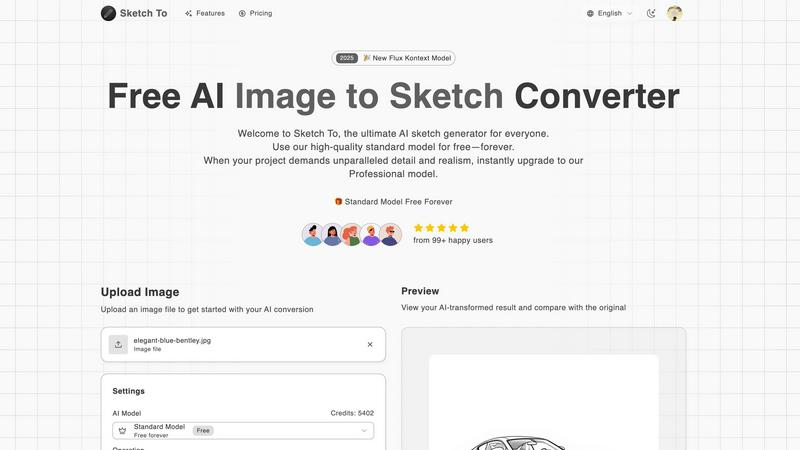
Sketch To is a fundamental AI tool that instantly converts your images into detailed sketches.
Last updated: March 2, 2026
Visual Comparison
JoyFlix AI
Sketch To
Feature Comparison
JoyFlix AI
Text to Video AI
JoyFlix AI's text to video feature allows users to transform written content into engaging videos seamlessly. By simply inputting a text prompt, users can generate a fully-realized video that translates their ideas into visual storytelling, making it an excellent tool for bloggers, educators, and marketers.
Image to Video AI
This feature enables users to animate static images, bringing them to life with realistic motion and cinematic effects. By uploading an image and providing a prompt, users can watch as their photos are transformed into dynamic video stories, adding depth and engagement to their visual content.
Fast Generation Mode
JoyFlix AI boasts a fast generation mode that allows users to create videos in just around 60 seconds. This feature is particularly beneficial for those on tight deadlines or needing to produce content rapidly, ensuring that creativity is never hindered by time constraints.
Cross-Video Character Consistency
With cross-video character consistency, users can maintain a cohesive narrative across multiple videos. This feature ensures that characters and themes remain consistent, which is essential for anyone creating a series of related videos, enhancing brand storytelling and engagement.
Sketch To
Dual-Direction AI Conversion
Sketch To provides two fundamental creative pathways. First, it can convert any uploaded photograph into a variety of artistic sketches, such as pencil, charcoal, or ink drawings. Second, it works in reverse, transforming simple hand-drawn sketches into detailed, realistic images. This core feature makes it a uniquely versatile tool for both interpreting reality as art and bringing artistic concepts to life.
Accessible Two-Tier Model System
The platform is built on a clear, two-tier system to serve different needs. The Standard Model is free to use and provides high-quality conversions perfect for learning, hobbies, and social media. For professional-grade results with superior detail and realism, users can instantly switch to the Professional Model using a flexible credit system. This structure ensures everyone has a starting point and a clear path for growth.
Instant Browser-Based Processing
Sketch To eliminates the need for complicated installations or powerful hardware. The entire conversion process happens instantly through a powerful cloud-based AI engine directly within your web browser. You simply upload your file, choose your style, and generate your result in seconds, making advanced AI art tools accessible from any device with an internet connection.
Diverse Artistic Style Library
Beyond simple conversion, Sketch To offers a library of specific artistic styles to apply. Users can choose from options like Pencil Sketch, Charcoal Sketch, Ink Sketch, Colored Pencil, Watercolor, and Comic Sketch. This allows for precise control over the final aesthetic, enabling creators to match the output to their specific project vision or personal taste.
Use Cases
JoyFlix AI
Marketing Campaigns
JoyFlix AI is a powerful tool for marketers looking to create eye-catching promotional videos quickly. By utilizing text and images, marketers can produce compelling content that captures attention and drives engagement across various platforms.
Educational Content
Educators can leverage JoyFlix AI to create informative and engaging video lessons. By transforming written material and images into videos, educators can enhance learning experiences and cater to diverse learning styles, making concepts more accessible to students.
Social Media Content
Content creators can use JoyFlix AI to generate visually appealing videos for social media platforms. The ability to quickly produce high-quality videos allows creators to maintain a consistent and engaging online presence, attracting and retaining followers.
Storytelling and Creative Projects
Writers and storytellers can utilize JoyFlix AI to visualize their narratives. By converting text prompts into videos, they can bring their stories to life, allowing audiences to experience the narrative in a more immersive and engaging way.
Sketch To
Student Projects and Learning
Students studying art, design, or media can use Sketch To as an educational tool. They can quickly convert reference photos into sketch formats for study, practice rendering techniques by seeing their own sketches turned into realistic images, or create compelling visuals for presentations and school projects without needing advanced illustration skills.
Social Media Content Creation
Content creators and social media managers can use the tool to generate unique, eye-catching graphics. Converting personal or stock photos into artistic sketches provides a fresh aesthetic for posts, stories, and banners. The instant processing allows for quick iteration and consistent content production in a distinctive artistic style.
Professional Concept Development
Artists, architects, and designers can use the Sketch to Image function to rapidly visualize concepts. A quick hand-drawn idea can be converted into a more polished, realistic image to communicate visions to clients or team members early in the creative process. This accelerates brainstorming and helps in pitching ideas effectively.
Personal Artistic Exploration
Hobbyists and aspiring artists can use Sketch To to experiment with digital art forms without intimidation. They can start by transforming personal photographs into artwork, explore different drawing styles to find their preference, and use the AI as a collaborative tool to enhance their own drawings, building confidence and creative skills.
Overview
About JoyFlix AI
JoyFlix AI is a groundbreaking video generation tool that leverages advanced artificial intelligence to convert text prompts and images into visually captivating videos. This innovative platform is designed for a diverse audience, including content creators, marketers, educators, and storytellers who seek to enhance their digital narratives with minimal effort. By simplifying the video creation process, JoyFlix AI empowers users to produce high-quality visual content that resonates with their audience. With the ability to generate videos in seconds, it effectively bridges the gap between creative ideas and technical execution. Whether you're looking to create promotional videos, engaging social media content, or dynamic educational materials, JoyFlix AI makes it accessible to everyone, regardless of technical skill. Its powerful features and user-friendly interface position it as an essential tool for anyone aiming to elevate their digital presence and engage viewers through stunning visuals.
About Sketch To
Sketch To is a fundamental online tool designed to bridge the gap between photography and drawing. At its core, it is an AI-powered converter that performs two essential creative tasks: transforming photographs into artistic sketches and converting hand-drawn sketches into realistic images. This dual functionality makes it a versatile foundation for anyone looking to explore digital art. The platform is built for a wide audience, from students and hobbyists experimenting with their first creative projects to professional artists and designers seeking efficient tools for concept development or commercial work. Its main value proposition lies in its simplicity and accessibility. There is no complex software to download or install; everything operates directly in your web browser. Sketch To offers a robust, free-to-use standard model that provides high-quality results for everyday creativity. For projects demanding the highest fidelity, users can access a world-class Professional model on a flexible, pay-as-you-go credit system, ensuring there is a suitable tool for every level of need and budget. This back-to-basics approach empowers creators of all skill levels to transform their ideas without technical barriers.
Frequently Asked Questions
JoyFlix AI FAQ
What types of videos can I create with JoyFlix AI?
JoyFlix AI allows users to create a variety of videos, including promotional content, educational materials, social media posts, and storytelling videos, making it versatile for different purposes.
How long does it take to generate a video?
With JoyFlix AI's fast generation mode, users can create videos in approximately 60 seconds, making it a quick solution for those needing rapid content production.
Is there a limit to the number of videos I can create?
The platform offers various subscription plans that include a specific number of credits each month. Users can create multiple videos based on their plan's credit allocation and can purchase additional credits as needed.
Can I use the videos I create for commercial purposes?
Yes, JoyFlix AI allows users to create videos for commercial use without watermarks, ensuring that you can leverage your content for branding and marketing efforts freely.
Sketch To FAQ
How do I start using Sketch To?
Getting started is simple and requires no download. Visit the Sketch To website in your browser. New users can sign up to receive free trial credits for the Standard Model. Then, just upload your image file, select your desired conversion direction (Image to Sketch or Sketch to Image), choose an artistic style, and click generate. Your result will be processed and ready to download in seconds.
What is the difference between the Standard and Professional models?
The Standard Model is a high-quality, free option perfect for everyday creative projects, hobbies, and social media. The Professional Model is a premium, world-class AI that delivers unparalleled detail, accuracy, and realism. It is designed for commercial work and professional projects where the highest fidelity is required. You can switch to the Pro model at any time using credits.
What file formats and sizes are supported?
You can upload common image file formats to begin your conversion. The platform supports a maximum file size of 5MB per image for upload. For output, you can download your AI-transformed creations in high resolution, making the files suitable for both digital use and professional printing.
Do I need to sign up or pay to use Sketch To?
You can access the tool and explore its interface without signing up. However, to perform conversions, a free account is required. New users receive trial credits to use the Standard Model at no cost. This allows you to test the features thoroughly. If you need the advanced Professional Model or exhaust your trial credits, you can purchase additional credits on a flexible, pay-as-you-go basis.
Alternatives
JoyFlix AI Alternatives
JoyFlix AI is an innovative platform that falls within the category of AI video generators. It allows users to transform text prompts and images into visually captivating videos with ease. This technology is particularly appealing to creators, marketers, and storytellers looking to streamline their video production processes and enhance their digital content with minimal effort. Many users seek alternatives to JoyFlix AI for various reasons, including pricing, specific feature sets, or compatibility with different platforms. When selecting an alternative, it’s essential to consider factors such as ease of use, the quality of generated videos, customization options, and integration capabilities. Understanding your specific needs and how they align with these features can help ensure you choose the right tool for your projects.
Sketch To Alternatives
Sketch To is a foundational online tool in the image and photo category. It uses artificial intelligence to perform two essential creative tasks: turning photographs into artistic sketches and converting simple drawings into realistic images. This makes it a versatile starting point for digital art exploration. Users often look for different tools for several basic reasons. Needs can vary based on budget, with some seeking entirely free options while others require advanced professional features. Platform preference is another factor, as some creators need mobile apps or specific desktop software integration that a web-based tool may not provide. When choosing an alternative, consider your core requirements. Evaluate the primary conversion direction you need, the quality and style of output, and the overall cost structure. The goal is to find a tool that serves as a reliable foundation for your specific creative workflow, just as Sketch To aims to do for its users.