
Hush Touch | Voice-to-Text for MacOS vs Speechable
Side-by-side comparison to help you choose the right product.

Hush Touch | Voice-to-Text for MacOS
Hush Touch transforms your voice into text on MacOS, learning your vocabulary and ensuring privacy with offline.
Last updated: February 26, 2026

Transform documents into engaging audio, podcasts, or lectures for active learning and deeper understanding on the go.
Last updated: February 28, 2026
Visual Comparison
Hush Touch | Voice-to-Text for MacOS

Speechable
Feature Comparison
Hush Touch | Voice-to-Text for MacOS
Dual-Engine Recognition
Hush Touch utilizes two powerful Apple dictation engines to deliver superior transcription accuracy. The DictationTranscriber manages the natural flow and punctuation of your speech, while the SFSpeechRecognizer enhances custom vocabulary recognition. By merging the strengths of both engines and incorporating an Apple Intelligence final pass, Hush Touch ensures that your dictation is precise and contextually relevant.
Custom Vocabulary
With the ability to learn and adapt, Hush Touch allows you to input up to 500 custom terms, which helps it recognize specific jargon, brand names, and technical phrases that are unique to your profession. This feature includes an auto-learning capability that updates your vocabulary based on corrections you make during dictation, ensuring that the app evolves with your needs over time.
Smart Text Processing
The app's smart text processing capabilities help streamline your dictation by automatically removing filler words and correcting common speech errors in real time. It also formats voice snippets for repeated phrases and organizes text into numbered lists, making it easier to produce structured and polished documents directly from your spoken words.
Context Modes & Hands-Free Operation
Hush Touch offers multiple context modes tailored for different writing scenarios, including General, Email, Code, and Notes modes. You can initiate dictation hands-free by saying "Hey Siri, start touch," which allows the app to auto-insert text after a brief pause. Custom command phrases enable you to send messages or stop dictation effortlessly, enhancing your overall dictation experience.
Speechable
Podcast Mode
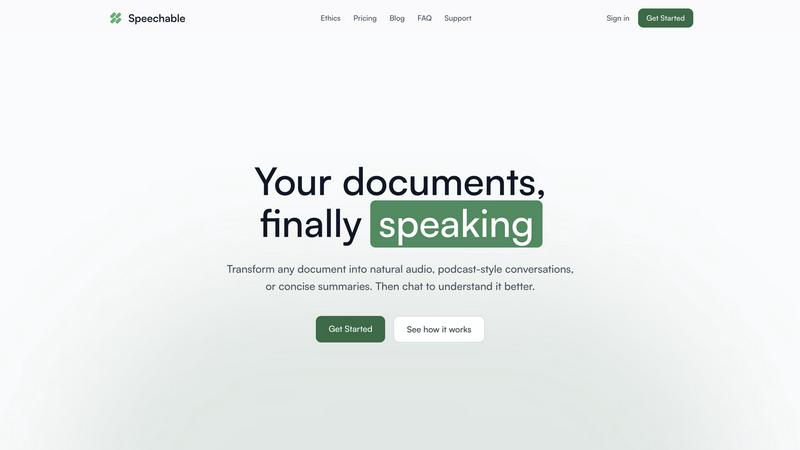
Podcast mode transforms your document into a dynamic two-voice conversation, allowing you to choose the duration of playback—5, 10, or 15 minutes—and select your preferred language. This feature makes learning feel more like a dialogue rather than a monologue, enhancing understanding and retention.
Lecture Mode
Lecture mode presents complex ideas in a clear and straightforward manner, mimicking the style of TED talks. This feature is particularly useful for users who seek to grasp intricate subjects quickly and effectively, making it easier to absorb important information.
Eco Mode
Eco mode operates locally within your browser, which means it does not rely on cloud services. This results in up to 20 times less energy consumption compared to traditional cloud-based text-to-speech solutions. Additionally, it offers unlimited playback without any credits required, making it a sustainable choice for users.
Interactive Chat
The interactive chat feature allows users to engage with their documents by asking questions, either by typing or speaking. This functionality facilitates active learning, enabling users to clarify doubts or explore specific topics in depth, transforming passive listening into an engaging dialogue.
Use Cases
Hush Touch | Voice-to-Text for MacOS
Drafting Emails and Messages
Hush Touch is perfect for busy professionals who need to send emails or messages quickly. By dictating your thoughts, you can compose written communications in real time without getting bogged down by typing, allowing for more efficient usage of your time.
Creating Notes and Documents
Students and researchers can benefit from Hush Touch when taking notes or drafting documents. The app's accuracy and smart text processing features enable users to focus on their ideas and content rather than the mechanics of writing, resulting in clearer and more organized notes.
Writing Code and Technical Content
Developers and technical writers will appreciate Hush Touch's ability to recognize programming terminology and technical jargon. By dictating code and related documentation, they can work faster and reduce the likelihood of errors that often occur during manual typing.
Generating Content for Blogs and Articles
Content creators can leverage Hush Touch to brainstorm and draft blog posts or articles effortlessly. The app allows for a natural flow of ideas, enabling writers to capture their thoughts quickly and efficiently while maintaining their unique voice and tone.
Speechable
On-the-Go Learning
Speechable is perfect for busy individuals who want to maximize productivity during commutes, workouts, or walks. By converting documents into audio formats, users can listen to essential content anytime and anywhere, making the most of their time.
Enhanced Study Sessions
Students can leverage Speechable to convert textbooks and lecture notes into audio summaries. This auditory approach can significantly aid comprehension and retention, especially for those who struggle with traditional reading methods.
Accessibility for Diverse Learners
Speechable is designed with accessibility in mind. Students with ADHD or dyslexia can benefit from its features, allowing them to interact with text in a more manageable and engaging manner, thus promoting equal learning opportunities.
Content Creation and Research
Researchers and content creators can use Speechable to turn lengthy articles or reports into concise audio formats. This not only saves time but also allows for easier dissemination of information, making it a valuable tool for professionals in various fields.
Overview
About Hush Touch | Voice-to-Text for MacOS
Hush Touch is a cutting-edge voice-to-text application designed specifically for macOS users who value speed, ease of use, and privacy in their dictation tools. This innovative app transforms spoken language into written text seamlessly and efficiently, making it an essential tool for anyone who regularly drafts emails, messages, notes, or documents. Hush Touch operates entirely on-device, ensuring that your voice data remains private and secure without relying on cloud services. By leveraging two advanced Apple transcription engines combined with an Apple Intelligence final pass, Hush Touch provides accurate and clean transcriptions that enhance your writing workflow. With a lightweight footprint of just 5.5 MB, it launches quickly and integrates effortlessly into daily tasks, allowing users to dictate naturally and hands-free. For just $20, you can enjoy a lifetime license without any ongoing subscription fees, making it a budget-friendly choice for professional and personal use alike.
About Speechable
Speechable is an innovative tool designed to transform text-based documents into engaging audio experiences. Whether you're dealing with PDFs, web articles, ebooks, or even photos of handwritten notes, Speechable cleanly extracts the main content while eliminating distractions like footnotes, citations, and ads. This makes your documents not only accessible but also enjoyable to listen to. The primary value proposition of Speechable lies in its ability to provide users with a more immersive and interactive learning experience. By utilizing natural-sounding AI voices, users can choose from various playback modes, including podcast-style conversations and TED-style lectures. Designed for everyone—from students to educators, and individuals with learning differences—Speechable aims to make learning accessible, engaging, and efficient. This tool supports users in enhancing their comprehension while maximizing productivity, making it an essential resource for anyone who consumes large amounts of written content.
Frequently Asked Questions
Hush Touch | Voice-to-Text for MacOS FAQ
How does Hush Touch ensure privacy with my voice data?
Hush Touch processes all voice data entirely on your Mac, with no reliance on cloud services. This means your voice recordings and transcriptions remain private and secure, ensuring that your data is not collected or shared.
Can I customize the vocabulary in Hush Touch?
Yes, Hush Touch allows you to customize your vocabulary with up to 500 terms. It also learns from corrections you make during dictation, helping it to adapt to your specific language needs over time.
Is there a trial version of Hush Touch available?
Yes, Hush Touch offers a 7-day free trial without requiring a credit card. This allows you to test the app's features and functionality before making a purchase decision.
What is the pricing structure for Hush Touch?
Hush Touch is available for a one-time purchase price of $20, providing you with a lifetime license. There are no subscription fees, making it a cost-effective solution for voice-to-text needs.
Speechable FAQ
What file formats does Speechable support?
Speechable supports a variety of file formats, including PDFs, Word documents (.docx), ePubs, and web URLs, as well as photos of text. Users can easily drop their files or paste links, and Speechable will handle the conversion seamlessly.
How many voices are available?
Speechable boasts a selection of 52 natural-sounding AI voices across eight different languages. Users have the option to preview each voice and adjust playback speeds to suit their listening preferences, ensuring a personalized experience.
What is Eco mode?
Eco mode is a unique feature that allows Speechable to run text-to-speech processing locally on your device rather than in the cloud. This significantly reduces energy usage—up to 20 times less than traditional options—and provides unlimited playback without requiring credits.
Can I chat with my documents?
Yes, Speechable includes a chat feature that enables users to ask questions or request clarifications about their documents. This interaction mimics a conversation with the content, allowing for deeper understanding and exploration of the material.
Alternatives
Hush Touch | Voice-to-Text for MacOS Alternatives
Hush Touch | Voice-to-Text for MacOS is an innovative application designed to convert spoken words into written text directly on macOS devices. As part of the AI Assistants category, it allows users to dictate emails, notes, and documents easily and privately without relying on cloud services. Users often seek alternatives for various reasons, including pricing concerns, the need for additional features, or compatibility with different platforms. When choosing an alternative, consider factors such as the app's transcription accuracy, offline capabilities, ease of use, and privacy measures. It's essential to look for solutions that align with your specific dictation needs and workflow preferences to ensure a seamless experience.
Speechable Alternatives
Speechable is an innovative tool that transforms any document into audio formats such as podcasts and TED-style lectures. It falls within the Education & Learning and Speech & Voice categories, catering to users seeking to better absorb and understand written content through auditory means. Many users search for alternatives to Speechable due to varying needs, such as pricing concerns, specific feature requirements, or compatibility with different platforms. When selecting an alternative, it is crucial to consider factors like the range of features offered, ease of use, accessibility options, and whether the solution aligns with your learning preferences. Additionally, evaluating pricing structure and sustainability can help ensure that the chosen tool meets both your budget and environmental considerations.