
CloneUI vs PUNKU.AI
Side-by-side comparison to help you choose the right product.

CloneUI
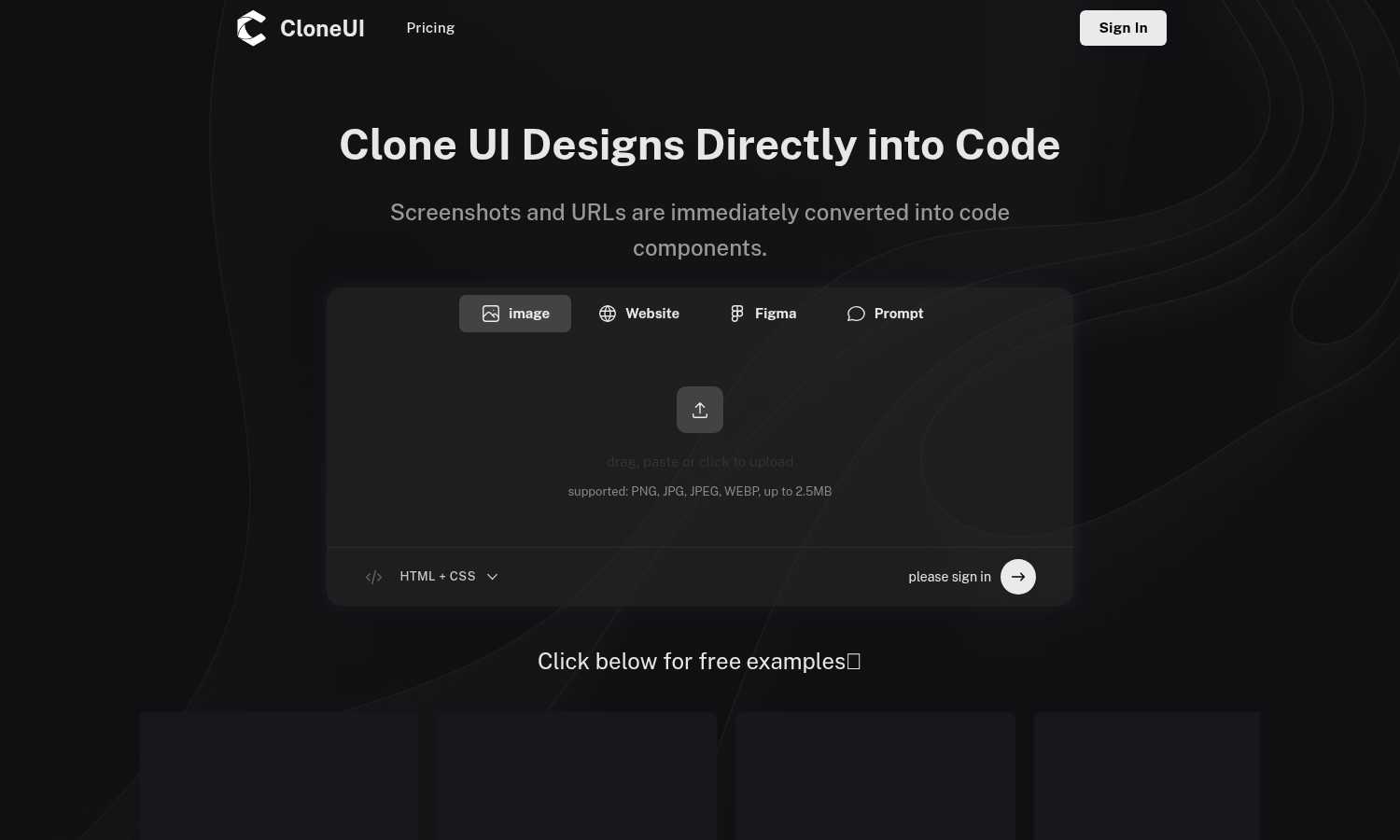
CloneUI instantly converts website screenshots and URLs into clean, production-ready HTML, CSS, and React code.
Last updated: March 1, 2026

PUNKU.AI
PUNKU.AI effortlessly automates tasks by transforming your plain English requests into powerful AI solutions without.
Last updated: February 28, 2026
Visual Comparison
CloneUI
PUNKU.AI

Feature Comparison
CloneUI
Screenshot to Code Conversion
This feature allows you to transform a static image of any website or design mockup into functional code. Simply upload a screenshot in formats like PNG or JPG, and CloneUI's AI will analyze the visual elements, recognizing components and their spatial relationships. It then generates clean, well-structured HTML and CSS that replicates the design. This is ideal for when you have a visual reference but no direct access to the website's source code or a design file, providing a quick starting point for development.
URL to Code Cloning
With this capability, you can generate code by simply pasting the URL of any live website. CloneUI will fetch the page, analyze its rendered structure, and produce a code clone. This is incredibly useful for understanding how a particular site is built, creating a legal starting template for a new project inspired by an existing design, or rapidly prototyping based on a live reference. It streamlines the process of deconstructing and learning from existing web implementations.
Framework-Specific Export
CloneUI provides flexibility by allowing you to export the generated code into your preferred development framework. You are not locked into one output format. With one click, you can choose to receive your code as standard HTML and CSS, or as component-based code for modern JavaScript frameworks like React or Vue.js. This ensures the generated code can be directly integrated into your existing project's architecture without significant refactoring.
Intelligent Component Recognition
The AI at the heart of CloneUI does more than just copy pixels; it intelligently maps visual elements to their corresponding code components. It identifies common UI patterns such as navigation bars, hero sections, cards, buttons, and forms. This recognition allows the tool to generate semantic and logical code structure, making the output more maintainable and easier for developers to understand and extend compared to a simple, non-semantic HTML dump.
PUNKU.AI
Natural Language Processing
PUNKU.AI leverages advanced natural language processing to allow users to describe their automation needs in everyday language. This eliminates the complexity of traditional coding, making automation accessible to everyone.
Visual Node Graph
The visual node graph feature provides users with a clear illustration of their automated workflows. This transparency helps users understand how their automation operates, enhancing trust and usability.
Extensive API Integrations
PUNKU.AI connects seamlessly with over 3,000 APIs, including major applications like Gmail, Slack, Notion, and Zoom. This extensive integration capability allows businesses to incorporate automation into their existing workflows effortlessly.
Pre-built Templates
To help users get started quickly, PUNKU.AI offers over 100 expert-designed templates for various common tasks. Users can either customize these templates or create new automations from scratch, ensuring flexibility in their approach.
Use Cases
CloneUI
Rapid Prototyping for Developers
Developers can use CloneUI to quickly build functional prototypes from design inspiration or client mockups. Instead of spending hours coding a layout from scratch, they can input a screenshot or URL and receive a working code base in seconds. This prototype can then be immediately tested, iterated upon, and connected to backend services, dramatically accelerating the initial phases of the development cycle and allowing for faster client feedback.
Learning and Educational Tool
For students and new developers, CloneUI serves as an excellent educational resource. By inputting the URL of a well-designed website, a learner can instantly see the code that constructs it. This reverse-engineering process helps demystify how visual designs translate into HTML structures and CSS rules, providing practical, real-world examples to study and learn from, which is a foundational step in mastering web development.
Design to Development Handoff
Designers and developers often face friction during the handoff process. CloneUI streamlines this by allowing designers to provide a screenshot of their Figma, Adobe XD, or Sketch design. The developer can then feed this image into CloneUI to generate a foundational code structure. This creates a more accurate and efficient starting point than manual interpretation, reducing misunderstandings and ensuring the final product aligns closely with the original design vision.
Competitive Analysis and Inspiration
When you find a website with an appealing feature or layout, CloneUI helps you understand its construction for competitive analysis or personal inspiration. By cloning the URL, you can examine the code behind specific interactions or responsive behaviors. This allows developers and agencies to ethically deconstruct and learn from industry best practices, informing their own design and development decisions without starting from a blank slate.
PUNKU.AI
Customer Service Automation
Businesses can utilize PUNKU.AI to create customer service chatbots that operate 24/7. These chatbots can field common inquiries, allowing human agents to focus on more complex issues.
Lead Generation
With PUNKU.AI, companies can implement automated lead generation bots that capture and qualify leads without manual intervention. This process helps streamline sales efforts and increase efficiency.
Email Campaign Management
Marketers can automate their email marketing campaigns using PUNKU.AI. The platform allows users to set up triggers for sending emails based on customer actions, ensuring timely communication.
Task Coordination
PUNKU.AI assists teams in coordinating tasks and managing projects. By automating reminders and updates, it ensures that everyone stays informed about their responsibilities, improving overall productivity.
Overview
About CloneUI
CloneUI is a foundational tool designed to bridge the gap between visual design and functional code. At its core, it is an AI-powered web application that converts visual inputs into clean, production-ready code. This process addresses a fundamental and often time-consuming step in web development: translating a design concept into a working prototype. The tool operates by accepting two primary inputs: a screenshot image of a website or design, or a direct URL to an existing webpage. Its sophisticated AI then analyzes the visual structure, identifies components like buttons, headers, and layouts, and generates the corresponding HTML, CSS, and JavaScript code. This output is not just a static copy; it is responsive, semantic, and structured for real-world use.
CloneUI is built for a wide audience, from beginners learning web development to experienced developers and designers seeking efficiency. Its main value proposition is profound simplicity and speed. It eliminates the tedious manual work of inspecting elements and writing boilerplate code from scratch, allowing users to focus on higher-level tasks like customization, functionality, and creativity. By supporting popular frameworks like React and Vue, alongside standard HTML/CSS, it integrates seamlessly into modern development workflows. Ultimately, CloneUI empowers users to bring digital ideas to life faster, making the foundational step of creating code from a design effortless and accessible to all.
About PUNKU.AI
PUNKU.AI is a groundbreaking automation tool that revolutionizes how businesses create and manage workflows, all without requiring any coding skills. This platform is designed for individuals and teams aiming to enhance productivity by automating repetitive tasks. PUNKU.AI allows users to articulate their specific automation needs in plain English, making it accessible to everyone, regardless of technical expertise. Acting similarly to a senior engineer, PUNKU.AI engages users in a conversational manner to understand their requirements and edge cases, ultimately delivering a tailored automation solution. The visual node graph feature provides transparency, illustrating how the automation functions. With connectivity to over 3,000 APIs including popular platforms like Gmail, Slack, Notion, and Zoom, PUNKU.AI serves businesses of all sizes. Its primary value proposition is to minimize busywork, empowering teams to concentrate on what truly matters, thereby fostering a more efficient and productive work environment.
Frequently Asked Questions
CloneUI FAQ
Which input formats are compatible with CloneUI?
CloneUI accepts visual inputs in two primary ways. You can upload screenshot image files in common formats including PNG, JPG, JPEG, and WEBP. Alternatively, you can directly input the URL of any publicly accessible website. The tool analyzes these inputs to generate the corresponding code, making it versatile for both static mockups and live web pages.
How is the code generated?
The code is generated using sophisticated artificial intelligence. When you provide an image or URL, CloneUI's AI engine analyzes the visual composition, identifying UI components, layouts, colors, and typography. It then maps these visual elements to their appropriate HTML tags and CSS styling rules, constructing a clean, semantic, and responsive code structure that mirrors the original design as closely as possible.
What frameworks does CloneUI support?
CloneUI provides export options for several popular web development frameworks to suit different project needs. You can choose to export the generated code as standard, plain HTML and CSS. For more advanced, component-based projects, it also supports exporting to React and Vue.js, allowing you to seamlessly integrate the cloned UI into your existing modern development stack.
Is the generated code suitable for production use?
The code generated by CloneUI is clean, responsive, and production-ready in terms of its structure and styling. It provides an excellent, pixel-perfect foundation. However, like any generated code, it is intended as a starting point. Developers should review, customize, and integrate it with their application's logic, state management, accessibility features, and performance optimizations to meet specific production standards and requirements.
PUNKU.AI FAQ
What makes PUNKU.AI different from other AI platforms?
PUNKU.AI stands out by allowing users to describe their automation needs in plain English, eliminating the need for technical expertise. Its conversational approach simplifies the automation process, making it accessible to all.
Do I need technical knowledge to use PUNKU.AI?
No, you do not need any technical knowledge to use PUNKU.AI. Simply articulate what you want to automate in clear language, and the platform will handle the technical aspects for you.
How long does it take to get started?
Getting started with PUNKU.AI is quick and easy. Users can set up their first automation in just a few minutes, allowing for immediate productivity enhancements without a lengthy onboarding process.
How secure is my data on PUNKU.AI?
PUNKU.AI prioritizes data security and implements robust measures to protect user information. All data is encrypted and handled in compliance with industry standards to ensure user privacy and security.
Alternatives
CloneUI Alternatives
CloneUI is a tool in the design-to-code and low-code development category. It uses AI to convert website screenshots, URLs, or Figma designs into production-ready code for frameworks like React and Vue. This process helps developers and designers save significant time on manual coding tasks. Users often explore alternatives for various practical reasons. These can include budget constraints, as pricing models differ. Others may need specific features not offered, like support for a different design tool or code framework. Platform compatibility, such as a desktop application versus a web service, can also be a deciding factor. When evaluating other options, consider your primary workflow. Identify if you need integration with your existing design software or a particular code output. Assess the accuracy and cleanliness of the generated code, as this impacts future development. Finally, compare the overall value against the cost to find the best fit for your projects.
PUNKU.AI Alternatives
PUNKU.AI is an innovative automation tool that falls under the no-code and low-code category, designed to simplify the creation and management of workflows. By allowing users to express their automation needs in plain English, it eliminates the need for coding skills while providing a robust solution for automating tasks across various applications. Users often seek alternatives to PUNKU.AI for several reasons, including pricing, specific feature sets, or compatibility with their existing platforms. When exploring alternatives, it is important to consider factors such as ease of use, the range of integrations available, scalability to meet future needs, and the level of support provided. These aspects can significantly impact the effectiveness and efficiency of the automation solutions you choose.