CloneUI vs Gleem.AI Studio
Side-by-side comparison to help you choose the right product.

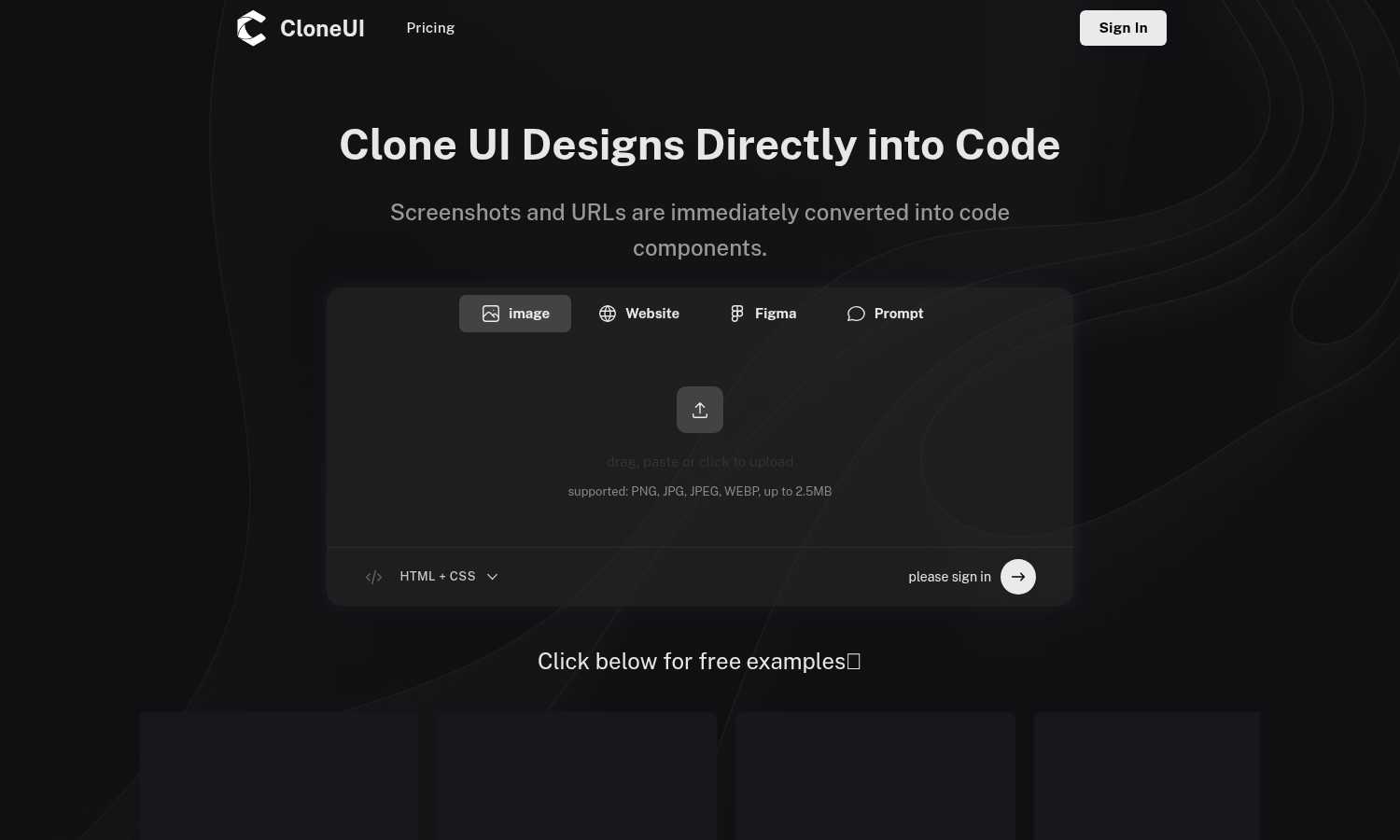
CloneUI instantly converts website screenshots and URLs into clean, production-ready HTML, CSS, and React code.
Last updated: March 1, 2026

Gleem.AI Studio
Gleem.AI Studio simplifies image creation and editing with an intuitive all-in-one workspace for all your visual needs.
Last updated: February 26, 2026
Visual Comparison
CloneUI
Gleem.AI Studio

Feature Comparison
CloneUI
Screenshot to Code Conversion
This feature allows you to transform a static image of any website or design mockup into functional code. Simply upload a screenshot in formats like PNG or JPG, and CloneUI's AI will analyze the visual elements, recognizing components and their spatial relationships. It then generates clean, well-structured HTML and CSS that replicates the design. This is ideal for when you have a visual reference but no direct access to the website's source code or a design file, providing a quick starting point for development.
URL to Code Cloning
With this capability, you can generate code by simply pasting the URL of any live website. CloneUI will fetch the page, analyze its rendered structure, and produce a code clone. This is incredibly useful for understanding how a particular site is built, creating a legal starting template for a new project inspired by an existing design, or rapidly prototyping based on a live reference. It streamlines the process of deconstructing and learning from existing web implementations.
Framework-Specific Export
CloneUI provides flexibility by allowing you to export the generated code into your preferred development framework. You are not locked into one output format. With one click, you can choose to receive your code as standard HTML and CSS, or as component-based code for modern JavaScript frameworks like React or Vue.js. This ensures the generated code can be directly integrated into your existing project's architecture without significant refactoring.
Intelligent Component Recognition
The AI at the heart of CloneUI does more than just copy pixels; it intelligently maps visual elements to their corresponding code components. It identifies common UI patterns such as navigation bars, hero sections, cards, buttons, and forms. This recognition allows the tool to generate semantic and logical code structure, making the output more maintainable and easier for developers to understand and extend compared to a simple, non-semantic HTML dump.
Gleem.AI Studio
Text-to-Image Generator
Gleem.AI Studio's text-to-image generator transforms your ideas into visually captivating images. By allowing users to choose the dimensions and set their vision, this feature uses advanced AI to create images that reflect the user's intent. The integrated Prompt Enhance tool refines user inputs, ensuring that the final visuals meet professional standards without the need for complex adjustments.
AI Image Editing
The AI image editing capability provides users with a powerful toolkit to modify images easily. Users can add or remove objects, adjust poses, apply filters, and restore older images, all within a single, intuitive editor. This feature simplifies the editing process, allowing for quick adjustments and refinements that cater to the specific needs of each project.
AI Avatars
Gleem.AI Studio allows users to create personalized AI avatars that can be integrated into various scenes. This feature enables users to generate unique avatars, adjust their poses, and even try on different outfits without the need for additional photo shoots. This capability is particularly useful for marketers and creators looking to enhance their branding and visual storytelling.
Project Management
Organizing creative projects is made simple with dedicated spaces for each idea. Users can save prompts, edits, and version histories, making it easy to revisit and iterate on previous work. This structured approach ensures that all project components are readily accessible, facilitating a smoother and more efficient creative process.
Use Cases
CloneUI
Rapid Prototyping for Developers
Developers can use CloneUI to quickly build functional prototypes from design inspiration or client mockups. Instead of spending hours coding a layout from scratch, they can input a screenshot or URL and receive a working code base in seconds. This prototype can then be immediately tested, iterated upon, and connected to backend services, dramatically accelerating the initial phases of the development cycle and allowing for faster client feedback.
Learning and Educational Tool
For students and new developers, CloneUI serves as an excellent educational resource. By inputting the URL of a well-designed website, a learner can instantly see the code that constructs it. This reverse-engineering process helps demystify how visual designs translate into HTML structures and CSS rules, providing practical, real-world examples to study and learn from, which is a foundational step in mastering web development.
Design to Development Handoff
Designers and developers often face friction during the handoff process. CloneUI streamlines this by allowing designers to provide a screenshot of their Figma, Adobe XD, or Sketch design. The developer can then feed this image into CloneUI to generate a foundational code structure. This creates a more accurate and efficient starting point than manual interpretation, reducing misunderstandings and ensuring the final product aligns closely with the original design vision.
Competitive Analysis and Inspiration
When you find a website with an appealing feature or layout, CloneUI helps you understand its construction for competitive analysis or personal inspiration. By cloning the URL, you can examine the code behind specific interactions or responsive behaviors. This allows developers and agencies to ethically deconstruct and learn from industry best practices, informing their own design and development decisions without starting from a blank slate.
Gleem.AI Studio
Marketing Campaigns
Gleem.AI Studio is ideal for marketers who need to produce high-quality visuals for campaigns quickly. The platform's seamless workflow allows for rapid generation and editing of marketing materials, ensuring that teams can keep up with dynamic market demands.
Social Media Content Creation
For social media managers, the ability to create and edit visuals in one platform is invaluable. Gleem.AI Studio makes it easy to create eye-catching posts and stories that engage audiences, while the project management features help keep content organized and on schedule.
E-commerce Product Imagery
E-commerce businesses can benefit from the AI image generation and editing tools to create compelling product images. With the ability to easily adjust poses and backgrounds, users can showcase their products in a professional light, enhancing their online presence.
Creative Experimentation
Artists and designers can use Gleem.AI Studio to explore new ideas and creative variations without the fear of starting over. The intuitive editing features and project organization allow for experimentation and iteration, leading to innovative designs and artwork.
Overview
About CloneUI
CloneUI is a foundational tool designed to bridge the gap between visual design and functional code. At its core, it is an AI-powered web application that converts visual inputs into clean, production-ready code. This process addresses a fundamental and often time-consuming step in web development: translating a design concept into a working prototype. The tool operates by accepting two primary inputs: a screenshot image of a website or design, or a direct URL to an existing webpage. Its sophisticated AI then analyzes the visual structure, identifies components like buttons, headers, and layouts, and generates the corresponding HTML, CSS, and JavaScript code. This output is not just a static copy; it is responsive, semantic, and structured for real-world use.
CloneUI is built for a wide audience, from beginners learning web development to experienced developers and designers seeking efficiency. Its main value proposition is profound simplicity and speed. It eliminates the tedious manual work of inspecting elements and writing boilerplate code from scratch, allowing users to focus on higher-level tasks like customization, functionality, and creativity. By supporting popular frameworks like React and Vue, alongside standard HTML/CSS, it integrates seamlessly into modern development workflows. Ultimately, CloneUI empowers users to bring digital ideas to life faster, making the foundational step of creating code from a design effortless and accessible to all.
About Gleem.AI Studio
Gleem.AI Studio is a revolutionary AI image workspace that streamlines the creative process for marketers, creators, and small teams. It is designed for individuals who want to focus on creativity without the distraction of complex configurations. The platform integrates AI image generation and editing into a single, cohesive environment, allowing users to move through their creative workflow seamlessly. With Gleem.AI Studio, users can generate stunning visuals, edit them intuitively, and iterate without the hassle of switching between multiple tools. This all-in-one solution eliminates the technical barriers often associated with image creation, enabling users to make visual decisions quickly and efficiently. Whether for social media, marketing campaigns, or product imagery, Gleem.AI Studio empowers users to produce consistent visuals at speed, all while maintaining an effortless and intuitive user experience.
Frequently Asked Questions
CloneUI FAQ
Which input formats are compatible with CloneUI?
CloneUI accepts visual inputs in two primary ways. You can upload screenshot image files in common formats including PNG, JPG, JPEG, and WEBP. Alternatively, you can directly input the URL of any publicly accessible website. The tool analyzes these inputs to generate the corresponding code, making it versatile for both static mockups and live web pages.
How is the code generated?
The code is generated using sophisticated artificial intelligence. When you provide an image or URL, CloneUI's AI engine analyzes the visual composition, identifying UI components, layouts, colors, and typography. It then maps these visual elements to their appropriate HTML tags and CSS styling rules, constructing a clean, semantic, and responsive code structure that mirrors the original design as closely as possible.
What frameworks does CloneUI support?
CloneUI provides export options for several popular web development frameworks to suit different project needs. You can choose to export the generated code as standard, plain HTML and CSS. For more advanced, component-based projects, it also supports exporting to React and Vue.js, allowing you to seamlessly integrate the cloned UI into your existing modern development stack.
Is the generated code suitable for production use?
The code generated by CloneUI is clean, responsive, and production-ready in terms of its structure and styling. It provides an excellent, pixel-perfect foundation. However, like any generated code, it is intended as a starting point. Developers should review, customize, and integrate it with their application's logic, state management, accessibility features, and performance optimizations to meet specific production standards and requirements.
Gleem.AI Studio FAQ
What is Gleem.AI Studio?
Gleem.AI Studio is an AI-powered image creation and editing workspace designed to streamline the creative process for marketers, creators, and teams, enabling them to produce high-quality visuals efficiently.
How does the text-to-image generator work?
The text-to-image generator allows users to input their ideas in plain language, which the AI then transforms into images. Users can refine their prompts using the Prompt Enhance feature for optimal results.
Can I edit images after generating them?
Yes, Gleem.AI Studio provides an integrated AI image editing tool that allows users to make adjustments to generated images, including adding or removing elements, altering poses, and applying filters.
Is there a way to manage multiple projects?
Absolutely. Gleem.AI Studio features dedicated spaces for each project, where users can save prompts, edits, and version histories, making project management straightforward and organized.
Alternatives
CloneUI Alternatives
CloneUI is a tool in the design-to-code and low-code development category. It uses AI to convert website screenshots, URLs, or Figma designs into production-ready code for frameworks like React and Vue. This process helps developers and designers save significant time on manual coding tasks. Users often explore alternatives for various practical reasons. These can include budget constraints, as pricing models differ. Others may need specific features not offered, like support for a different design tool or code framework. Platform compatibility, such as a desktop application versus a web service, can also be a deciding factor. When evaluating other options, consider your primary workflow. Identify if you need integration with your existing design software or a particular code output. Assess the accuracy and cleanliness of the generated code, as this impacts future development. Finally, compare the overall value against the cost to find the best fit for your projects.
Gleem.AI Studio Alternatives
Gleem.AI Studio is an innovative all-in-one AI image workspace that empowers users to create and edit visuals seamlessly. It belongs to the category of marketing tools designed to simplify the creative process for marketers, creators, and small teams. Users often seek alternatives when they find that their needs aren't met, whether due to pricing structures, specific features, or compatibility with their existing platforms. When exploring alternatives, it's essential to consider factors such as ease of use, integration capabilities, and any unique features that may enhance your workflow. Look for solutions that maintain an intuitive interface and offer robust capabilities without overwhelming technical complexities, ensuring that your creative process remains smooth and efficient.