ChatIMG.io vs Remove Handwriting
Side-by-side comparison to help you choose the right product.

ChatIMG.io
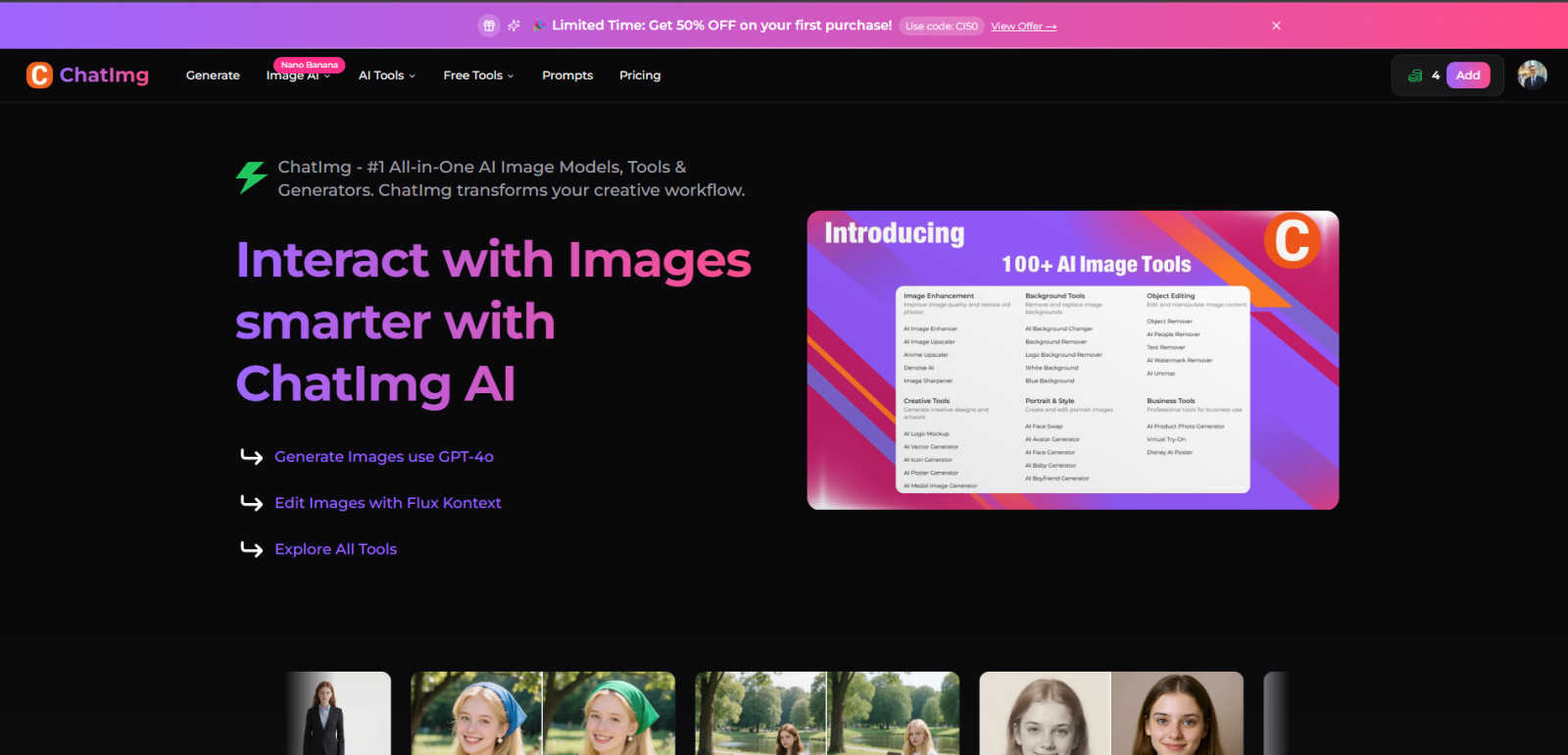
ChatIMG.io is your all-in-one AI platform for generating, enhancing, and editing images.
Last updated: March 1, 2026

Remove Handwriting
Effortlessly remove handwritten text from images and PDFs while preserving original content with our AI-powered handwriting removal tool.
Last updated: March 26, 2026
Visual Comparison
ChatIMG.io
Remove Handwriting
Feature Comparison
ChatIMG.io
Multiple AI Model Integration
ChatIMG.io provides access to several leading AI image models within one platform, including Flux 1.1 Pro, GPT-4o, Recraft V3, and Ideogram v2. This integration allows users to select the model best suited for their task, whether they need photorealistic images, artistic illustrations, or specific styles like Ghibli animation. This choice ensures superior and consistent quality for diverse creative needs without requiring subscriptions to multiple services.
Comprehensive AI Editing Suite
Beyond generation, the platform offers a full set of editing tools powered by AI. Key features include Flux Kontext for editing images with natural language instructions, AI Inpainting and Outpainting to modify or extend images, and tools for object removal, background removal, and face swapping. This turns the platform into a complete digital studio, enabling detailed manipulation and refinement of any generated or uploaded image.
Specialized Enhancement Tools
ChatIMG.io includes targeted tools for specific professional and personal tasks. These include restoring and enhancing old damaged photos, creating professional headshots, changing hairstyles in portraits, generating different portrait poses, and removing text or watermarks from images. These tools solve common, time-consuming problems with simple AI-powered solutions, making advanced photo editing accessible to all users.
Rapid Generation & Secure Processing
The platform is built for speed and security. It utilizes a GPU-optimized cloud infrastructure to generate high-resolution images in seconds, often under 10 seconds. Simultaneously, it prioritizes user privacy with enterprise-grade encryption and secure processing, ensuring that all uploaded images and creative work remain confidential and are not used to train public models without consent.
Remove Handwriting
AI-Powered Handwriting Removal
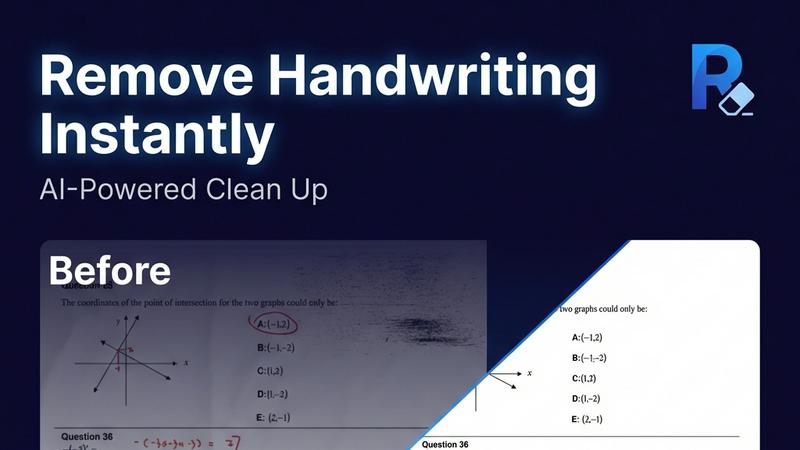
This feature utilizes advanced artificial intelligence to intelligently detect and erase handwritten text, notes, and annotations from images and PDFs. It ensures that printed text and other important elements remain intact, providing a clean and professional final document.
Multi-Format Support
Remove Handwriting supports various file formats, including JPG, PNG, JPEG, and PDF. This versatility allows users to work with different types of documents seamlessly, whether they are single images or multi-page PDFs, making it suitable for diverse applications.
Batch Processing Capability
For users dealing with large volumes of documents, the batch processing feature allows for multiple files to be processed simultaneously. This saves time and enhances productivity, especially for businesses and educational institutions that require efficient document management.
Manual Processing Options
In addition to automated features, Remove Handwriting also offers manual processing for challenging cleanup tasks. Users can manually adjust settings to address complex issues such as damaged pages or intricate markings, ensuring a high-quality output even in difficult scenarios.
Use Cases
ChatIMG.io
Social Media & Marketing Content Creation
Marketers and social media managers can use ChatIMG.io to rapidly produce a high volume of engaging, on-brand visuals. From generating unique post images and ad banners to creating product mockups and promotional graphics, the platform streamlines the entire content creation workflow. This allows teams to maintain a consistent and professional online presence without relying on expensive designers or stock photo websites.
E-commerce Product Visualization
Online store owners can leverage the platform to create compelling product images and mockups. This includes generating lifestyle images of products in use, creating different color variants, or placing products in various settings. Tools like the AI Background Remover and Object Remover are particularly useful for cleaning up product photos, resulting in professional-looking catalogs that can boost customer confidence and sales.
Creative Inspiration & Artistic Projects
Artists, illustrators, and designers can use ChatIMG.io as a brainstorming and prototyping tool. They can generate initial concepts and visual styles based on text descriptions, explore different artistic directions with various AI models, and use editing tools to refine their ideas. This accelerates the creative process, provides inspiration, and helps in developing concepts for client work or personal projects.
Personal Photo Enhancement & Restoration
Individuals can use the platform's specialized tools for personal photo management. This includes restoring cherished old family photos that are damaged or faded, creating professional headshots for LinkedIn profiles, experimenting with new hairstyles virtually, or simply removing unwanted objects or people from personal pictures. It democratizes advanced photo editing for everyday use.
Remove Handwriting
Document Cleanup for Students
Students can use Remove Handwriting to erase handwritten answers, notes, or grading marks from their exam papers or worksheets, allowing them to create clean, shareable copies for study purposes or submission.
Archival Restoration
Archivists can benefit from this tool by restoring old documents that may have handwritten annotations, stains, or folds. By cleaning up these documents, they can preserve historical materials for future generations.
Business Documentation
Businesses can utilize Remove Handwriting to prepare contracts, reports, and marketing materials by removing handwritten notes and revisions. This creates a polished and professional appearance for important documents.
Enhancing Scanned Images
Individuals or organizations with low-quality scanned documents can employ Remove Handwriting to enhance clarity and remove unwanted marks. This ensures that all text is legible and visually appealing, improving overall document quality.
Overview
About ChatIMG.io
ChatIMG.io is a foundational platform designed to simplify professional visual content creation. At its core, it is an AI image generator that transforms simple text descriptions into high-quality images. The platform is built on the principle that powerful creative tools should be accessible to everyone, regardless of their technical skill or design background. It achieves this by allowing users to interact using plain English commands, removing the need for complex prompt engineering.
The platform's main value lies in its all-in-one nature. Instead of using multiple separate applications, ChatIMG.io consolidates a full suite of specialized AI tools into a single, user-friendly interface. This includes not just image generation, but also advanced editing, enhancement, and manipulation capabilities. It integrates multiple top-tier AI models, such as GPT-4o and Flux Kontext, giving users the flexibility to choose the best tool for their specific creative need.
ChatIMG.io is built for a wide audience. This includes marketers who need consistent, high-quality social media visuals, e-commerce store owners creating product mockups and ads, content creators developing engaging material, artists seeking inspiration, and businesses of all sizes that require professional graphics. By streamlining the entire workflow from initial concept to final polished asset, ChatIMG.io empowers users to produce commercial-grade visual content quickly, efficiently, and with full rights to their creations.
About Remove Handwriting
Remove Handwriting is an innovative AI-powered tool designed to facilitate the removal of handwritten text from images, PDFs, and scanned documents. It caters to a wide range of users, including students, educators, businesses, and archivists who need to clean up documents for improved readability and presentation. This tool offers a seamless solution for erasing handwritten notes, annotations, and markings while preserving the integrity of printed content, tables, and diagrams. Whether you are dealing with exam papers, contracts, or archival materials, Remove Handwriting enables you to restore documents to a pristine state, enhancing their usability. With its user-friendly interface and availability on both web and mobile platforms, this tool allows users to perform document cleanup tasks quickly and efficiently. Best of all, you can try it for free with no credit card required, making it accessible for anyone looking to streamline their document management process.
Frequently Asked Questions
ChatIMG.io FAQ
What is ChatIMG.io and how does it work?
ChatIMG.io is an all-in-one AI platform for generating, editing, and enhancing images. It works by allowing you to type a description of what you want to see in plain English. The platform's AI then interprets your text and creates a corresponding image. You can further edit this image or any uploaded photo using natural language commands or dedicated tools like object removal, background change, and style alteration, all within the same website.
Do I own the images I create with ChatIMG.io?
Yes, you maintain full rights to the images you create using ChatIMG.io. The platform is designed for commercial use, meaning you can use the generated visuals in marketing materials, on products, in social media, and for other business purposes without worrying about licensing fees or copyright claims from the AI, subject to the platform's terms of service.
What AI models are available on ChatIMG.io?
ChatIMG.io integrates several state-of-the-art AI models to cater to different needs. This includes models like GPT-4o for highly detailed and realistic imagery, Flux Kontext for powerful editing and artistic generations, and others like Recraft V3 and Ideogram v2. This variety ensures you can find the right style and capability for any specific project, from photorealistic scenes to logo design.
Is ChatIMG.io suitable for beginners with no design experience?
Absolutely. ChatIMG.io is specifically built to be accessible to everyone. The interface is designed for simplicity, and the primary way to generate and edit images is through simple text prompts or straightforward tool buttons. There is no need to learn complex design software. The platform guides you through the process, making professional visual creation possible for complete beginners.
Remove Handwriting FAQ
How does Remove Handwriting work?
Remove Handwriting uses advanced AI algorithms to analyze documents, automatically detecting and removing handwritten text while preserving the original printed content and layout.
What file formats are supported?
The tool supports multiple file formats, including JPG, PNG, JPEG, and PDF, allowing users to work with a variety of document types for their specific needs.
Is there a limit on the number of documents I can process?
The application supports batch processing, enabling users to upload and process multiple documents at once, thus streamlining workflows for users with larger quantities of files.
Can I use Remove Handwriting on mobile devices?
Yes, Remove Handwriting is available on both iOS and Android platforms, making it convenient for users to clean up documents on the go, whether they are using a smartphone or tablet.
Alternatives
ChatIMG.io Alternatives
ChatIMG.io is a comprehensive AI image generation and editing platform. It belongs to the generative art and image editing category, offering users a single workspace to create, enhance, and manipulate visuals using plain English commands. Users often explore alternatives for various reasons. These can include budget considerations, the need for a specific feature not available on one platform, or a preference for a different user interface. Some may seek tools focused solely on generation, while others require more advanced editing capabilities. When evaluating an alternative, consider your primary goal. Key factors include the quality and style of image generation, the availability of editing tools, pricing structure, and ease of use. It's important to match the tool's strengths with your specific needs, whether for marketing, e-commerce, content creation, or artistic projects.
Remove Handwriting Alternatives
Remove Handwriting is an AI-powered tool designed to erase handwritten text, notes, and annotations from images, PDFs, and scanned documents. This tool falls under the category of image and photo editing, specifically tailored for users needing to clean up documents while maintaining the integrity of printed text, tables, and diagrams. Users often seek alternatives to Remove Handwriting for various reasons, including pricing concerns, specific feature requirements, or compatibility with different platforms and devices. When choosing an alternative, it is essential to consider factors such as ease of use, supported file formats, batch processing capabilities, and whether the tool can effectively preserve the remaining content while removing unwanted handwriting.