AutoPhish vs Changeflow
Side-by-side comparison to help you choose the right product.

AutoPhish uses AI simulations to train your team against real phishing email threats.
Last updated: March 1, 2026

Changeflow
Changeflow delivers AI-driven insights on critical web page changes, ensuring you stay informed without manual effort.
Last updated: March 4, 2026
Visual Comparison
AutoPhish
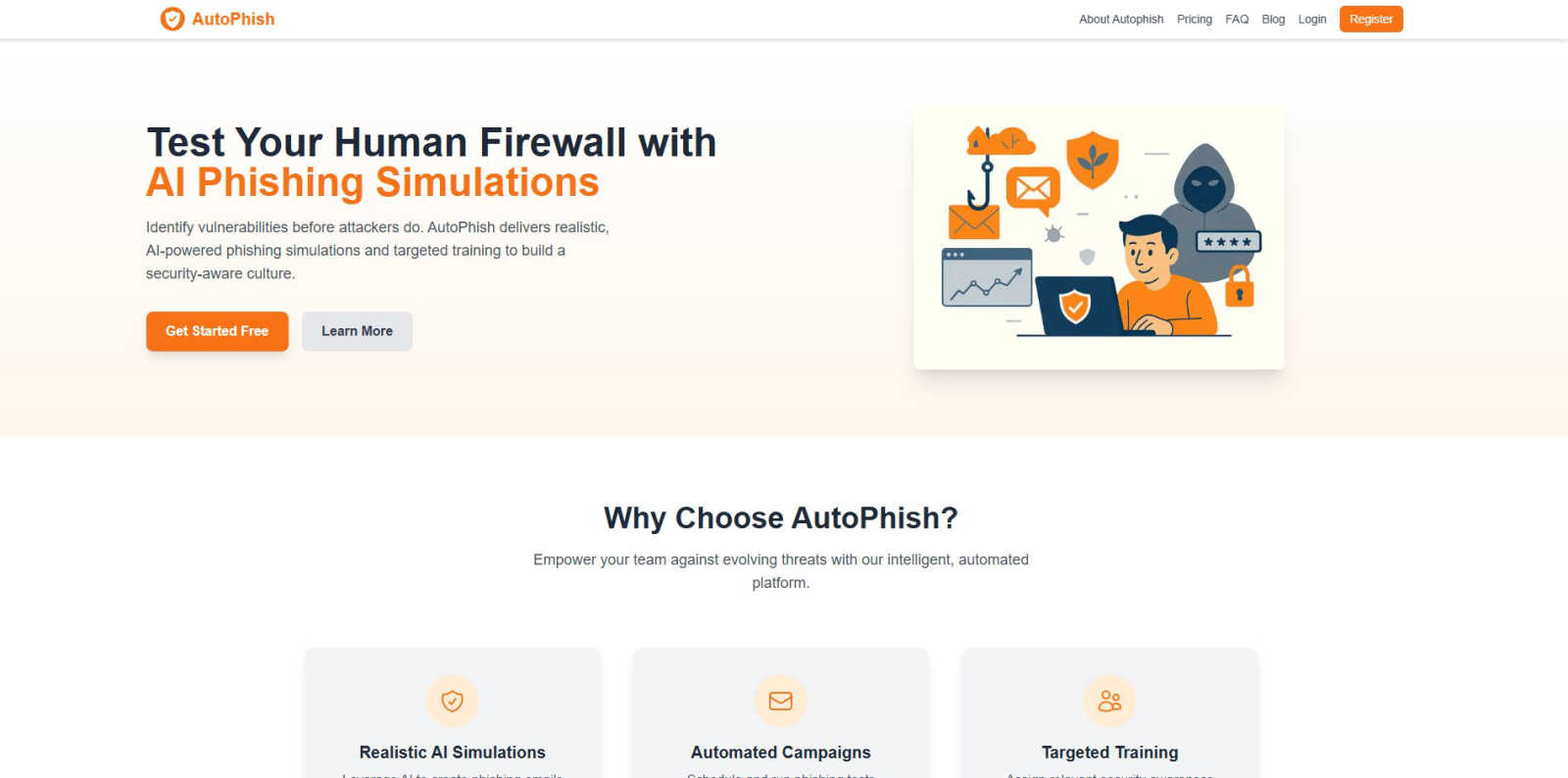
Changeflow

Feature Comparison
AutoPhish
Realistic AI-Powered Phishing Simulations
AutoPhish utilizes advanced artificial intelligence to generate phishing email simulations that closely mimic real-world attacks. The AI analyzes current threat trends and tailors the content, language, and sender details to be relevant to your specific industry. This creates a highly authentic testing environment that goes beyond obvious, poorly-written scams, effectively training employees to recognize sophisticated phishing attempts they might encounter in their daily work.
Automated Campaign Scheduling and Management
The platform automates the entire phishing simulation workflow, saving significant administrative time and ensuring consistent security testing. Users can configure a campaign by selecting target employee groups, choosing from a library of AI-generated templates, and setting a schedule for delivery. Once set, the campaigns run automatically, sending simulated phishing emails at the planned times without requiring manual intervention for each batch.
Targeted Security Awareness Training
Following each simulation, AutoPhish provides detailed analytics on user performance. The platform then uses these results to automatically assign targeted training modules. Employees who click on a simulated phishing link, for example, can be immediately enrolled in a short, relevant course about identifying suspicious emails. This personalized approach ensures training is focused on actual weaknesses, making the educational process far more effective than one-size-fits-all programs.
Domain Security and Email Authentication Analysis
A foundational step in using AutoPhish involves connecting and verifying your company domain. The platform provides tools to check and monitor critical email security protocols like SPF, DKIM, and DMARC. This ensures your simulation emails are sent securely and also helps you identify configuration flaws that real attackers could exploit. This feature provides dual value: securing your simulation process and improving your overall email defense posture.
Changeflow
AI-Powered Intelligence
Changeflow's AI technology is designed to filter out irrelevant changes and focus on what matters most to users. This means no more wasted time dealing with false positives or unnecessary notifications, allowing for efficient tracking of essential updates.
Natural Language Setup
Setting up Changeflow is effortless. Users can describe what they want to track using plain English, eliminating the need for complex RSS feeds or technical configuration. This user-friendly approach makes it accessible for everyone, regardless of technical expertise.
Customized Summaries
With Changeflow, users receive AI-generated summaries of web page changes. These summaries provide clear insights into what changed and why it matters to the user's specific business context, saving time and enhancing understanding.
Advanced Anti-Blocking Technology
Changeflow employs sophisticated anti-blocking technology, enabling it to navigate challenging websites with fewer interruptions compared to competitors. This reliability ensures consistent monitoring, even on sites that may typically restrict automated access.
Use Cases
AutoPhish
Proactive Vulnerability Identification for IT Teams
IT and security administrators use AutoPhish to proactively find weaknesses in their organization's human layer of defense. By running regular, automated simulations, they gain concrete data on phishing click-through rates and vulnerable departments. This evidence-based insight allows them to quantify risk, report on security posture to management, and justify further security investments, shifting from a reactive to a proactive security stance.
Mandatory Security Awareness Program Compliance
Organizations in regulated industries, such as finance or healthcare, can use AutoPhish to fulfill compliance requirements for ongoing security awareness training. The platform provides documented proof of continuous simulated phishing tests and targeted training completion. This creates an audit trail that demonstrates due diligence in educating staff about cyber threats, helping the organization meet standards like GDPR, HIPAA, or ISO 27001.
Onboarding and Continuous Employee Education
Human Resources and department managers integrate AutoPhish into the employee onboarding process and ongoing professional development. New hires can be tested early to establish security awareness from day one. For all staff, the scheduled, bite-sized simulations and follow-up training create a culture of constant vigilance, keeping cybersecurity top-of-mind without requiring lengthy, disruptive training sessions.
Testing Incident Response to Phishing Reports
Security teams can configure AutoPhish simulations to include a "Report Phishing" button. This allows organizations to test and measure the effectiveness of their internal reporting procedures. Teams can track how many employees correctly report the simulated phishing email, providing valuable metrics on the health of their reporting culture and identifying if employees know the correct channel to alert IT about suspicious messages.
Changeflow
Competitor Pricing Monitoring
Businesses can use Changeflow to keep a close eye on competitor pricing changes. By tracking specific product pages, organizations can receive timely updates, allowing them to adjust their pricing strategies accordingly and maintain a competitive edge.
Regulatory Compliance Tracking
Compliance teams at Fortune 500 companies benefit from Changeflow by monitoring critical regulatory updates. This includes tracking FDA guidance and SEC filings, ensuring that organizations stay compliant and informed about any changes that could impact their operations.
News Mentions and Market Movement Tracking
Changeflow allows businesses to follow news mentions and significant market movements effectively. This capability is crucial for making informed decisions and staying ahead of industry trends by receiving updates on relevant news articles and reports.
Legal Document Monitoring
Legal librarians, especially in Am Law 200 firms, utilize Changeflow to monitor court dockets and legal citations. This tool helps them stay informed about ongoing cases and changes in legal documents, enhancing their research capabilities and ensuring they have the latest information.
Overview
About AutoPhish
AutoPhish is a cybersecurity platform built on a simple, foundational principle: the best defense is a well-trained team. It is an AI-driven tool designed to help organizations of all sizes proactively strengthen their human firewall against one of the most common and effective cyber threats: phishing. At its core, AutoPhish works by safely simulating real-world phishing attacks on your own employees. This process is not about tricking staff, but about educating them. By mimicking the tactics used by actual attackers, the platform identifies which employees are vulnerable and which security practices need reinforcement. The platform is specifically suitable for any business, from small startups to large enterprises, that handles sensitive data and wants to build a resilient, security-aware culture. Its main value proposition lies in its automated, intelligent approach. Instead of relying on generic, annual training, AutoPhish uses AI to create highly realistic phishing emails tailored to your industry, schedules continuous simulated campaigns, and then provides targeted training modules based on each user's performance. This continuous cycle of testing and education empowers organizations to close security gaps, safeguard critical information, and maintain trust with clients and stakeholders before a real attacker exploits a weakness.
About Changeflow
Changeflow is an innovative web monitoring tool designed to keep businesses informed about significant changes across websites that matter to them. Unlike other monitoring services that simply notify users when changes occur, Changeflow utilizes advanced artificial intelligence to analyze web pages, comprehend context, and summarize only the most pertinent information. This means users receive actionable insights rather than vague alerts. Changeflow is ideal for a variety of professionals, including business teams tracking competitor pricing, legal librarians monitoring court dockets, and compliance teams keeping an eye on regulatory changes. With a straightforward setup process—users simply describe what they want to track in plain English—Changeflow handles complex scenarios like login walls and JavaScript with an impressive 99.9% success rate. Overall, Changeflow empowers users with timely intelligence, ensuring they never miss critical updates while saving them time and reducing manual effort.
Frequently Asked Questions
AutoPhish FAQ
What is a phishing simulation?
A phishing simulation is a controlled, safe cybersecurity exercise where a company sends its own employees fake phishing emails that mimic real attacks. The goal is not to punish staff but to test their awareness and educate them. By seeing how employees react to these simulated emails, organizations can identify who needs more training and strengthen their overall defense against actual malicious phishing campaigns.
How does AutoPhish ensure simulations are safe and ethical?
AutoPhish is designed as an educational tool. Simulations are clearly marked as training in their headers and metadata for administrators, and any websites linked in the emails are hosted on secure, controlled platforms owned by AutoPhish. The platform also provides resources to communicate the program's purpose to employees, fostering a transparent culture of learning rather than one of blame or suspicion.
Can we customize the phishing email templates?
Yes. While AutoPhish provides a library of AI-generated, industry-tailored templates, organizations can fully customize them. You can modify the sender address, subject line, email body content, and linked text to create scenarios that are highly relevant to your specific company, departments, or even recent global events, making the training as realistic and effective as possible.
What kind of reporting and analytics does AutoPhish provide?
AutoPhish offers advanced reporting that gives a clear overview of campaign performance. You can see metrics such as email open rates, link click-through rates, and data entry submissions on fake landing pages. Reports break down results by department, location, or individual user (anonymized or identified based on your settings), allowing you to pinpoint vulnerabilities and measure improvement over time.
Changeflow FAQ
How does Changeflow determine what changes are relevant?
Changeflow uses advanced AI algorithms to analyze web pages, understanding the context and significance of changes. This allows it to filter out irrelevant updates, providing users with only the most pertinent information.
Can I track multiple web pages at once?
Yes, Changeflow enables users to monitor multiple web pages simultaneously. Users can easily add several URLs and receive updates on all of them in a consolidated feed, streamlining the tracking process.
What types of notifications can I receive?
Users can receive notifications in various formats, including email alerts, dashboard updates, or through integrations with other tools via Zapier. This flexibility ensures that users can stay informed through their preferred channels.
Is Changeflow suitable for small businesses?
Absolutely. Changeflow is designed for businesses of all sizes, from small startups to large enterprises. Its user-friendly setup and powerful features make it a valuable tool for any organization looking to monitor web changes effectively.
Alternatives
AutoPhish Alternatives
AutoPhish is a tool in the business intelligence and management category. It uses AI to run simulated phishing attacks and provide security training for employees. This helps organizations find weak spots in their email security and educate their teams. People look for alternatives for several common reasons. Cost is a major factor, as budgets vary. Some may need different features, a simpler setup, or a platform that works better with their existing software. The specific needs of a company's size and industry also play a big role. When choosing a different solution, focus on the basics. Look for a tool that creates realistic tests and offers clear training. It should provide useful reports to track progress and fit within your company's budget and technical environment. The goal is to find a system that effectively builds your team's awareness over time.
Changeflow Alternatives
Changeflow is an AI-driven tool that specializes in providing market and competitor insights by monitoring web pages for changes. It falls under the category of productivity and management solutions, helping businesses track vital information like competitor pricing, regulatory updates, and market movements effectively. Users often seek alternatives for various reasons, including pricing concerns, feature sets that better align with their needs, or compatibility with specific platforms. When choosing an alternative, it’s essential to assess features that cater to your unique requirements, ease of use, and the level of customer support available. Additionally, consider the tool's ability to handle complex web pages, as well as its integration capabilities with your existing workflows. A thorough evaluation will ensure you find a solution that meets your organization's specific tracking and monitoring needs.