audiovideogenerator vs Lyria 3 Pro
Side-by-side comparison to help you choose the right product.

audiovideogenerator
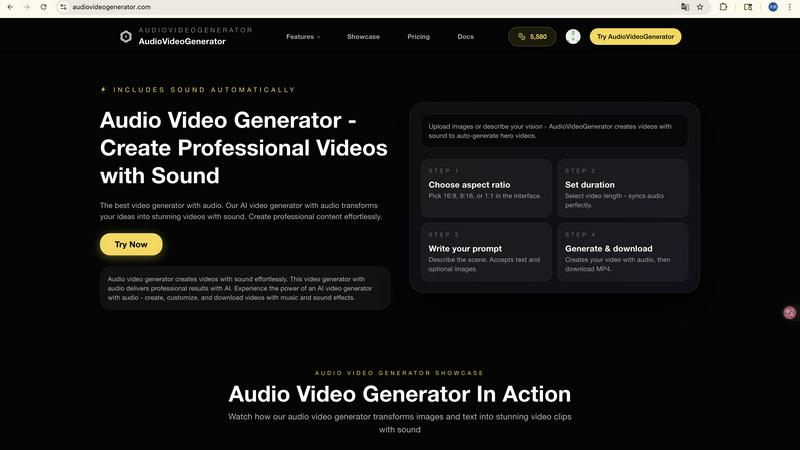
AudioVideoGenerator effortlessly creates stunning videos with synchronized audio for all your content needs.

Lyria 3 Pro
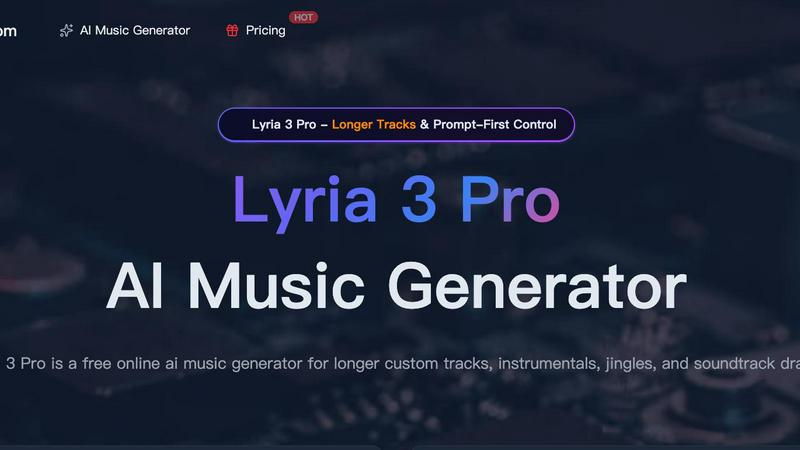
Lyria 3 Pro is a free AI music generator that creates longer, structured custom tracks for videos and creator projects.
Last updated: April 4, 2026
Visual Comparison
audiovideogenerator
Lyria 3 Pro
Feature Comparison
audiovideogenerator
Text to Video with Audio
This feature allows users to generate videos directly from text descriptions. The AI-powered tool automatically adds relevant background music and sound effects, ensuring a professional touch to the final product. This makes it particularly useful for those who want to convert written content into dynamic visual experiences effortlessly.
Image to Video with Audio
With this capability, users can transform static images into engaging videos. The platform enhances image presentations by incorporating background music and sound effects, which provide an immersive experience. This feature is perfect for turning photo collections or product images into captivating video showcases.
Automatic Audio Generation
AudioVideoGenerator simplifies the audio integration process by automatically generating background music, sound effects, and ambient audio that perfectly complement the visuals. This feature eliminates the guesswork involved in audio selection, allowing creators to focus on visuals while the AI handles the sound.
Fast Video Creation
The platform is designed to facilitate rapid video production without sacrificing quality. Users can create cinematic videos with professional audio in a matter of minutes. This speed is particularly beneficial for marketers and content creators who need to produce content quickly for time-sensitive campaigns.
Lyria 3 Pro
Prompt-First Control System
This is the foundational feature of Lyria 3 Pro. You guide the AI by filling out a detailed prompt form with specific musical parameters. This includes defining the genre, mood, instruments, tempo (BPM), key, and target duration. For best results, you can use section labels and timestamp cues (e.g., "chorus at 0:45") to dictate the song's structure. This level of detailed instruction allows for highly tailored and predictable results, giving you significant creative control over the output.
Longer Track Generation
Unlike many AI music tools that create short loops or fragments, Lyria 3 Pro is engineered to generate longer, more complete musical pieces. You can create tracks up to three minutes in length that include structured elements like verses, choruses, bridges, and endings. This makes the music suitable for applications that require a sense of progression and completion, such as film scores, podcast themes, or full-length background tracks for videos.
Dual Vocal and Instrumental Modes
Lyria 3 Pro offers flexibility in output by allowing you to choose between instrumental tracks and songs with lyrics. You can specify the desired language for vocals. This makes it versatile for different needs, whether you require a pure background instrumental for a tutorial, a lyrical pop song sketch, or a vocal-driven track for other creative projects.
Visual Reference Input
Beyond text, you can enhance your prompt by uploading up to 10 reference images. This optional feature helps guide the overall feel, color palette, and aesthetic of the generated track. The AI uses these visual cues to influence the mood and atmosphere of the music, providing a unique way to blend visual and auditory creativity for more cohesive multimedia projects.
Use Cases
audiovideogenerator
Social Media Content
AudioVideoGenerator is ideal for creating engaging videos tailored for social media platforms like Instagram, TikTok, and YouTube. The tool optimizes videos for specific aspect ratios and enhances them with professional audio, making it easier to capture the audience's attention.
Marketing Videos
Marketers can leverage AudioVideoGenerator to produce compelling promotional videos that include background music and sound effects. This feature aids in crafting advertisements and product showcases that resonate with viewers and effectively convey brand messages.
Educational Content
Educators can transform traditional learning materials into interactive videos using AudioVideoGenerator. By adding relevant audio elements, such as voiceovers and sound effects, the platform enhances the learning experience, making it more engaging for students.
Event Highlights
The tool allows users to create memorable recap videos for events. By generating highlight reels with synchronized background music and sound effects, AudioVideoGenerator captures the energy and emotion of live events, providing a lasting keepsake for attendees.
Lyria 3 Pro
Video and Content Creation
Creators on YouTube, TikTok, and other social platforms can use Lyria 3 Pro to generate custom, royalty-free background music for vlogs, tutorials, explainer videos, and edits. The ability to create longer, structured tracks ensures the music fits the video's pacing and narrative, providing more than just a repetitive loop and enhancing overall production value.
Jingle and Brand Audio Development
Small businesses, marketers, and podcasters can quickly iterate on musical ideas for brand intros, jingles, or audio logos. The prompt-first system allows for easy experimentation with different genres and moods until the perfect sound that represents the brand's identity is found, all without needing musical expertise or a large budget.
Songwriting and Musical Sketching
Songwriters and musicians can use Lyria 3 Pro as a brainstorming tool to overcome creative blocks. By inputting specific genre and instrumental prompts, they can generate full song structures and melodic ideas to use as a foundation for further development, refinement, and recording with live instruments.
Study and Focus Aid
Students and professionals can generate custom, lyric-free instrumental music tailored for concentration. By specifying a calm mood, a steady tempo, and relaxing instruments, users can create personalized focus tracks or ambient soundscapes for deep work sessions, studying, or meditation without the distractions of curated playlists.
Overview
About audiovideogenerator
AudioVideoGenerator is an innovative, AI-powered platform designed to streamline the video creation process. It transforms your concepts into captivating videos that include integrated audio, making it an invaluable tool for a diverse group of users including content creators, educators, marketers, and hobbyists. With a user-friendly interface, AudioVideoGenerator allows users to effortlessly generate professional-quality videos in just minutes, eliminating the need for extensive video production expertise or teams. The platform's ability to automatically synchronize background music, voiceovers, and sound effects with visuals greatly enhances the overall viewing experience. By supporting various video styles such as promotional materials, social media content, tutorials, and narrative-driven storytelling, AudioVideoGenerator empowers users to bring their unique ideas to life while saving time and increasing engagement. Dive into the future of video creation with AudioVideoGenerator, where every video is not only visually appealing but also audibly engaging.
About Lyria 3 Pro
Lyria 3 Pro is a free online AI music generator designed to transform text prompts into complete, custom musical tracks. It serves as a foundational tool for anyone needing original music, from complete beginners to professional creators. The core principle of Lyria 3 Pro is "Prompt-First Control," which means you guide the AI using concrete musical language. Instead of vague ideas, you specify genre, mood, instruments, tempo (BPM), key, and even song structure with timestamps. This approach ensures the generated music aligns closely with your creative vision. The platform is built to produce longer tracks, up to three minutes, that feature proper song sections like intros, verses, choruses, and bridges, making them feel like finished drafts rather than short loops. Whether you need background music for a video, a jingle for a brand, or a full instrumental composition, Lyria 3 Pro provides an intuitive and powerful starting point for bringing musical ideas to life quickly and efficiently.
Frequently Asked Questions
audiovideogenerator FAQ
What types of videos can I create with audiovideogenerator?
You can create a variety of video types including promotional clips, social media content, tutorials, and storytelling videos. The platform supports diverse styles to suit different needs.
Is there a requirement for prior video editing experience to use audiovideogenerator?
No, prior video editing experience is not required. AudioVideoGenerator is designed to be user-friendly, allowing anyone, regardless of their skill level, to create professional-quality videos easily.
How does the automatic audio synchronization work?
The platform automatically synchronizes background music, voiceovers, and sound effects with your visuals. This ensures that the audio complements the video perfectly, enhancing the overall viewing experience.
Can I use my own audio files with audiovideogenerator?
Yes, users can create videos from their audio files. The platform's Audio to Video feature allows you to upload audio and generate corresponding visuals, making it versatile for various audio-centric projects.
Lyria 3 Pro FAQ
What is the best way to write a prompt for Lyria 3 Pro?
For the best results, use clear, concrete musical language. Instead of "a happy song," try "Genre: Upbeat Pop, Mood: Joyful and Energetic, BPM: 128, Instruments: Acoustic guitar, piano, bright synth pads, steady drum beat." Include structural cues like "intro for 15 seconds, verse at 0:15, chorus at 0:45" to guide the song's form. The more specific you are, the closer the output will be to your vision.
Can I use the music I generate for commercial projects?
Yes, music generated by Lyria 3 Pro can be used for commercial purposes, such as in videos, podcasts, and advertisements. It is designed to provide practical music for creator workflows. However, it is always recommended to review the platform's specific Terms of Service for the latest information on licensing, usage rights, and any attribution requirements.
How long does it take to generate a track?
The generation time can vary based on the length and complexity of the requested track, as well as server load. Typically, it takes a few minutes to process your prompt and produce the final audio file. You will be able to preview and download the track once the generation process is complete.
Do I need a musical background to use Lyria 3 Pro?
No, you do not need any formal musical training. Lyria 3 Pro is built with an intuitive interface and is designed to be accessible to everyone. The prompt form guides you through the essential elements of music creation, making it easy for beginners to start. For those with more experience, the advanced controls offer deeper creative flexibility.