audiovideogenerator vs ClubDJ Pro
Side-by-side comparison to help you choose the right product.

audiovideogenerator
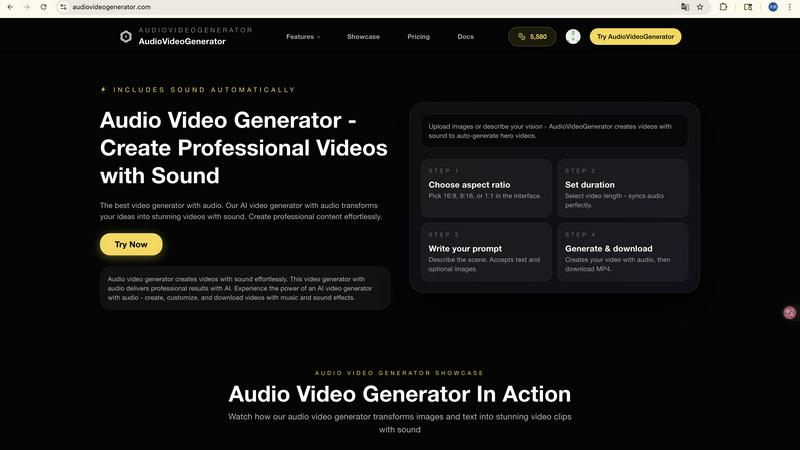
AudioVideoGenerator effortlessly creates stunning videos with synchronized audio for all your content needs.

ClubDJ Pro
ClubDJ Pro is professional DJ software that uniquely includes built-in video mixing across desktop, iOS, and web platforms.
Last updated: March 19, 2026
Visual Comparison
audiovideogenerator
ClubDJ Pro

Feature Comparison
audiovideogenerator
Text to Video with Audio
This feature allows users to generate videos directly from text descriptions. The AI-powered tool automatically adds relevant background music and sound effects, ensuring a professional touch to the final product. This makes it particularly useful for those who want to convert written content into dynamic visual experiences effortlessly.
Image to Video with Audio
With this capability, users can transform static images into engaging videos. The platform enhances image presentations by incorporating background music and sound effects, which provide an immersive experience. This feature is perfect for turning photo collections or product images into captivating video showcases.
Automatic Audio Generation
AudioVideoGenerator simplifies the audio integration process by automatically generating background music, sound effects, and ambient audio that perfectly complement the visuals. This feature eliminates the guesswork involved in audio selection, allowing creators to focus on visuals while the AI handles the sound.
Fast Video Creation
The platform is designed to facilitate rapid video production without sacrificing quality. Users can create cinematic videos with professional audio in a matter of minutes. This speed is particularly beneficial for marketers and content creators who need to produce content quickly for time-sensitive campaigns.
ClubDJ Pro
Built-in Dual Deck Video Mixing
ClubDJ Pro integrates video mixing as a fundamental feature, not an afterthought. It provides two fully independent video decks that sync with your audio tracks. This allows you to seamlessly crossfade or cut between music videos, visualizers, or custom footage using over 41 shader-based transitions, all without needing external plugins or additional software, creating a complete audiovisual performance package.
Professional Audio Mixing Engine
The software is built on a robust BASS audio engine, delivering low-latency, high-fidelity sound crucial for accurate mixing and scratching. It includes standard professional tools such as a 3-band EQ per deck for precise tonal control, beat-synced looping, advanced BPM detection with two-decimal precision, and automatic beat sync to keep tracks perfectly aligned. The interface features live, scrolling waveforms with beat grid overlays for clear visual guidance.
GPU-Accelerated Video Effects & Overlays
Beyond simple playback, ClubDJ Pro includes a powerful suite of real-time visual effects. It offers over 25 GPU-accelerated video effects per deck, such as invert, grayscale, and posterize, which can be applied independently. Additionally, 13+ animated VFX overlays like strobe, matrix, and kaleidoscope can be layered on top, enabling dynamic visual manipulation that reacts to your mix.
Cross-Platform Flexibility & Free Web Mixer
ClubDJ Pro provides unparalleled accessibility by offering native applications for desktop (Windows/Mac), iOS (iPhone/iPad), and a completely free online mixer that runs in any web browser. This means you can practice, prepare, or even perform from virtually any device. The desktop app is a free download with a one-time license fee for unlimited use, eliminating ongoing subscription costs.
Use Cases
audiovideogenerator
Social Media Content
AudioVideoGenerator is ideal for creating engaging videos tailored for social media platforms like Instagram, TikTok, and YouTube. The tool optimizes videos for specific aspect ratios and enhances them with professional audio, making it easier to capture the audience's attention.
Marketing Videos
Marketers can leverage AudioVideoGenerator to produce compelling promotional videos that include background music and sound effects. This feature aids in crafting advertisements and product showcases that resonate with viewers and effectively convey brand messages.
Educational Content
Educators can transform traditional learning materials into interactive videos using AudioVideoGenerator. By adding relevant audio elements, such as voiceovers and sound effects, the platform enhances the learning experience, making it more engaging for students.
Event Highlights
The tool allows users to create memorable recap videos for events. By generating highlight reels with synchronized background music and sound effects, AudioVideoGenerator captures the energy and emotion of live events, providing a lasting keepsake for attendees.
ClubDJ Pro
Live Video DJ Performances
Ideal for DJs performing at clubs, weddings, or parties where video projection is key. ClubDJ Pro allows you to mix music videos, promotional content, or custom visuals live, using seamless transitions and real-time effects to create a synchronized audiovisual spectacle that enhances the audience experience without complex setups.
Practice & Skill Development for Beginners
The free online mixer and downloadable desktop app provide a perfect, zero-risk environment for newcomers to learn core DJ techniques. Beginners can practice beatmatching, cueing, looping, and basic scratching using their own music library directly in a browser or on their computer, building foundational skills before investing in hardware.
Mobile & On-The-Go Mixing
With the fully-featured iOS app, DJs can mix, scratch, and prepare sets directly on an iPhone or iPad. This is excellent for sketching out ideas, practicing during travel, or even for impromptu performances, all with support for MIDI controllers for a more tactile experience away from the main setup.
Creating Mixed Audio-Visual Content
Producers and content creators can use ClubDJ Pro to produce polished mixed sets for platforms like YouTube or streaming services. The ability to seamlessly blend audio tracks with matching video and professional effects allows for the creation of high-quality, engaging mix videos and tutorials from a single application.
Overview
About audiovideogenerator
AudioVideoGenerator is an innovative, AI-powered platform designed to streamline the video creation process. It transforms your concepts into captivating videos that include integrated audio, making it an invaluable tool for a diverse group of users including content creators, educators, marketers, and hobbyists. With a user-friendly interface, AudioVideoGenerator allows users to effortlessly generate professional-quality videos in just minutes, eliminating the need for extensive video production expertise or teams. The platform's ability to automatically synchronize background music, voiceovers, and sound effects with visuals greatly enhances the overall viewing experience. By supporting various video styles such as promotional materials, social media content, tutorials, and narrative-driven storytelling, AudioVideoGenerator empowers users to bring their unique ideas to life while saving time and increasing engagement. Dive into the future of video creation with AudioVideoGenerator, where every video is not only visually appealing but also audibly engaging.
About ClubDJ Pro
ClubDJ Pro is a professional DJ software application designed from the ground up to provide a fast, reliable, and intuitive mixing experience. It serves DJs of all skill levels, from those taking their first steps into beatmatching to seasoned professionals performing live sets. At its core, ClubDJ Pro focuses on the essential tools needed to mix music effectively, stripping away unnecessary complexity to deliver a performance-focused environment. Its standout value proposition is its built-in, first-class video mixing capability, a feature rarely found without expensive add-ons or subscriptions. Originally launched in 2004 and rebuilt with modern technology, ClubDJ Pro now offers true cross-platform flexibility, running natively on Windows, macOS, and iOS, and even providing a free, no-download web mixer. This approach, combined with a simple one-time purchase model for the desktop version, makes professional-grade DJ and video mixing tools accessible and straightforward for anyone passionate about blending audio and visual elements.
Frequently Asked Questions
audiovideogenerator FAQ
What types of videos can I create with audiovideogenerator?
You can create a variety of video types including promotional clips, social media content, tutorials, and storytelling videos. The platform supports diverse styles to suit different needs.
Is there a requirement for prior video editing experience to use audiovideogenerator?
No, prior video editing experience is not required. AudioVideoGenerator is designed to be user-friendly, allowing anyone, regardless of their skill level, to create professional-quality videos easily.
How does the automatic audio synchronization work?
The platform automatically synchronizes background music, voiceovers, and sound effects with your visuals. This ensures that the audio complements the video perfectly, enhancing the overall viewing experience.
Can I use my own audio files with audiovideogenerator?
Yes, users can create videos from their audio files. The platform's Audio to Video feature allows you to upload audio and generate corresponding visuals, making it versatile for various audio-centric projects.
ClubDJ Pro FAQ
Is ClubDJ Pro really free to use?
Yes, to a significant extent. The desktop application (Windows and Mac) is a free download with all core features, including video mixing, fully accessible. You can use it for unlimited time in practice mode. A one-time license purchase ($39.99) is required to unlock the ability to save projects and perform in live, unlimited sessions. The online web mixer is completely free with no account or download required.
What makes the video mixing feature special?
Unlike most DJ software where video is an add-on or requires separate plugins, ClubDJ Pro treats video as a native, core component. It offers dual video decks, GPU-accelerated effects, and a wide array of shader-based transitions built directly into the software. This integrated approach ensures stability, ease of use, and high performance for video mixing right out of the box.
Can I use ClubDJ Pro with my DJ controller?
Yes, the desktop version of ClubDJ Pro supports standard MIDI mapping, allowing you to connect and use most popular DJ controllers. The iOS app also includes MIDI controller support, enabling you to use compatible hardware with your iPhone or iPad for a more hands-on mobile mixing experience.
How does ClubDJ Pro compare to subscription-based software?
ClubDJ Pro differentiates itself with a one-time purchase model for the desktop version, providing lifetime access without recurring fees. It uniquely combines this with built-in video mixing, a free iOS app, and a free web mixer. This makes it a cost-effective and versatile choice, especially for DJs who need video capabilities or want to avoid ongoing subscription costs.