
Ultimate Forms
Ultimate Forms empowers users to create no-code SharePoint solutions with flexible forms, automation, and clear.
Visit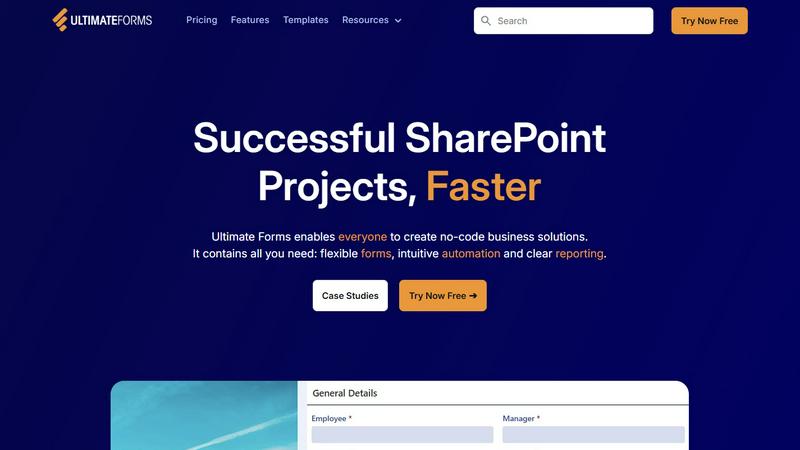
About Ultimate Forms
Infowise Ultimate Forms is a robust forms and automation platform tailored specifically for Microsoft SharePoint users. It offers a no-code solution that empowers a wide range of users, from business analysts to project managers, to design, manage, and distribute customizable forms and automated business processes throughout their organizations. By integrating seamlessly with SharePoint and Microsoft 365, Ultimate Forms streamlines workflows, effectively reducing the need for extensive technical expertise or programming skills. The platform is intuitively designed, making it accessible for anyone looking to enhance their business operations. With over 20 years of experience in developing SharePoint solutions, Infowise focuses on simplifying the creation of user-friendly tools that improve organizational productivity and operational efficiency. The main value proposition lies in its ability to minimize complexity, eliminate workflow bottlenecks, and provide powerful reporting features, thus enabling organizations to make informed decisions based on real-time insights.
Features of Ultimate Forms
Flexible Forms
Ultimate Forms allows users to create modern and responsive forms that can include tabs, section permissions, and dynamic rules. This flexibility ensures that data is collected in a structured manner while keeping all information securely stored within SharePoint.
Intuitive Automation
The platform replaces complex SharePoint and Power Automate workflows with simple yet powerful Actions. Users can easily create and update data not just within SharePoint but also in integrated applications like Exchange and MS SQL, significantly reducing the learning curve.
Clear Reporting
Ultimate Forms offers detailed reporting capabilities that present data as actionable insights. With shareable reports, dashboards, and KPIs, users can visualize information easily, fostering improved responsiveness and accountability across the organization.
Pre-built Solution Templates
With a vast library of pre-built templates, users can quickly create, replicate, and distribute forms and automated solutions. This feature allows organizations to build once and deploy across multiple sites and tenants, saving time and effort in the process.
Use Cases of Ultimate Forms
Project Management
Ultimate Forms can be used to manage and track projects effectively. Users can create forms to oversee customer interactions, manage project timelines, and monitor work hours, simplifying the project management process.
HR Recruitment
The platform enables organizations to streamline their recruitment processes through a multi-stage portal. Companies can evaluate candidates efficiently by managing applications, arranging interviews, and tracking hiring progress all in one place.
Leave Request Management
Ultimate Forms simplifies the management of employee leave requests. Organizations can create forms that allow employees to submit requests, track approvals, and monitor leave balances, ensuring clarity and compliance with company policies.
Asset Tracking
Businesses can utilize Ultimate Forms for asset tracking by creating forms that log asset details, maintenance schedules, and inventory tracking. This ensures that organizations have a clear overview of their assets and can manage them effectively.
Frequently Asked Questions
What is Ultimate Forms?
Ultimate Forms is a no-code platform designed for creating customizable forms and automating business processes within Microsoft SharePoint.
Who can use Ultimate Forms?
Anyone within an organization, including business analysts, project managers, and team leaders, can use Ultimate Forms to create and manage forms without needing programming skills.
How does Ultimate Forms integrate with other applications?
Ultimate Forms connects seamlessly with various applications, such as Exchange, MS SQL, and Teams, allowing users to automate data updates and streamline workflows across platforms.
What types of reporting features does Ultimate Forms offer?
The platform provides detailed reporting features, including dashboards, shareable reports, and KPIs, enabling users to visualize data and gain actionable insights for better decision-making.