Remove Handwriting vs ScopeSnap
Side-by-side comparison to help you choose the right product.

Remove Handwriting
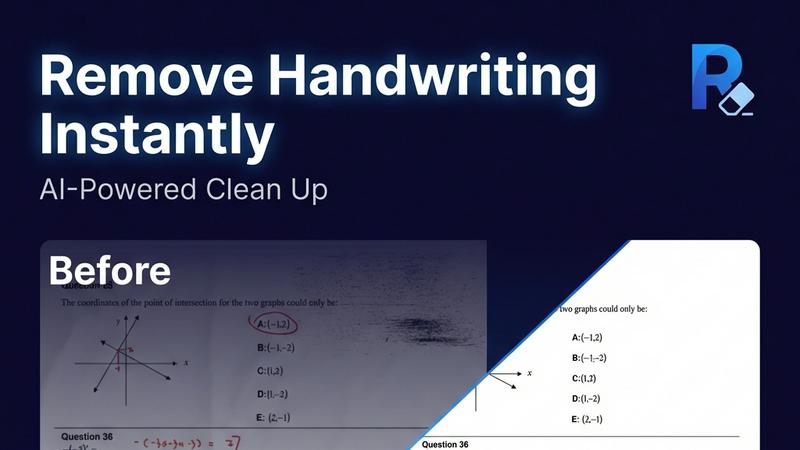
Remove handwriting from images, PDFs, and scanned documents with our AI-powered tool. Erase handwritten text, notes, and annotations while preserving

ScopeSnap
ScopeSnap transforms discovery notes into structured project scopes and polished proposals, streamlining your freelance workflow.
Last updated: March 18, 2026
Visual Comparison
Remove Handwriting
ScopeSnap

Overview
About Remove Handwriting
Remove handwriting from images, PDFs, and scanned documents in seconds with our AI document cleanup tool. It preserves printed text, tables, and diagrams while fixing shadows, skew, curled edges, and background noise. Use it in your browser or on iOS and Android for worksheets, contracts, archives, and exam papers. We support JPG, PNG, JPEG, and PDF, with batch processing and API access available for larger workflows. Try it free with no credit card required.
About ScopeSnap
ScopeSnap is an innovative AI-powered tool designed to assist freelance developers and software agencies in transforming disorganized discovery notes into structured project scopes, accurate estimates, and polished client-ready proposals. Often, estimating custom software projects can be a slow and risky endeavor, where crucial requirements may be overlooked, leading to vague scopes and labor-intensive proposal creation. ScopeSnap simplifies this process by providing a streamlined workflow that allows users to break down project ideas into clear, estimatable tasks. It supports iterative refinement of the project scope until every feature is thoroughly understood and confidently estimated. Once the scope is finalized, ScopeSnap automatically generates a professional proposal or statement of work (SOW) that can be readily sent to clients. This tool is especially beneficial for freelancers, consultants, and software agencies that frequently engage in scoping and estimating custom development projects, ensuring clarity and efficiency throughout the process.