Quickfix AI vs rfpaihub
Side-by-side comparison to help you choose the right product.

Quickfix AI
Quickfix AI instantly diagnoses your computer's health and explains issues in plain English.
Last updated: February 28, 2026

rfpaihub
rfpaihub simplifies RFP and proposal writing by comparing AI tools to enhance efficiency and accuracy in response management.
Last updated: April 13, 2026
Visual Comparison
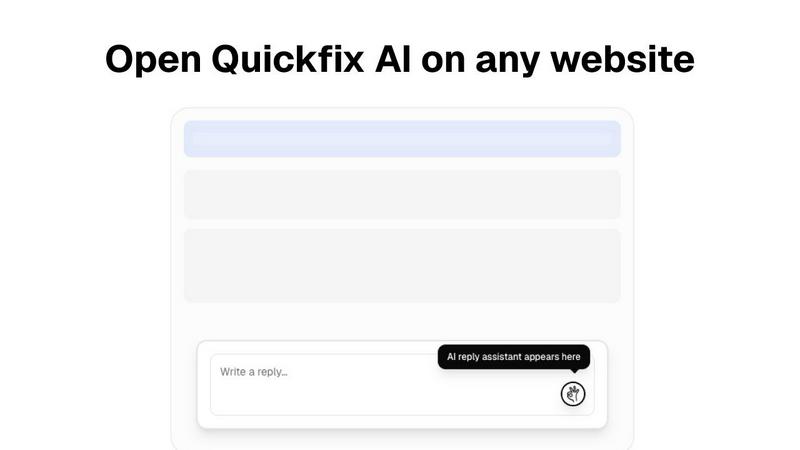
Quickfix AI
rfpaihub

Feature Comparison
Quickfix AI
Comprehensive One-Click System Scan
Quickfix AI performs a full diagnostic check of your entire system with a single click. The scan gathers essential data from all critical areas including processor (CPU) usage and temperature, memory (RAM) pressure, graphics (GPU) load, storage disk health and available space, battery health and cycle count, and current network connection speeds. This provides a complete, unified snapshot of your computer's performance and health in one place, eliminating the need to check multiple system utilities.
AI-Powered Analysis in Plain English
This is the core intelligence of Quickfix AI. The tool doesn't just show you numbers and graphs; its built-in artificial intelligence reads the entire diagnostic report. It then explains what the data means in simple, non-technical language. You can ask questions about your system, and the AI will provide clear answers and specific, tailored recommendations for fixes or improvements, making technical troubleshooting accessible to all users.
Secure Remote Diagnostics via Sharing Code
This feature is designed for collaboration and IT support. Instead of requiring physical access to a computer, you can generate a secure, unique sharing code from within the Quickfix AI application. You can send this code to a technician or helper, who can then enter it into their own Quickfix AI tool to instantly and securely view the diagnostic report from the remote machine. This allows for fast, efficient troubleshooting from anywhere.
Detailed Performance and Health Dashboards
Quickfix AI presents all diagnostic information in a clean, organized, and visual dashboard. You can see at a glance the current utilization percentages of your CPU, Memory, and GPU. It clearly displays storage space used and available, battery health status with cycle count, and the status of key security features like Firewall and FileVault. This dashboard transforms complex system information into an easy-to-read status report.
rfpaihub
AI-Powered Content Matching
RFP AI Hub features advanced AI algorithms that automatically match incoming questions to a vast database of previously approved responses. This ensures that users can quickly find relevant information without sifting through documents, saving valuable time and effort.
Knowledge Base Integration
The platform maintains a searchable knowledge base that compiles answers to frequently asked questions and past proposals. This feature allows teams to leverage historical data effectively, enhancing consistency and reliability across different RFP submissions.
Draft Generation
With RFP AI Hub, users can benefit from automated draft generation capabilities. The tool creates first drafts of responses based on existing content, allowing subject matter experts (SMEs) to refine and finalize the submissions rather than starting from scratch.
Industry-Specific Filters
RFP AI Hub provides filters that allow users to search and compare tools based on specific industries, features, and pricing. This tailored approach helps organizations find the right solution that meets their unique requirements and budget constraints.
Use Cases
Quickfix AI
Personal Troubleshooting for Slow Performance
When your personal computer starts running slowly, freezing, or overheating, Quickfix AI is your first step. Instead of guessing, you run a scan. The AI will analyze the report and identify the exact cause, such as "Your CPU is at 89% due to 3 apps: Chrome (45%), Slack (28%), and Zoom (16%)." It then provides a straightforward recommendation like closing unnecessary browser tabs, giving you an immediate action to restore performance.
IT Support and Remote Assistance
IT professionals and support teams can use Quickfix AI to streamline helpdesk operations. When a user reports an issue, the support agent can simply send them a download link. The user runs Quickfix AI and provides the generated sharing code. The IT agent instantly receives the full diagnostic report, allowing them to diagnose problems like low memory, failing storage, or network issues remotely and accurately, reducing resolution time dramatically.
System Health Audit for Tech Enthusiasts
Gamers, developers, and power users who want to optimize their systems can use Quickfix AI for deep insights. It provides detailed metrics on GPU performance during games, memory pressure during coding sessions, and component temperatures. The AI can offer recommendations on settings adjustments or hardware upgrades based on actual usage data, helping enthusiasts maintain peak system performance and health.
Pre-Purchase Evaluation of Used Hardware
When considering buying a used laptop or computer, you can use Quickfix AI to check its true condition. Running the tool on the device will reveal critical health data that sellers might not disclose, such as battery health percentage and cycle count, hard drive or SSD health status, and overall system performance under load. This provides an objective report to inform your purchasing decision.
rfpaihub
Streamlining RFP Responses
Organizations can utilize RFP AI Hub to significantly reduce the time spent on responding to RFPs. By using AI-powered tools, teams can quickly access relevant answers and generate drafts, leading to faster and more efficient response processes.
Enhancing Proposal Management
Proposal teams benefit from RFP AI Hub by selecting tools that facilitate the creation and management of proposals. This enhances collaboration and ensures that all team members have access to the necessary resources and information.
Automating Security Questionnaires
Companies handling vendor assessments and compliance can leverage RFP AI Hub to find automation tools that simplify the process of responding to security questionnaires. This reduces manual labor and minimizes the risk of errors in sensitive submissions.
Improving Consistency in Responses
By utilizing the knowledge base and AI matching features, organizations can ensure that all their responses maintain a high level of consistency. This is particularly important for companies that regularly submit proposals to the same clients or similar industries.
Overview
About Quickfix AI
Quickfix AI is a fundamental tool designed to provide clear and immediate understanding of your computer's health and performance. It is an AI-powered system diagnostics application that performs a comprehensive scan of your machine, analyzing key components like the CPU, memory, storage, battery, and network. The core purpose of Quickfix AI is to demystify complex technical data. It translates raw system metrics into plain English explanations and actionable recommendations, making advanced diagnostics accessible to everyone. This tool is built for individuals who experience performance issues but lack the technical expertise to identify the root cause, as well as for tech enthusiasts and IT support teams who need a quick and reliable way to assess any system. Its main value proposition lies in delivering instant clarity. In under a minute, you can download the tool, run a scan, and receive a complete, easy-to-understand report on your system's status, empowering you to resolve problems and optimize performance with confidence.
About rfpaihub
RFP AI Hub is a comprehensive directory dedicated to AI-powered tools designed specifically for streamlining the RFP (Request for Proposal) response process, proposal management, and automation of security questionnaires. It serves as a bridge for businesses and organizations that seek to enhance their proposal efficiency while reducing the time and effort required to produce high-quality responses. By leveraging advanced AI technologies, RFP AI Hub enables sales and proposal teams to find the right tools tailored to their specific needs. Its main value proposition lies in its ability to centralize knowledge, automate repetitive tasks, and improve collaboration among team members, ultimately leading to faster turnaround times and higher-quality submissions. Whether you are a small business or a large enterprise, RFP AI Hub provides a curated selection of tools that cater to various industries and user roles, making it an essential resource for anyone involved in proposal writing and management.
Frequently Asked Questions
Quickfix AI FAQ
Is Quickfix AI free?
Yes, Quickfix AI offers a free version that includes the core system diagnostics scan, the AI analysis to explain your report in plain English, and basic recommendations. This allows anyone to download and understand their system's health at no cost.
Is my data secure?
Yes, Quickfix AI is designed with security in mind. The diagnostic scan runs locally on your machine. Your full system report is not automatically uploaded to any cloud server. Data is only shared if you explicitly choose to generate and provide a sharing code to someone you trust for support purposes.
Do I need technical knowledge?
No, you do not need any technical knowledge to use Quickfix AI. It is built specifically for users who are not experts. The AI interprets all the technical data and explains everything in simple, clear language, telling you what is wrong and what you can do about it.
What platforms are supported?
Quickfix AI is available for both Windows and macOS operating systems. You can download a dedicated version for your specific platform, whether you are using a personal Mac, a Windows PC, or managing machines in a professional environment.
rfpaihub FAQ
What is RFP response software?
RFP response software is designed to help teams answer Requests for Proposals more efficiently. It centralizes past answers, automates content reuse, and employs AI to draft and match responses, ultimately reducing manual workload and enhancing consistency.
How does AI improve the RFP process?
AI improves the RFP process by automating the matching of incoming questions to an existing content library, generating first-draft answers, and offering suggestions for improvements. This automation can reduce response times by 40 to 60 percent.
What types of tools does RFP AI Hub compare?
RFP AI Hub compares a variety of AI-powered tools across multiple categories, including RFP Response, Proposal Writing, Security Questionnaire Automation, Knowledge Base & Answer Library, Document Generation, and Contract & Bid Management.
Is RFP AI Hub free to use?
Yes, RFP AI Hub is a free directory. Users can browse, compare, and filter tools without needing to create an account. Tool vendors can also submit their products for review at no cost, ensuring a wide range of options for users.
Alternatives
Quickfix AI Alternatives
Quickfix AI is a productivity tool, specifically a browser extension, that uses artificial intelligence to help users write replies and manage communications faster. It falls into the category of productivity and management software, designed to save time for professionals and individuals who handle a high volume of online messages. People often look for alternatives to software like Quickfix AI for several common reasons. These can include budget constraints, a need for different or more advanced features, compatibility with specific platforms or operating systems, or a preference for a different user experience. Exploring options is a normal part of finding the right tool for your unique workflow. When evaluating an alternative, consider your core needs. Key factors are the specific websites and apps you need it to work with, the quality and tone of the AI-generated content, the overall cost and pricing model, and how easy the tool is to install and use daily. The best choice is the one that integrates smoothly into your existing routine.
rfpaihub Alternatives
Rfpaihub is a specialized tool designed for RFP (Request for Proposal) and proposal writing, falling under the category of productivity and management software. It leverages AI technology to streamline the RFP response process, enhance proposal management, and automate the handling of security questionnaires. Many users seek alternatives to rfpaihub due to varying factors such as pricing, specific features, or compatibility with certain platforms. When searching for an alternative, it is essential to consider critical aspects such as the range of features offered, the pricing structure, user interface, customer support, and integration capabilities with existing systems. Understanding your unique needs and the goals you wish to achieve will help guide you in selecting the most suitable option.