GPT Image 2 vs Img Editor
Side-by-side comparison to help you choose the right product.

GPT Image 2
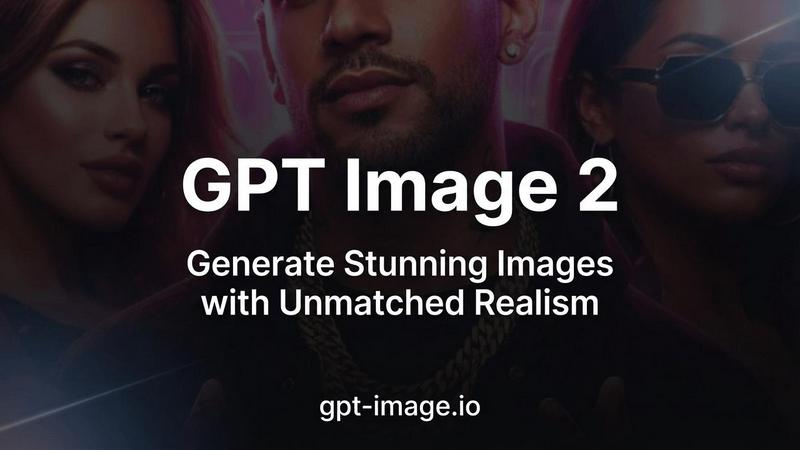
GPT Image 2 is an advanced AI image generator that creates stunning, photorealistic images with exceptional text accuracy and rich detail.
Last updated: April 13, 2026

Img Editor
Create breathtaking AI-generated images in seconds with Img Editor's powerful and intuitive technology.
Last updated: February 28, 2026
Visual Comparison
GPT Image 2
Img Editor

Feature Comparison
GPT Image 2
Razor-Sharp Text Rendering
GPT Image 2 provides industry-leading text clarity, achieving over 95% accuracy in AI-generated images. This makes it ideal for projects that require embedded text, such as posters, social media graphics, and marketing materials. The text is rendered crisp and legible, ensuring that your message is communicated effectively.
Photorealistic Generation
This AI model excels in producing images with breathtaking photorealism. Capable of generating visuals up to 4K resolution, GPT Image 2 captures intricate details and natural lighting, making the images nearly indistinguishable from professional photographs. This feature is particularly valuable for industries that rely on visually striking imagery.
Accurate Color Science
GPT Image 2 utilizes advanced color science to ensure true-to-life color reproduction. It eliminates the common warm yellow color cast seen in other AI models, resulting in neutral and natural colors. This feature allows creators to maintain fidelity to their artistic vision and ensure that colors are represented accurately.
Deep World Knowledge
With a rich understanding of cultural context and real-world details, GPT Image 2 can create images that are contextually accurate and nuanced. This deep world knowledge enables the generation of complex scenes that reflect real-life scenarios, making it suitable for a wide range of creative endeavors.
Img Editor
Text to Image
Img Editor offers a robust text-to-image feature that enables users to input descriptive prompts and receive stunning AI-generated images in response. This functionality is particularly useful for artists and designers who wish to visualize concepts without the need for extensive graphic design skills.
Image Editing
The platform includes powerful image editing tools that allow users to refine and enhance their generated images. From adjusting colors to cropping and applying filters, Img Editor equips users with the essential tools to perfect their visuals easily.
Prompt Generator
Img Editor features an intuitive prompt generator that helps users brainstorm ideas and create effective prompts for image generation. This tool is especially beneficial for those who may struggle with wording or who seek inspiration to generate unique images.
High-Quality Outputs
Users can choose from various image quality settings, including 1K, 2K, and 4K outputs. The flexibility in quality options ensures that users can produce images that meet their specific needs, whether for personal use or professional projects.
Use Cases
GPT Image 2
Marketing and Advertising
Marketers can leverage GPT Image 2 to create visually appealing advertisements and promotional materials. The photorealistic images combined with sharp text rendering help capture audience attention and convey messages effectively.
Content Creation for Social Media
Social media managers can use this tool to generate eye-catching graphics that stand out in crowded feeds. The ability to create images quickly and with high quality allows for a more robust visual presence online.
Product Design and Prototyping
Designers can utilize GPT Image 2 to develop product mockups and prototypes that look realistic. This helps stakeholders visualize concepts more clearly, facilitating better feedback and iterative design processes.
Artistic Exploration and Expression
Artists can experiment with various styles and techniques using GPT Image 2. The model's support for over 50 artistic styles enables creatives to push the boundaries of their work and explore new aesthetic possibilities.
Img Editor
Artistic Visualization
Artists can leverage Img Editor to transform their creative ideas into visual representations, making it easier to conceptualize projects or share their visions with collaborators. This is especially useful for sketching out ideas before committing them to traditional media.
Graphic Design Projects
Graphic designers can utilize Img Editor to generate unique graphics for marketing materials, websites, or social media campaigns. The ability to create custom visuals quickly can significantly enhance their workflow and productivity.
Marketing and Advertising
Marketers can harness the power of Img Editor to create eye-catching and relevant visuals for their campaigns. With the tool's user-friendly interface, they can produce compelling images that resonate with their target audiences and enhance brand messaging.
Educational Content Creation
Educators and content creators can use Img Editor to generate illustrative images for presentations, lesson plans, or online courses. The platform allows for quick creation of visuals that can enhance learning experiences and engage students effectively.
Overview
About GPT Image 2
GPT Image 2 is a cutting-edge AI image generation model designed to transform the way creators, designers, and professionals visualize their ideas. This innovative tool delivers exceptional quality and precision, setting a new standard in the realm of AI-generated images. With its advanced neural architecture, GPT Image 2 supports resolutions up to 4K (4096×4096), allowing users to produce studio-quality images in under 30 seconds. Its unique capabilities include razor-sharp text rendering, photorealistic output, and a rich understanding of world knowledge, making it a versatile tool for various creative applications. Whether you are a marketer, an artist, or a content creator, GPT Image 2 empowers you to bring your creative visions to life with ease and efficiency. Its user-friendly interface and powerful features ensure that even those with limited technical expertise can generate stunning visuals that captivate audiences.
About Img Editor
Img Editor is a groundbreaking and entirely free AI image generation platform that serves as a creative ally for individuals across various artistic fields. Whether you are an artist aiming to visualize intricate ideas, a designer in search of distinctive graphics, or a marketer looking to craft engaging visuals for campaigns, Img Editor is tailored to meet these diverse needs. By harnessing advanced AI technology, the platform quickly transforms your concepts into breathtaking images. Users can generate up to 10 images daily without any cost, and additional generations can be unlocked through community contributions. This makes Img Editor an accessible solution for anyone who desires to create high-quality visuals without the financial strain typically associated with similar tools. Its user-friendly interface is designed to accommodate all skill levels, ensuring that everyone can navigate its features effortlessly and bring their creative visions to life.
Frequently Asked Questions
GPT Image 2 FAQ
How does GPT Image 2 ensure text clarity in images?
GPT Image 2 achieves razor-sharp text rendering with over 95% accuracy, making it one of the best tools for generating text-heavy designs. This clarity is crucial for projects that require embedded text to be legible and impactful.
What resolutions can GPT Image 2 generate?
GPT Image 2 supports image resolutions up to 4K (4096×4096). This high resolution allows users to create detailed and visually rich images suitable for professional use across various platforms.
Can GPT Image 2 generate images in different styles?
Yes, GPT Image 2 supports more than 50 artistic styles. This versatility enables users to create images ranging from photorealistic visuals to illustrations and conceptual artwork, adapting to different creative needs.
Is GPT Image 2 user-friendly for beginners?
Absolutely. GPT Image 2 is designed with an intuitive interface that makes it accessible to users of all skill levels. Even those with limited technical expertise can easily generate stunning visuals, making it a great choice for everyone.
Img Editor FAQ
Is Img Editor really free to use?
Yes, Img Editor is completely free to use, allowing users to generate up to 10 images daily without any cost. Users can also earn additional generations by contributing to the community.
Do I need any technical skills to use Img Editor?
No, Img Editor is designed with a user-friendly interface that caters to individuals of all skill levels. Whether you are a beginner or an experienced designer, you will find it easy to navigate and utilize the platform's features.
What quality options are available for generated images?
Img Editor offers various quality settings, including 1K, 2K, and 4K outputs. Users can select the quality that best suits their needs, whether for casual use or professional-grade projects.
Can I edit images after generating them?
Yes, Img Editor includes image editing tools that allow users to refine and enhance their generated images. You can adjust colors, apply filters, and make other modifications to achieve the desired look.
Alternatives
GPT Image 2 Alternatives
GPT Image 2 is an advanced AI image generator that produces photorealistic images with exceptional text rendering capabilities. As part of the image generation category, it offers users the opportunity to create stunning visuals for various applications, from marketing to personal projects. However, users often seek alternatives due to factors such as pricing, differing features, or specific platform compatibility that better suits their needs. When looking for alternatives, it is essential to consider several key aspects. Evaluate the quality of image output, the ease of use of the platform, and any additional features that may enhance your creative process. Understanding your specific requirements will help you find an alternative that aligns with your goals and provides the best value for your investment.
Img Editor Alternatives
Img Editor is an innovative, free AI image generation platform designed to help users from diverse creative backgrounds create stunning visuals effortlessly. It falls under the category of image and photo editing tools, providing capabilities for both image generation and editing. Users often seek alternatives to Img Editor for various reasons, such as pricing structures, specific feature sets, or compatibility with different platforms. As the creative landscape evolves, individuals may find themselves in need of a tool that better aligns with their unique requirements, whether that involves advanced editing options, improved collaboration features, or enhanced user interfaces. When choosing an alternative to Img Editor, it is essential to consider several factors. Users should evaluate the range of features offered, including the quality of image generation and editing capabilities. Additionally, the platform's user-friendliness, community engagement opportunities, and any associated costs should be taken into account. Ultimately, selecting the right tool will depend on the specific needs and goals of the user, ensuring that they find a platform that effectively supports their creative endeavors.